
Creating a professional presentation can take much longer than expected.
Whether you are preparing a business proposal, creating a sales deck, presenting research findings, or sharing a project update with your team, the process often involves more than just putting information on slides.
You need to collect information, organize your thoughts, write clear content, choose the right visual style, and make sure every slide tells a coherent story.
For many professionals, creating presentations has become a time-consuming task that takes hours away from more important work.
This is where a free AI presentation maker can help.
AI presentation tools can transform simple ideas, documents, or prompts into structured presentations within minutes. Instead of starting with a blank slide, professionals can use AI to generate outlines, write content, suggest designs, and create polished presentations faster.
In 2026, AI presentation makers are becoming an essential productivity tool for professionals who want to spend less time formatting slides and more time focusing on ideas.
In this guide, we reviewed the top free AI presentation makers that professionals should try in 2026 and compared their features, strengths, and best use cases.
What Is a Free AI Presentation Maker?
A free AI presentation maker is an AI-powered tool that helps users automatically create presentations from simple instructions, documents, or ideas.
Traditional presentation software requires users to manually create slide structures, write content, and select designs. AI presentation makers simplify this process by using artificial intelligence to assist with different stages of presentation creation.
A typical AI presentation maker can help you:
- Generate presentation outlines
- Create slide content automatically
- Organize information into logical sections
- Suggest layouts and visual styles
- Improve existing presentations
- Turn ideas into complete slide decks
For professionals, this means you can move from an initial concept to a presentation draft much faster.
Instead of spending hours deciding how to structure your slides, AI can provide a starting point that you can refine and customize.
Whether you are creating a business report, marketing presentation, investor pitch, or internal meeting deck, an AI presentation maker can reduce the time and effort required.
How We Evaluated These Free AI Presentation Makers
With so many AI presentation tools available, choosing the right one can be challenging.
To compare these tools fairly, we evaluated them based on several important factors that matter most to professionals.
Ease of Use
A good AI presentation maker should make the creation process simple.
Professionals often need to create presentations quickly without spending time learning complicated design software.
We considered:
- How quickly users can generate presentations
- Whether beginners can use the tool easily
- How intuitive the workflow is
AI Content Quality
A presentation is more than a collection of attractive slides.
The best AI presentation tools should help users create meaningful content with a clear structure.
We evaluated:
- Quality of generated text
- Logical organization of information
- Ability to transform ideas into professional presentations
Design and Visual Appeal
Professional presentations need more than accurate information.
Good design helps audiences understand key messages and stay engaged.
We looked at:
- Slide layouts
- Visual consistency
- Professional appearance
- Design flexibility
Customization and Editing Options
AI-generated presentations are a starting point, not always the final version.
Professionals should be able to adjust content, layouts, and styles based on their needs.
We considered:
- Editing flexibility
- Template options
- Personalization features
Free Features and Overall Value
Since this article focuses on free AI presentation makers, we also considered what users can access without paying.
Important factors include:
- Available free features
- Limitations
- Value for professionals
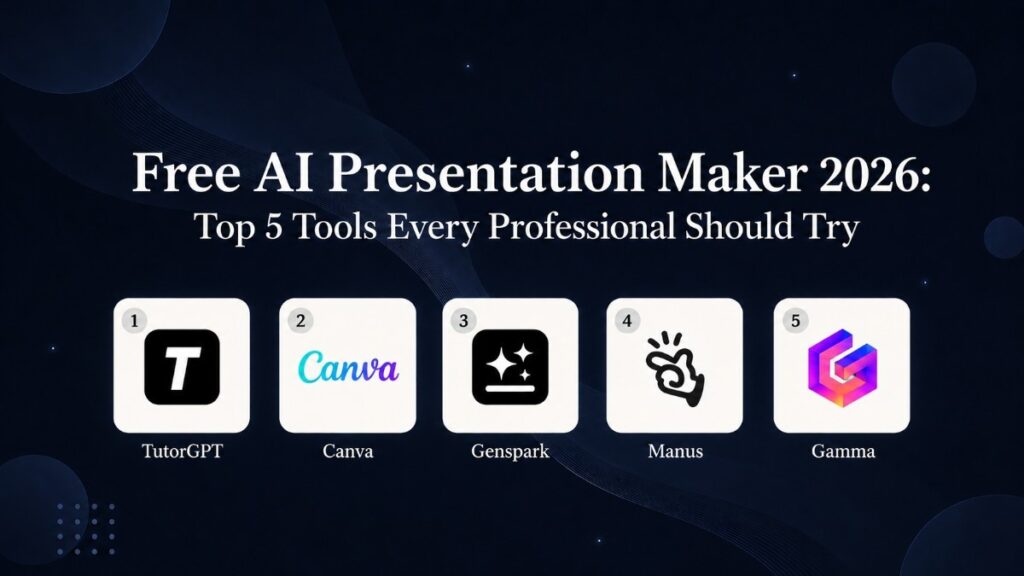
Top 5 Free AI Presentation Makers for Professionals in 2026
After evaluating different AI presentation tools, here are the top options professionals should consider in 2026.
1. TutorGPT - Best Free AI Presentation Maker for Professionals
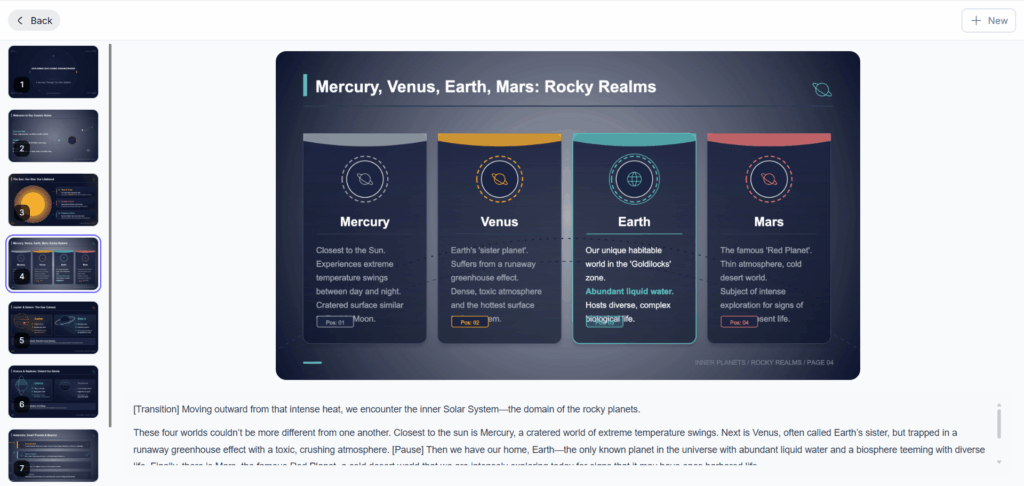
TutorGPT is an all-in-one AI assistant that helps professionals create presentations faster with AI-powered slide generation.
Unlike traditional presentation tools that focus mainly on templates and design, TutorGPT focuses on helping users turn ideas into structured, professional presentations.
With TutorGPT AI Slides, professionals can generate presentations from simple prompts, organize information automatically, and create polished slide decks without starting from scratch.
Key Features
AI-Powered Presentation Generation
TutorGPT can help transform a simple topic or idea into a complete presentation structure.
Instead of manually planning every section, users can generate:
- Presentation outlines
- Slide titles
- Key points
- Structured content
This is especially useful for professionals who need to prepare presentations quickly.
Smart Content Organization
A strong presentation requires a clear flow.
TutorGPT helps organize information into logical sections, making presentations easier to understand and more effective.
Professionals can use it for:
- Business presentations
- Project updates
- Marketing reports
- Research summaries
Faster Presentation Workflow
Creating slides usually requires switching between multiple tools for research, writing, and design.
TutorGPT combines AI assistance into one workflow, helping users move from idea to presentation faster.
Best For
TutorGPT AI Slides is suitable for:
- Business professionals
- Marketing teams
- Entrepreneurs
- Researchers
- Anyone who needs to create presentations efficiently
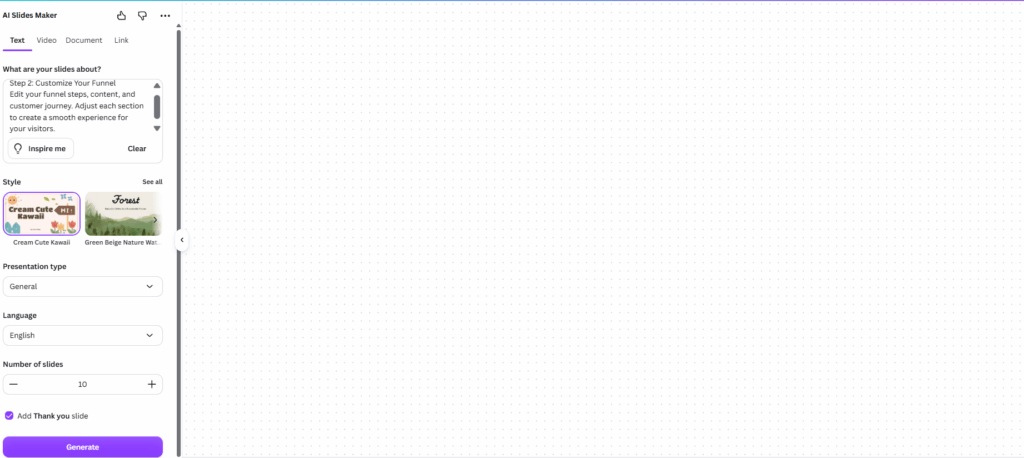
2. Canva - Best for Professional Presentation Design
Canva is widely known for its visual design capabilities and offers AI-powered features to help users create presentations more efficiently.
It is a strong choice for professionals who care about visual customization and want more control over the final appearance of their slides.
With a large collection of templates, graphics, and design elements, Canva allows users to create presentations that match their brand style.
Key Features
- Large presentation template library
- Drag-and-drop editing
- AI-assisted design features
- Brand customization options
Best For
Canva works well for professionals who prioritize:
- Visual storytelling
- Marketing presentations
- Brand-focused slides
- Creative projects
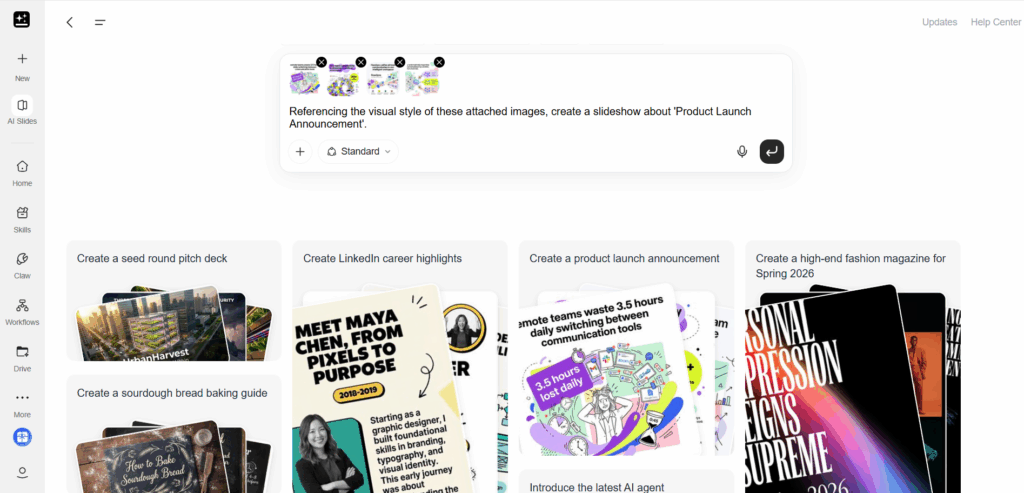
3. Genspark - Best for AI-Generated Research Presentations
Genspark is an AI-powered workspace designed to help users research information, analyze topics, and generate content efficiently.
For professionals who create presentations that require research and data collection, Genspark can help reduce the time spent gathering information before building slides.
Instead of manually searching for information across multiple sources, users can leverage AI assistance to summarize topics and transform research into presentation-ready content.
Key Features
AI Research Assistance
Genspark helps professionals quickly explore topics and gather relevant information.
This can be useful when creating:
- Industry reports
- Market analysis presentations
- Research summaries
- Strategy decks
Information Organization
Turning large amounts of information into a clear presentation structure can be challenging.
Genspark helps organize complex information into easier-to-understand formats, making it easier for professionals to create presentations with a logical flow.
AI-Powered Content Creation
Professionals can use AI-generated insights as a foundation for presentations and refine the content based on their specific goals.
Best For
Genspark is a good option for:
- Researchers
- Analysts
- Strategy professionals
- Users who need information-heavy presentations
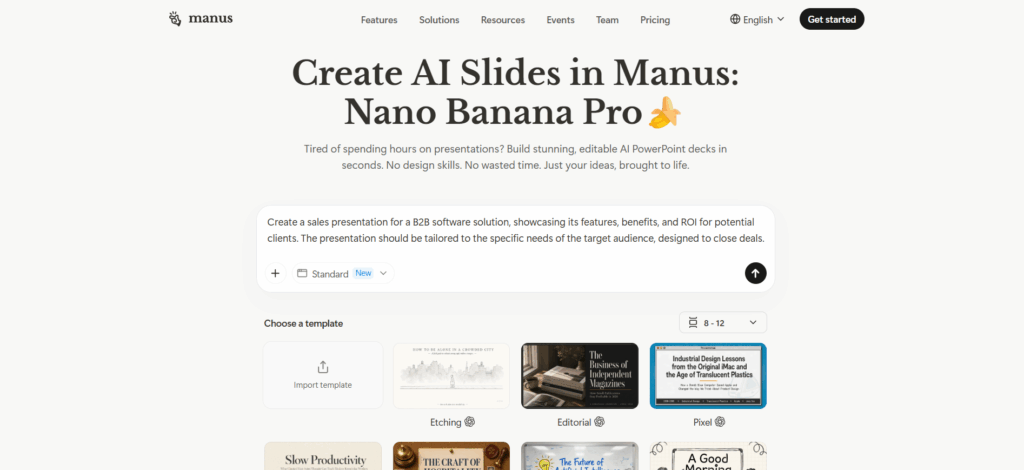
4. Manus - Best for Automated AI Presentation Creation
Manus is an AI agent platform that focuses on completing complex tasks through autonomous workflows.
For professionals who need to create presentations involving research, content generation, and structured outputs, Manus provides an AI-driven approach to presentation creation.
Rather than only generating individual slides, Manus focuses on handling larger tasks from start to finish.
Key Features
Automated Workflows
Manus can assist with multi-step tasks, helping professionals move from research and planning to presentation creation.
Research-Based Presentations
For presentations that require deeper analysis, Manus can help collect and organize information before creating the final output.
AI Task Automation
Professionals can reduce repetitive work by allowing AI to handle parts of the presentation workflow.
Best For
Manus is suitable for professionals who need:
- Research-heavy presentations
- Business reports
- Complex project materials
- Automated workflows
5. Gamma - Best for Modern AI Presentation Layouts
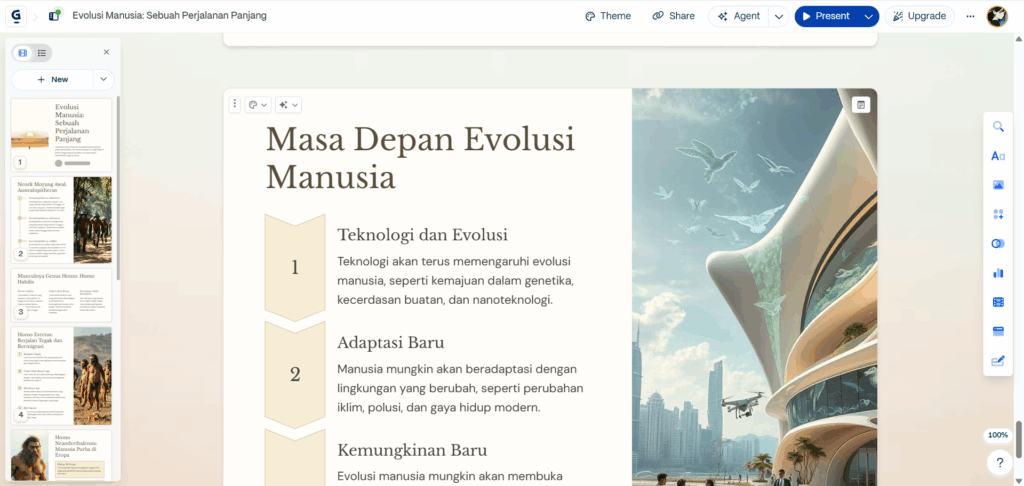
Gamma is an AI presentation maker designed around speed and modern visual design.
It allows users to create presentations by entering a topic or idea, then uses AI to generate structured content and visually appealing layouts.
For professionals who need to quickly create clean and modern presentations, Gamma provides a simple workflow.
Key Features
Fast AI Presentation Generation
Gamma can quickly transform ideas into presentation drafts, helping users avoid starting from a blank page.
Modern Slide Design
Gamma focuses on creating visually polished presentations with contemporary layouts.
Easy Sharing and Collaboration
Professionals can share presentations easily with teams and collaborators.
Best For
Gamma works well for:
- Business presentations
- Team updates
- Quick pitch decks
- Internal communication
Choosing the Right Free AI Presentation Maker for Your Needs
Different professionals have different presentation requirements.
The best AI presentation maker depends on what you need to accomplish.
For Business Presentations
Business presentations usually require clear messaging, structured information, and professional design.
Good options include:
- TutorGPT for structured AI-generated presentations
- Gamma for modern visual layouts
These tools can help create:
- Business reports
- Executive presentations
- Project updates
- Meeting decks
For Sales Decks and Marketing Presentations
Sales and marketing presentations need strong storytelling and persuasive content.
Professionals may prioritize:
- Clear presentation structure
- Engaging visuals
- Easy customization
Recommended options:
- TutorGPT for content organization
- Canva for visual customization
For Research and Data-Heavy Presentations
Research presentations often require collecting, analyzing, and organizing large amounts of information.
Recommended options:
- Genspark for research assistance
- Manus for complex AI workflows
These tools are useful for:
- Market research
- Industry analysis
- Strategic reports
Benefits of Using a Free AI Presentation Maker
AI presentation makers are changing how professionals approach slide creation.
Instead of spending most of their time formatting slides, users can focus on the ideas and messages behind their presentations.
Save Hours on Presentation Creation
One of the biggest advantages of AI presentation makers is speed.
AI can help with:
- Creating outlines
- Writing slide content
- Suggesting designs
Tasks that previously required hours can now be completed much faster.
Create More Professional-Looking Slides
Not everyone has professional design skills.
AI presentation tools help users create visually consistent slides by suggesting:
- Better layouts
- Clear content structures
- Professional formatting
This allows more professionals to create high-quality presentations without advanced design experience.
Focus More on Ideas Instead of Formatting
Creating presentations involves many small tasks that take attention away from the main message.
AI helps automate repetitive work, allowing professionals to spend more time on:
- Strategy
- Analysis
- Storytelling
- Decision-making
Free AI Presentation Maker vs Traditional Presentation Software
Traditional presentation tools have helped professionals create slides for years, but AI presentation makers introduce a faster and more automated workflow.
| Feature | Traditional Presentation Software | AI Presentation Maker |
| Create outline | Manual planning | AI-generated structure |
| Write content | Written from scratch | AI-assisted writing |
| Design slides | Template-based | AI-powered suggestions |
| Research information | Separate process | AI-supported workflow |
| Creation speed | Hours | Minutes |
Traditional tools are still useful for detailed editing, but AI presentation makers provide a faster starting point and reduce repetitive work.
How to Create a Presentation with a Free AI Presentation Maker
Creating a presentation with AI usually requires only a few simple steps.
Step 1: Enter Your Topic or Idea
Start by describing what you want to present.
For example:
- Business proposal
- Product launch
- Marketing strategy
- Research report
The clearer your goal, the better AI can understand your needs.
Step 2: Let AI Generate Your Presentation Structure
The AI tool can create an initial structure including:
- Presentation title
- Section organization
- Slide topics
- Key points
This helps you build a logical presentation faster.
Step 3: Customize Content and Design
AI-generated presentations can be adjusted based on your preferences.
You can:
- Edit text
- Change layouts
- Add visuals
- Modify presentation style
Step 4: Export and Share Your Presentation
After final adjustments, you can share your presentation with:
- Clients
- Teammates
- Stakeholders
- Audiences
Frequently Asked Questions
What is the best free AI presentation maker in 2026?
The best free AI presentation maker depends on your needs.
For professionals who need structured content generation and efficient workflows, TutorGPT AI Slides is a strong option. Other tools like Canva, Genspark, Manus, and Gamma offer different advantages based on design, research, and automation needs.
Can AI create professional PowerPoint presentations?
Yes.
AI presentation makers can help create professional presentations by generating:
- Slide structures
- Written content
- Design suggestions
- Presentation layouts
Users can customize the generated slides before sharing them.
Are free AI presentation makers good for business presentations?
Yes.
Many AI presentation makers are designed for professional scenarios, including:
- Business reports
- Sales presentations
- Marketing decks
- Project updates
They help professionals create presentations faster while maintaining a professional appearance.
How does an AI presentation maker work?
AI presentation makers analyze user input and generate presentation elements based on the provided information.
They can help create:
- Presentation outlines
- Slide content
- Visual layouts
- Design recommendations
Can professionals use AI to create presentations?
Absolutely.
Professionals across industries use AI presentation makers to save time, improve slide quality, and communicate ideas more effectively.
Whether you are preparing a client presentation, internal report, or business proposal, AI can help simplify the creation process.
Conclusion
Creating presentations no longer needs to be a time-consuming process.
With a free AI presentation maker, professionals can turn ideas into structured, polished presentations faster while spending more time focusing on their goals.
From AI-powered content generation to automated slide design, these tools are making presentation creation more efficient in 2026.
If you want a faster way to create professional presentations, try TutorGPT AI Slides and transform your ideas into engaging presentations with AI.