
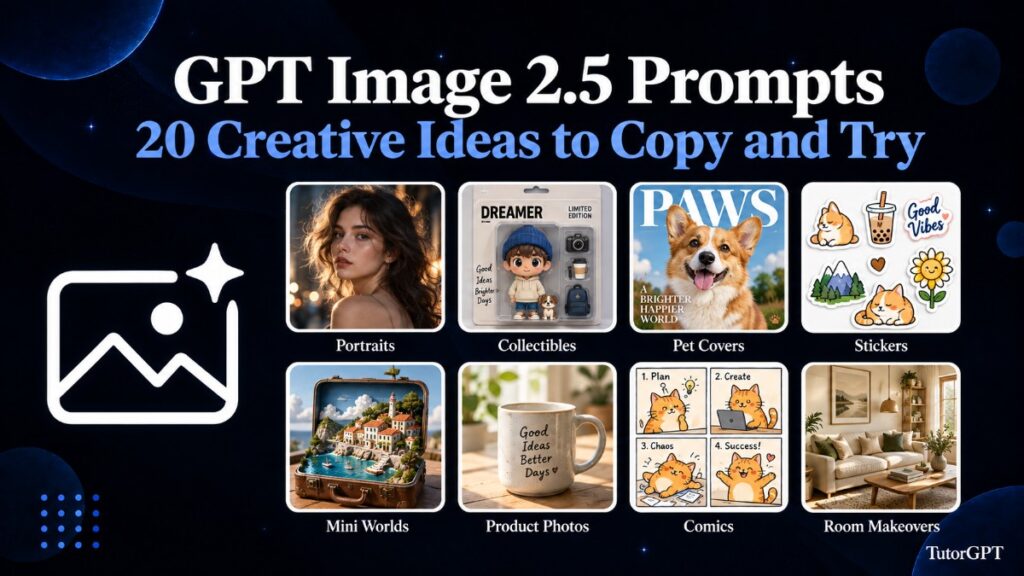
Sometimes the idea arrives before the words do. You can picture your dog on a magazine cover or a tiny seaside town tucked inside a suitcase. But when you sit down to describe it, all you have is “make something creative.”
That is where a good starting prompt helps.
These GPT Image 2.5 Prompts turn familiar subjects into portraits, posters, stickers, product scenes, and little imaginary worlds. Each one gives you something concrete to copy, along with enough room to make it your own.
You can keep an AI Image Generator open while browsing and save whichever ideas catch your eye. The fun of GPT Image 2.5 Prompts is seeing how one small change—a different season, softer light, an unexpected material—can take the picture somewhere new.
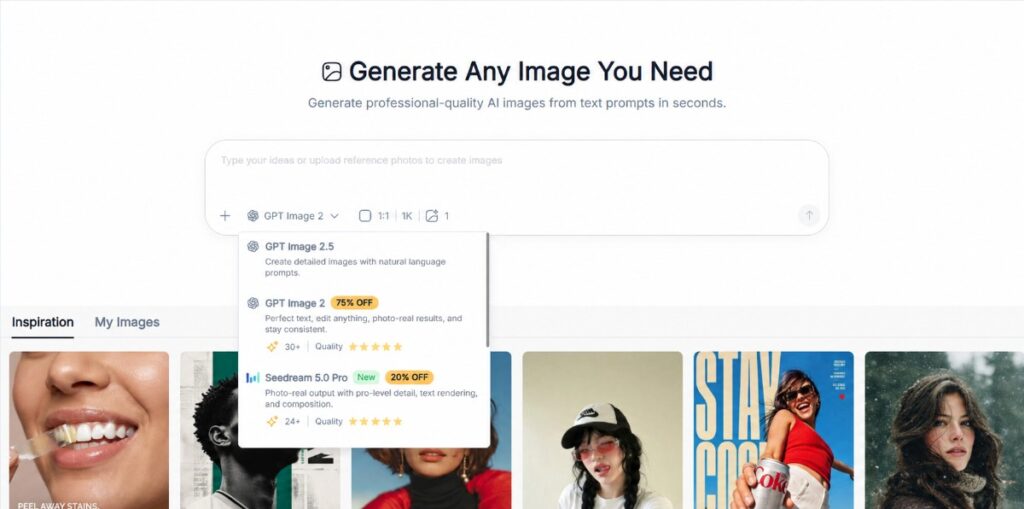
What Are GPT Image 2.5 Prompts?
GPT Image 2.5 Prompts are instructions for creating an image or changing an existing one. They describe what should appear, how it should look, and, when you provide a reference, which details should remain recognizable.
Think of GPT Image 2.5 Prompts as giving directions to someone who cannot see the picture in your head. “A cozy room” leaves plenty to guess. “A small reading nook with a faded armchair, warm lamplight, and rain against the window” gives that feeling somewhere to live.
You do not need complicated terminology. A few well-chosen details often communicate more than a paragraph of impressive adjectives.
Why Do GPT Image 2.5 Prompts Make a Difference?
The difference between a generic image and a personal one often comes down to specificity.
Useful GPT Image 2.5 Prompts explain what matters most. For a pet portrait, that might be one crooked ear. For a product photo, it could be the exact bottle shape. For a poster, it is usually the headline and how easily someone can read it.
Adding these priorities gives you a clearer starting point—and makes it easier to explain what needs changing afterward.
What to Include in GPT Image 2.5 Prompts
A Clear Main Subject
Start GPT Image 2.5 Prompts with the thing you want someone to notice first. A sleepy dachshund, a strawberry cake, or a blue bicycle is easier to build around than several competing ideas.
A Mood You Can Describe
Give GPT Image 2.5 Prompts a setting and atmosphere. Try pale morning light, a quiet winter street, or the slightly faded colors of an old postcard. Choose details that feel like they belong in the same picture.
Details Worth Preserving
When editing a reference, GPT Image 2.5 Prompts should explain what stays: the person’s hairstyle, the pet’s markings, the room’s windows. This is especially useful when you want a transformation that still feels connected to the original.
20 Creative GPT Image 2.5 Prompts to Copy and Try
The following GPT Image 2.5 Prompts are editable templates. Replace anything in brackets. For ideas that use a reference, choose a tool and model that support image uploads.
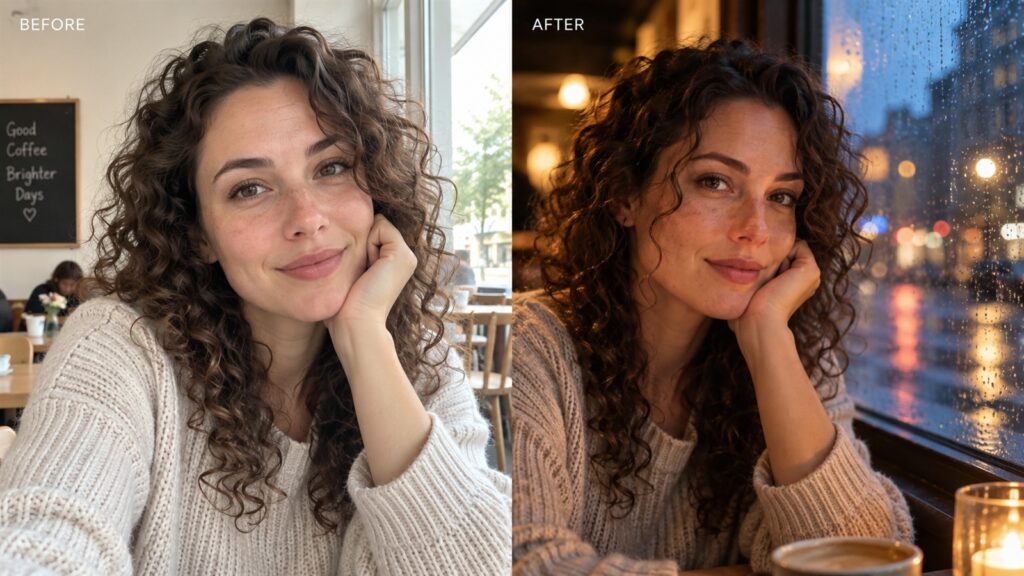
1. Give Your Selfie a Cinematic Setting
A little atmosphere can make an ordinary portrait feel like a moment from a larger story. Portrait-focused GPT Image 2.5 Prompts work well with one clear photo.
Upload: A portrait with your face clearly visible.
Reimagine this portrait beside a rainy café window at dusk. Preserve the person’s facial features and hairstyle. Add warm indoor light on one side of the face and soft blue street reflections in the glass. Keep natural skin texture, a relaxed expression, and a gently blurred background. Use a vertical composition.
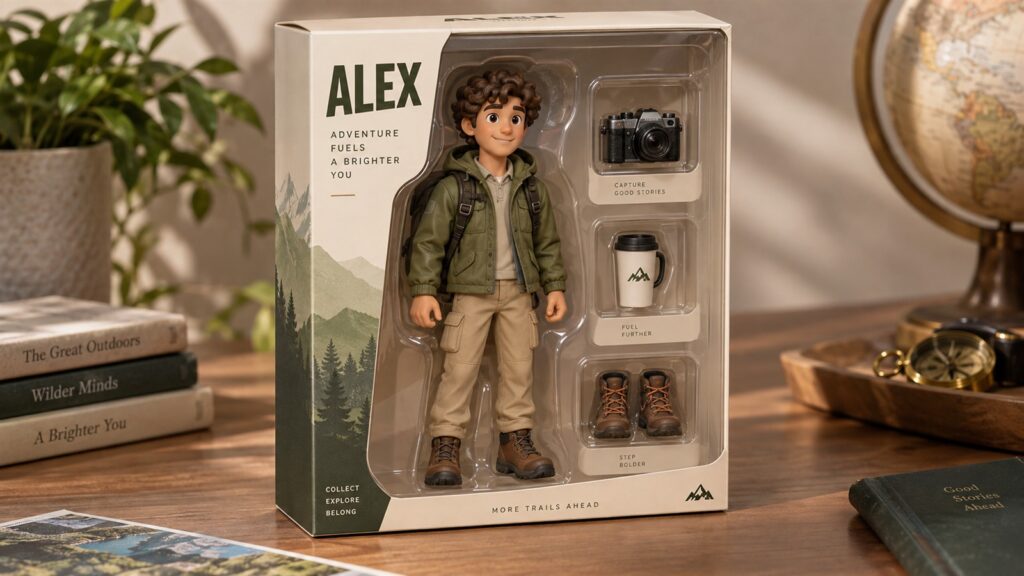
2. Turn Yourself Into a Collectible Figure
The accessories are where this idea becomes personal. Give these GPT Image 2.5 Prompts a few details that your friends would immediately recognize.
Upload: A clear photo of yourself.
Create a photograph of a collectible figure based on this person inside a clear display box. Add three miniature accessories: [a camera, a coffee cup, and hiking boots]. Use cream packaging with “[YOUR NAME]” at the top. Preserve recognizable facial details while giving the figure a molded toy appearance. Show the entire box.
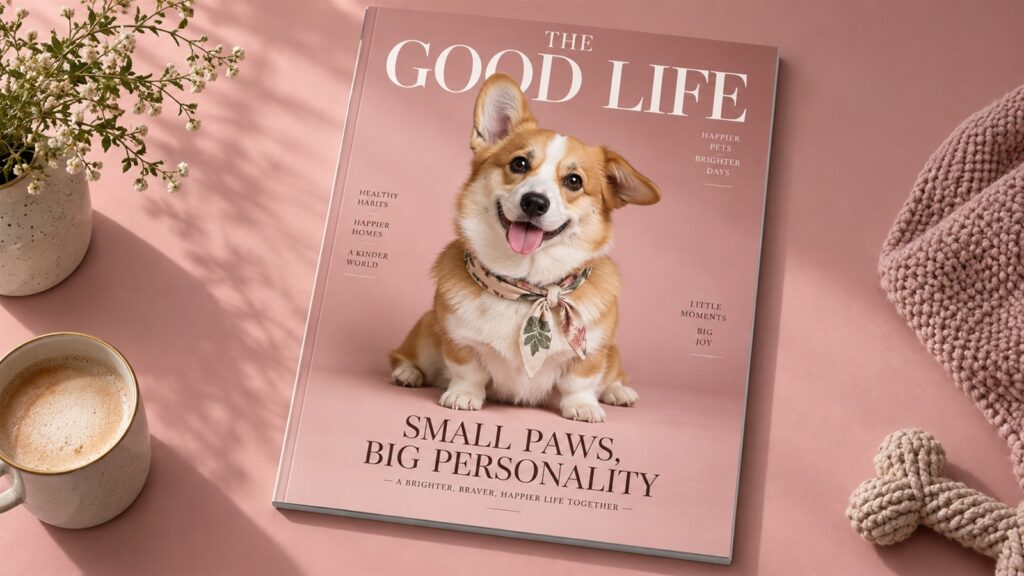
3. Put Your Pet on a Magazine Cover
A very serious cover starring a very unserious animal is hard to resist. Keep pet-themed GPT Image 2.5 Prompts simple enough for the expression to shine.
Upload: Your favorite pet photo.
Create a fictional lifestyle magazine cover featuring this pet against a dusty pink background. Preserve its markings, ears, and expression. Add a small silk neckerchief. Use the magazine title “THE GOOD LIFE” and the cover line “SMALL PAWS, BIG PERSONALITY.” Keep the typography elegant and leave generous space around the pet.
4. Make Stickers for Your Everyday Moods
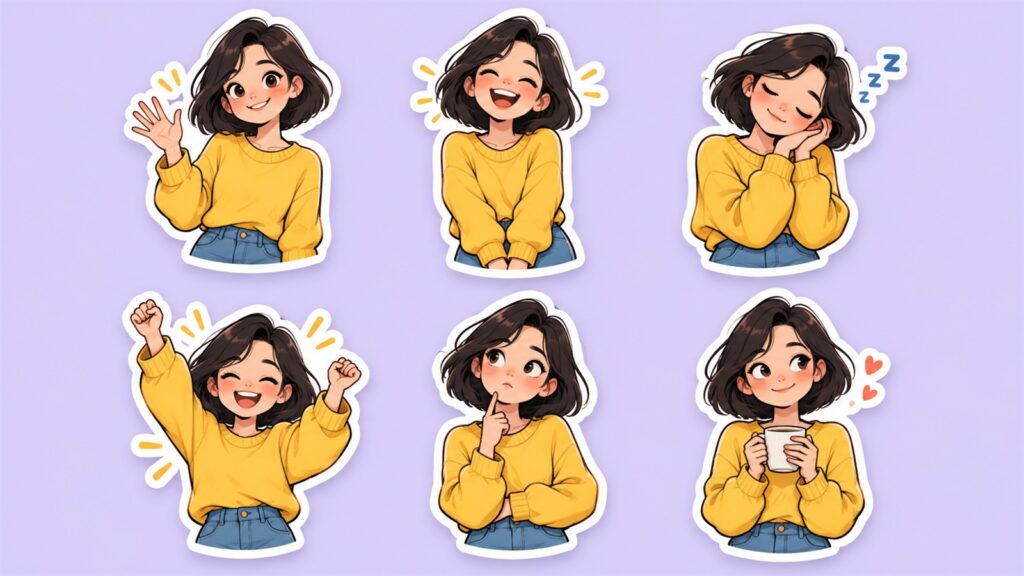
Some days deserve a cheering sticker; others need a sleepy one holding coffee. These GPT Image 2.5 Prompts help create a matching set.
Upload: A portrait or original character image.
Create six illustrated stickers based on this subject: waving, laughing, looking sleepy, celebrating, thinking, and holding coffee. Keep the hairstyle, outfit, and drawing style consistent. Use expressive faces, bold outlines, and white sticker borders. Arrange them in a two-by-three grid with wide spacing on a plain pastel background.
5. Build a Tiny World Inside a Suitcase
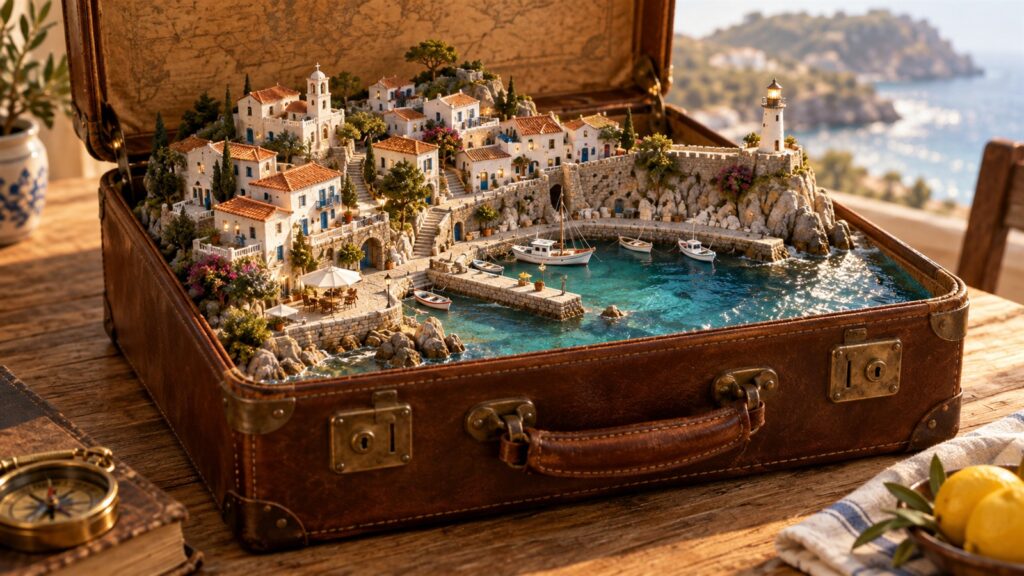
This is a lovely excuse to invent somewhere you wish you could visit. Imaginative GPT Image 2.5 Prompts benefit from a clear sense of scale.
Upload: Nothing needed.
Create a miniature seaside village inside an open vintage suitcase. Include white houses, narrow stairways, a tiny harbor, and a lighthouse. Place the suitcase on a wooden table, keeping its leather handle and metal clasps visible. Use warm afternoon light and a three-quarter view that reveals the miniature landscape inside.
6. Create a Coffee-Shop Product Scene
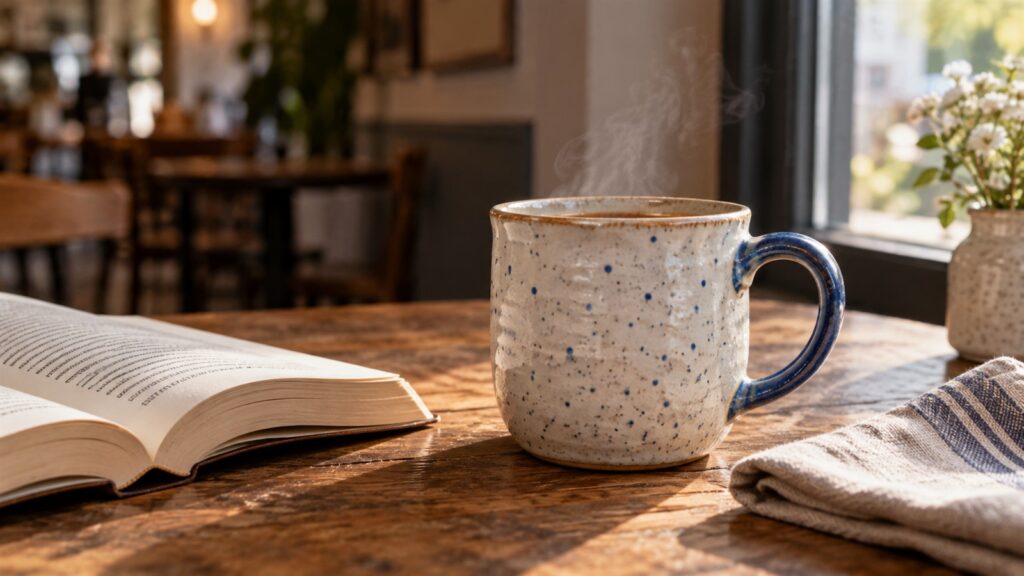
Think of the quiet table you would choose on a slow morning. Lifestyle GPT Image 2.5 Prompts can give a simple object that same feeling.
Upload: A photo of a mug or another small product.
Place this mug on a wooden café table beside an open paperback and a folded linen napkin. Preserve its shape, handle, color, and pattern. Add soft window light and subtle steam. Keep the background gently blurred, with realistic shadows and a relaxed atmosphere. Avoid extra objects crowding the table.
7. Try a Playful Floating Product Ad
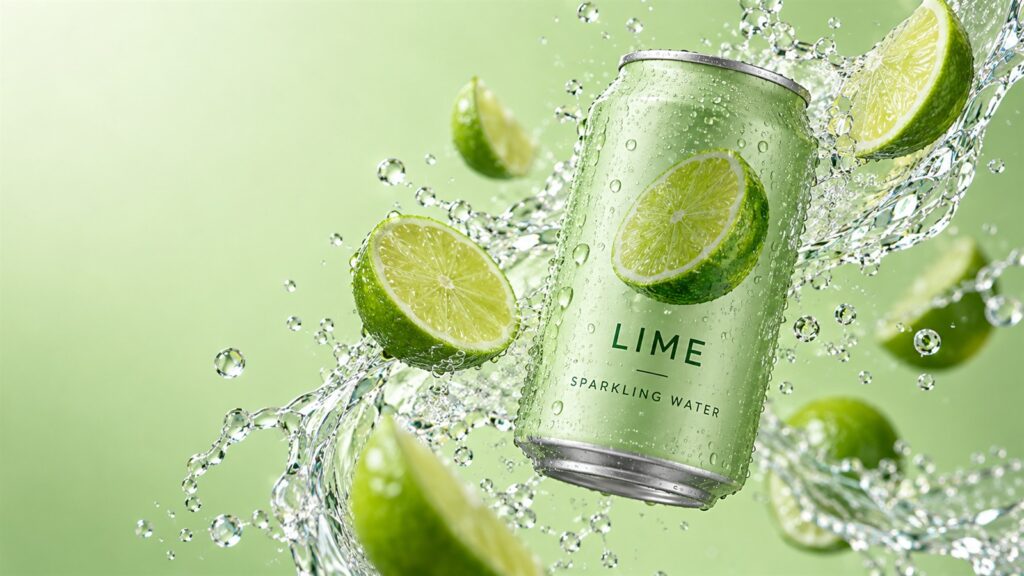
A floating bottle gives you room to play with movement and color. For product-based GPT Image 2.5 Prompts, make preservation instructions explicit.
Upload: A clear product photo.
Show this [sparkling water can] floating among curved ribbons of water and fresh [lime slices]. Preserve its shape, label design, and colors. Use a pale green studio background, crisp lighting, and realistic droplets. Keep the product as the main focal point and leave empty space above it for a headline.
8. Design a Poster for an Imaginary Event
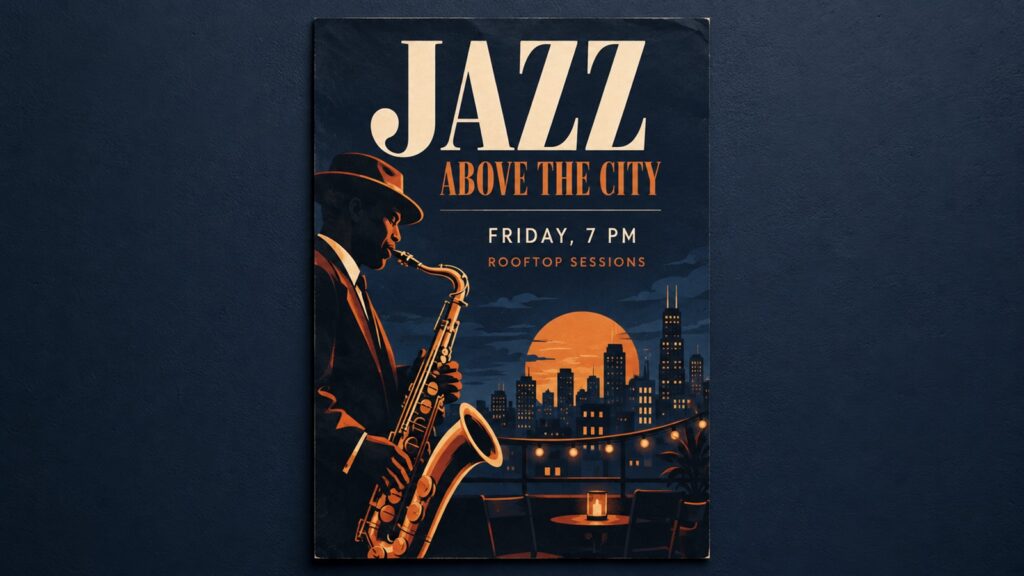
Invent the jazz night, book fair, or garden party you would actually attend. Poster GPT Image 2.5 Prompts are easier to manage with short text.
Upload: Nothing needed.
Design a vertical poster for a fictional evening jazz event. Use midnight blue, orange, and cream, with a large illustrated saxophone. Include exactly this text: “JAZZ ABOVE THE CITY,” “FRIDAY, 7 PM,” and “ROOFTOP SESSIONS.” Give the headline the most space. Keep the smaller details readable and the layout uncluttered.
9. Make a Thumbnail With One Strong Idea
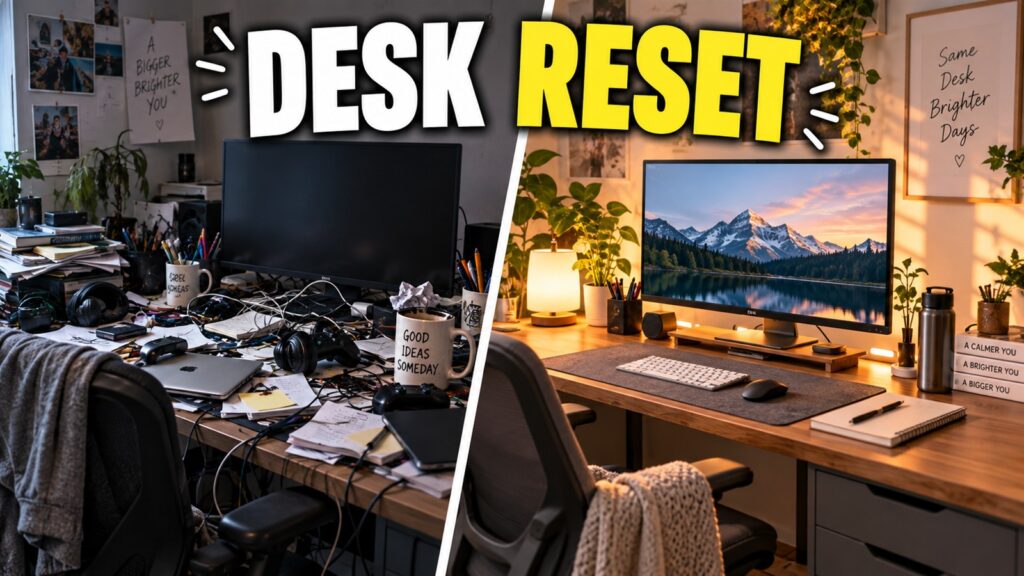
Imagine someone seeing the image on a small phone screen. Focused GPT Image 2.5 Prompts help keep the message visible at that size.
Upload: Nothing needed.
Create a wide YouTube thumbnail for a desk makeover video. Show a messy desk on the left and a bright, organized desk on the right. Separate them with a clean diagonal line. Use strong contrast and add only “DESK RESET” in large, readable lettering. Avoid small decorative details.
10. Create a Calm Carousel Cover
A cover can feel inviting without shouting. Use GPT Image 2.5 Prompts to explore a visual style you could carry through a whole series.
Upload: Nothing needed.
Design a square carousel cover with the headline “MAKE ROOM FOR SMALL JOYS.” Use an ivory background, forest green lettering, and small hand-drawn illustrations of a teacup, flowers, and an open book. Keep wide margins and a clear reading order. Make the overall mood gentle, warm, and welcoming.
Halfway through, it helps to save one favorite and try a variation. In an AI Image Generator, change the palette or lighting first. You may find that the same composition tells a completely different story.

11. Turn a Tiny Story Into a Comic
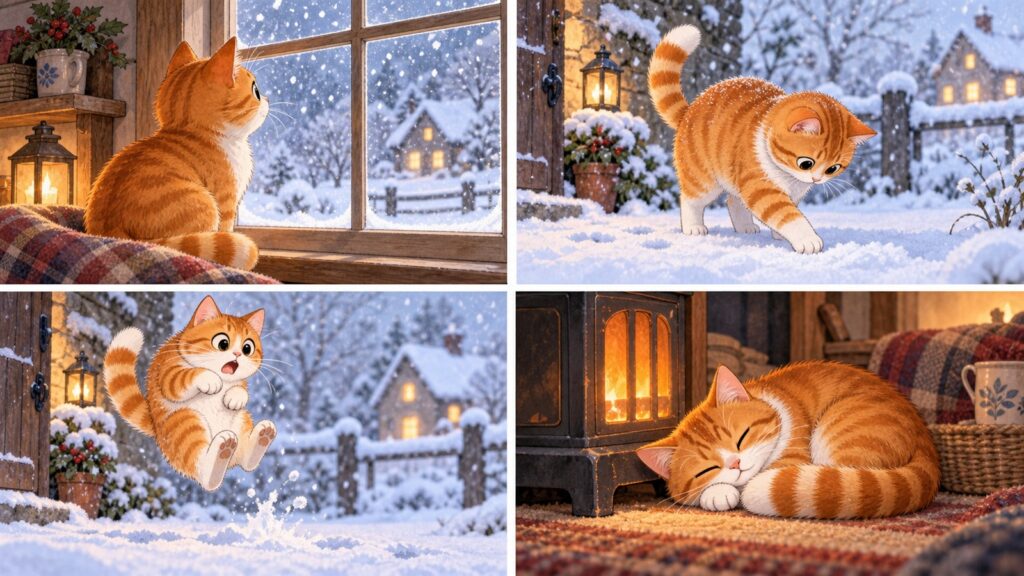
You only need a small beginning, surprise, and ending. Story-based GPT Image 2.5 Prompts work best when each panel has one clear action.
Upload: Optional character reference.
Create a four-panel comic about an orange cat discovering snow. First: watching snow through a window. Second: touching it cautiously outside. Third: jumping backward in surprise. Fourth: sleeping beside a heater. Keep the cat’s markings consistent. Use soft watercolor textures, expressive poses, and no speech bubbles.
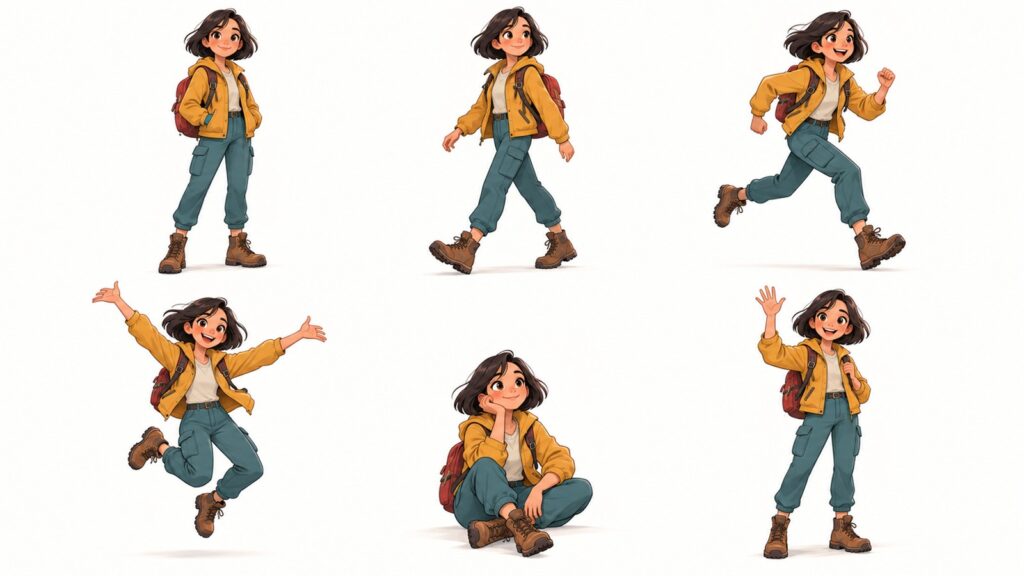
12. Explore Different Character Poses
This is useful when you like a character and want to imagine its next adventure. Keep pose-sheet GPT Image 2.5 Prompts visually consistent.
Upload: An original character image.
Draw this character in six full-body poses: standing, walking, running, jumping, sitting, and waving. Preserve the outfit, hairstyle, proportions, and color palette. Arrange the poses in equal panels on a plain background. Keep the character the same size in every panel, with clear silhouettes and space between limbs.
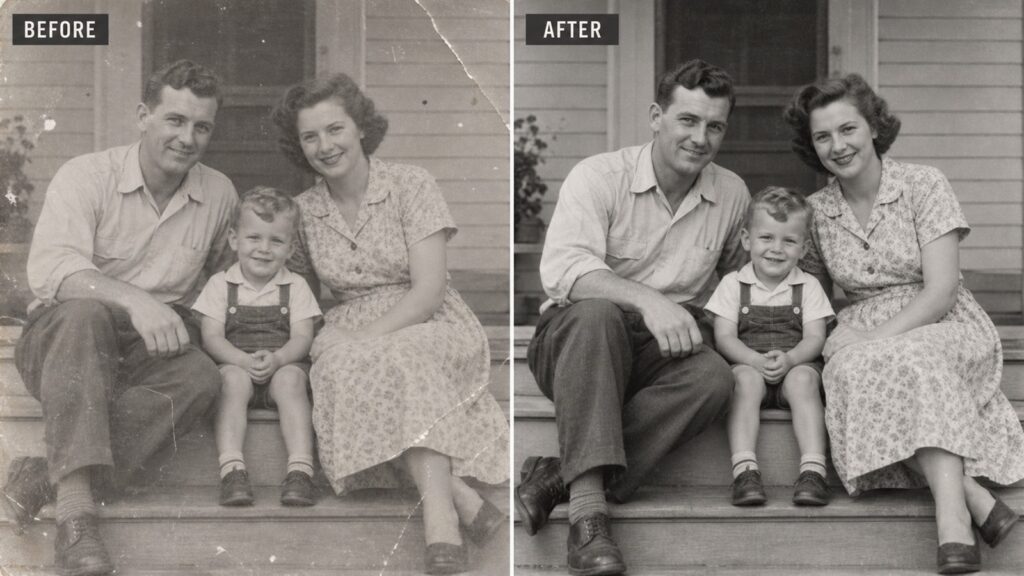
13. Gently Restore an Old Photograph
Old photographs carry texture as well as memories. Restoration GPT Image 2.5 Prompts can ask for restraint so the picture keeps its character.
Upload: A scanned photograph.
Gently restore this old photograph. Reduce dust, scratches, and fading while preserving the faces, expressions, clothing, and composition. Retain some natural grain. Avoid smoothing away facial details or inventing accessories. Keep the original monochrome appearance and aim for a cleaner scan rather than a newly photographed scene.
Keep the original file too; generated repairs may introduce details that were never there.
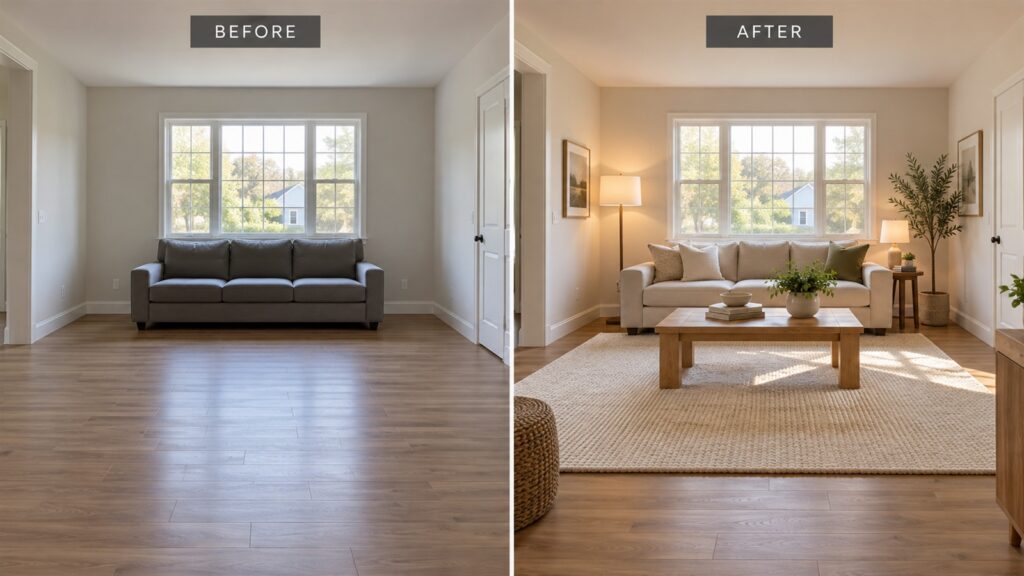
14. Imagine a Warmer Living Room
Sometimes a room needs a softer rug and better lighting to suggest a new direction. Interior GPT Image 2.5 Prompts should respect the existing space.
Upload: A room photo.
Restyle this living room with a warm oak coffee table, oatmeal sofa, textured cream rug, and soft reading lamps. Preserve the walls, windows, doors, and camera angle. Keep furniture sizes believable and walkways open. Add a small stack of books and one leafy plant without overcrowding the room.
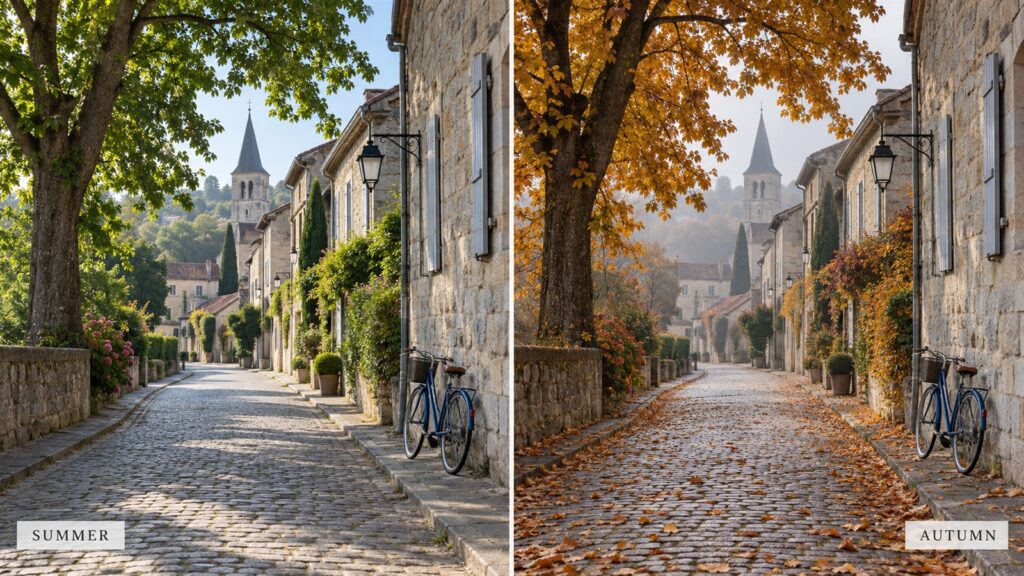
15. Change the Season of a Familiar Street
A familiar place can feel surprisingly different under autumn leaves. Seasonal GPT Image 2.5 Prompts let you explore that shift.
Upload: An outdoor photo.
Transform this street into a quiet autumn morning. Preserve the buildings, road, viewpoint, and main objects. Add golden foliage, scattered leaves, and a little mist in the distance. Adjust the lighting and shadows to suit the season. Keep the result photographic, with muted colors and no dramatic fantasy effects.
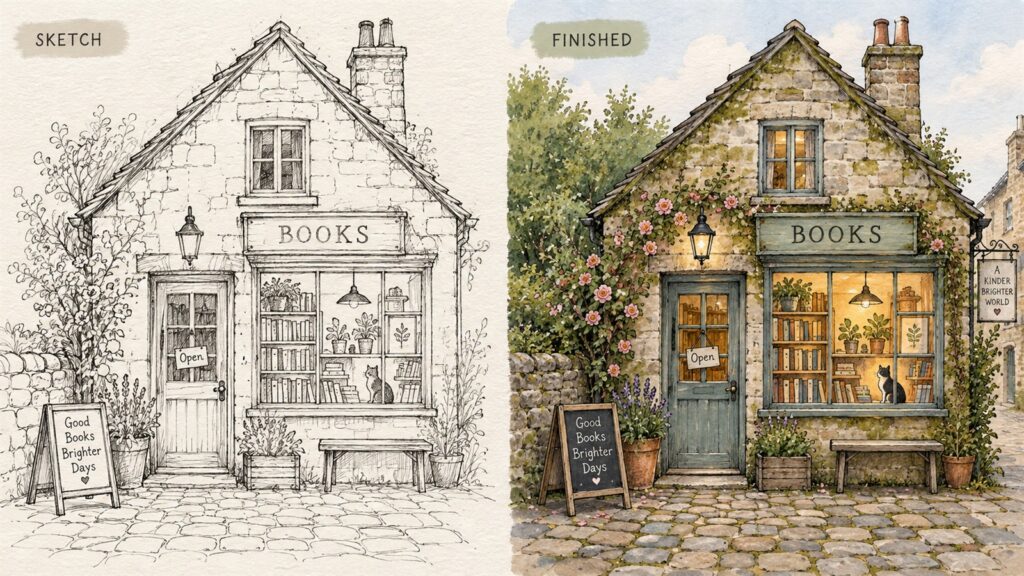
16. Finish a Sketch Without Losing Its Charm
A rough sketch often has a lovely looseness. Use GPT Image 2.5 Prompts that preserve its decisions while adding texture and color.
Upload: A drawing or sketch.
Develop this sketch of a small bookshop into a finished illustration. Preserve the building shape, doorway position, and composition. Add mossy stone, climbing flowers, warm window light, and a cobbled path. Use delicate ink lines with muted watercolor washes. Retain a slightly imperfect, hand-drawn quality.
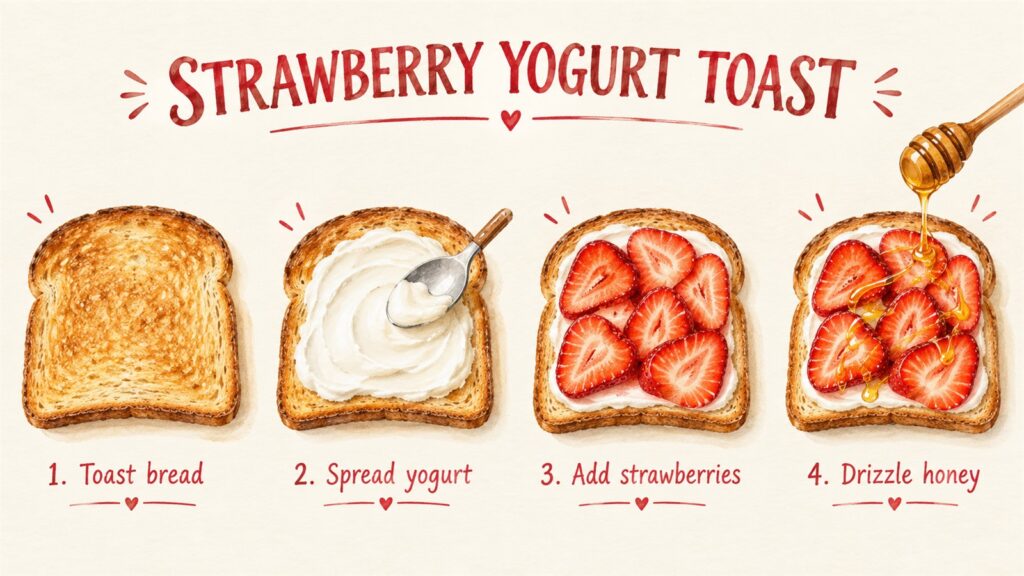
17. Make an Illustrated Recipe Card
Choose something simple enough to explain at a glance. Recipe GPT Image 2.5 Prompts are especially approachable with four short steps.
Upload: Nothing needed.
Create an illustrated strawberry yogurt toast recipe card with four numbered steps: toast bread, spread yogurt, add sliced strawberries, drizzle honey. Give each step one clear illustration and its matching label. Use a cream background, strawberry-red accents, and generous spacing. Include no additional ingredients or instructions.
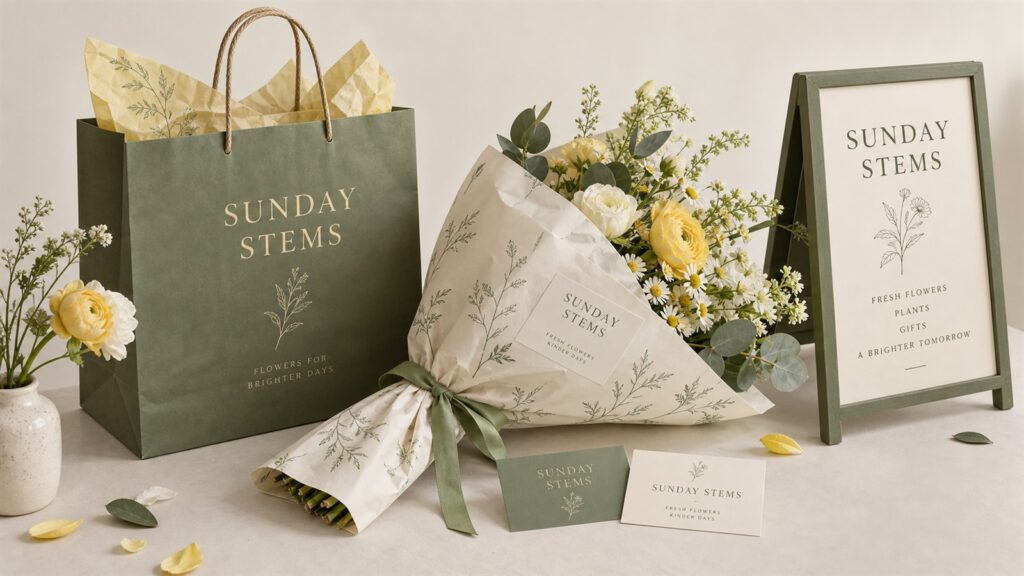
18. Invent a Little Flower-Shop Brand
There is something satisfying about seeing an imaginary shop become visually coherent. Branding GPT Image 2.5 Prompts let you explore that first impression.
Upload: Nothing needed.
Create a brand concept board for a fictional flower shop named “SUNDAY STEMS.” Show a paper bag, bouquet wrapping, business card, and shop sign. Use sage green, butter yellow, and ivory with simple botanical drawings. Keep lettering and colors consistent. Arrange the objects neatly against a neutral background.
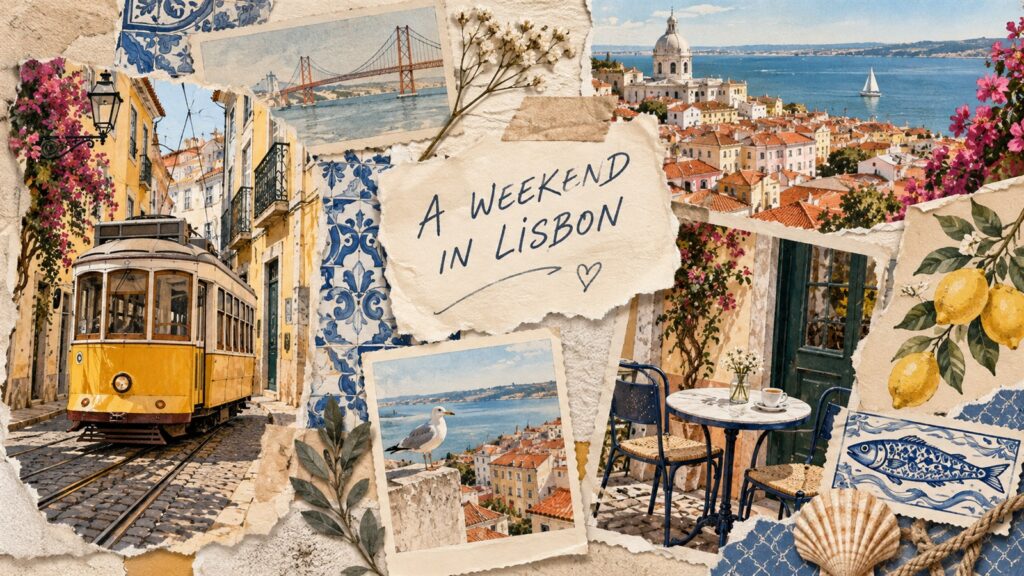
19. Build a Travel Scrapbook
Think postcards, ticket shapes, café corners, and colors that remind you of a place. Travel GPT Image 2.5 Prompts leave plenty of room for personal details.
Upload: Optional travel photos.
Create a travel scrapbook collage inspired by [Lisbon]. Include illustrated trams, tiled patterns, a café sketch, postcard shapes, and torn paper edges. Use warm yellow, ocean blue, and faded cream. Keep the arrangement layered but readable. Add one handwritten heading: “[A WEEKEND IN LISBON].”
20. Design a Wallpaper With Breathing Room
A wallpaper should leave space for the things that sit on top of it. Minimal GPT Image 2.5 Prompts can be surprisingly satisfying.
Upload: Nothing needed.
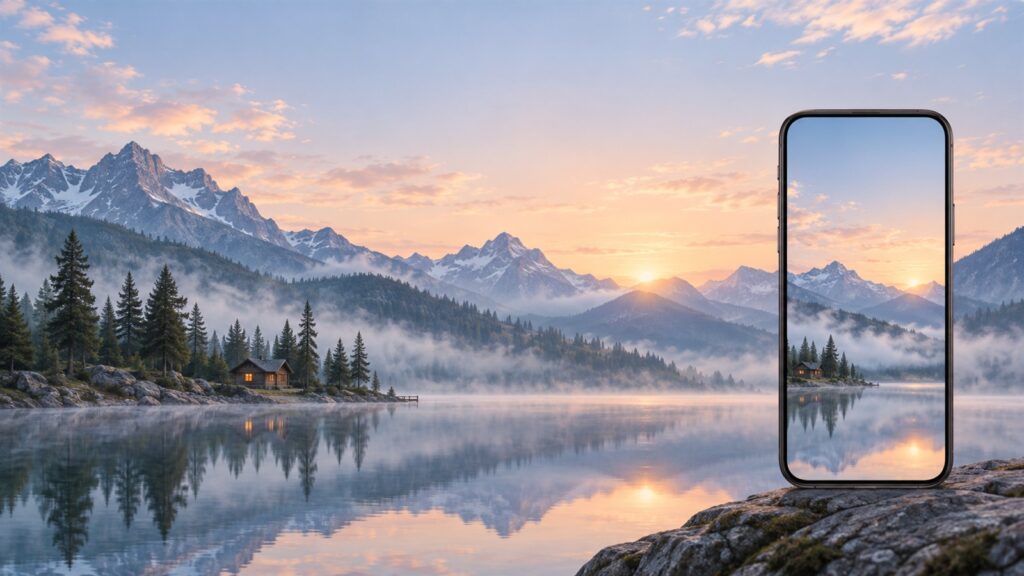
Create a vertical phone wallpaper showing a tiny wooden cabin beside a still mountain lake at dawn. Use misty blue, pale peach, and muted green. Place the cabin in the lower third and leave the upper half mostly open sky for the clock. Keep the scene quiet, spacious, and softly illustrated.
How to Get More From GPT Image 2.5 Prompts
Change One Detail at a Time
When something almost works, resist rewriting everything. Refine GPT Image 2.5 Prompts with one specific request: warmer lighting, fewer background objects, or a wider view. It becomes easier to see which adjustment helped.
Say What You Want to Keep
Follow-up GPT Image 2.5 Prompts should mention successful details too. “Keep the face and composition; simplify the background” gives clearer direction than “try again.” Save versions you like before making further changes.
Match the Shape to the Purpose
A phone wallpaper needs a different composition from a video thumbnail. Choose the format early and describe where the subject belongs. Leave breathing room wherever you plan to add text.
What Should You Check Before Sharing?
Even detailed GPT Image 2.5 Prompts can produce odd lettering, changed facial features, or inconsistent objects. Look closely at hands, labels, reflections, and repeated characters before downloading your final version.
For anything with important text, check every word. For an uploaded product or portrait, compare the result with the original. A beautiful image may still need a small correction.
A Simple Way to Start
Choose the idea you can picture most clearly. A familiar subject makes it easier to judge what feels right and what needs work.
If you are trying these GPT Image 2.5 Prompts in TutorGPT, check the available model and upload options before choosing a reference-based example. You can also start with a text-only idea in the AI Image Generator, such as the miniature suitcase village or a quiet wallpaper.
There is no need to try all twenty at once.
Conclusion
The nicest thing about GPT Image 2.5 Prompts is how easily they invite another idea. A pet portrait becomes a magazine cover. A sketch becomes a bookshop you wish existed. A plain mug finds its place in the morning light.
Pick one prompt, change a few details, and see where it leads. The starting point is ready; the personality comes from you.