
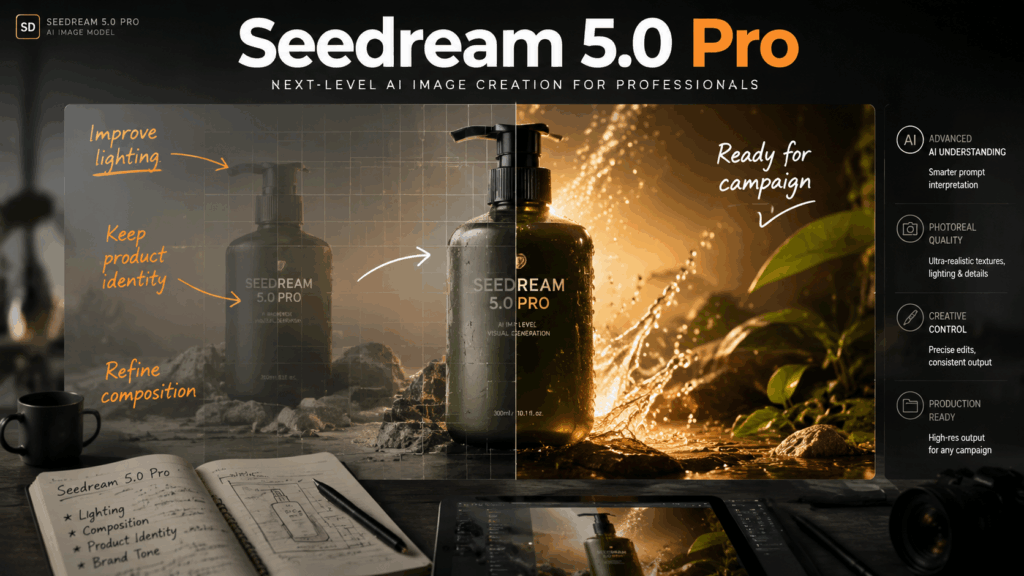
Seedream 5.0 Pro is ByteDance’s professional AI image generation and editing model built for controlled visual creation.
The biggest upgrade is not simply generating better-looking images. It is about giving creators more control over what happens after generation.
Seedream 5.0 Pro focuses on four areas:
- region-precise image editing
- multi-layer separation
- multilingual text rendering
- high-density visual design generation
In this Seedream 5.0 Pro review, we tested these capabilities across real creative workflows, including product images, marketing posters, presentation visuals, and AI image editing tasks.
The short version:
Seedream 5.0 Pro is less about creating a perfect image in one click, and more about turning AI-generated images into editable creative assets.

Why Seedream 5.0 Pro Is Different From Traditional AI Image Generators
Most AI image generators are good at one thing:
Creating an impressive first result.
But professional workflows usually require something else.
A designer does not only need:
“Generate me a beautiful product image.”
They need:
- Change the product color without affecting the lighting.
- Remove an object while keeping the composition.
- Adjust text placement without recreating the entire image.
- Create multiple versions from the same visual concept.
This is where Seedream 5.0 Pro is different.
The recurring theme across Seedream 5.0 Pro’s features is control.
Instead of treating every generation as a final output, Seedream 5.0 Pro is designed around a workflow:
Generate → Edit → Refine → Reuse
This makes it closer to a creative production assistant rather than a simple AI image generator.
From One-Time Generation to Editable Creative Workflow
The biggest limitation of many AI image models is consistency.
You may generate a great image, but changing one small detail often requires starting over.
For example:
You create a product advertisement.
The image looks good, but:
- the bottle color is wrong;
- the logo needs adjustment;
- the background needs to match another campaign;
- the product position needs to change.
With traditional image generation, you usually need multiple attempts.
Seedream 5.0 Pro takes a different approach.
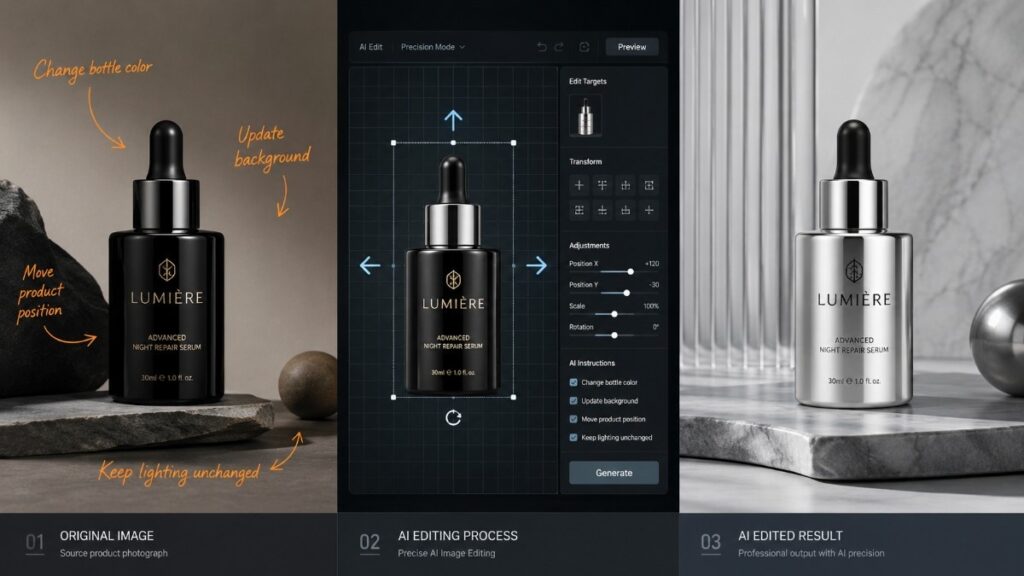
Instead of regenerating everything, you can describe the specific change you want.
Examples:
Change the bottle color from black to silver while keeping the lighting and shadows unchanged.
Replace the background with a modern studio environment while preserving the product position.
This type of precise editing is one of the main reasons Seedream 5.0 Pro is attracting attention from designers, marketers, and content creators.
Seedream 5.0 Pro Features Tested: What Can It Really Do?
Rather than only listing Seedream 5.0 Pro features, we tested the capabilities that matter most in real projects.
A powerful AI image model should answer four practical questions:
- Can it create professional visuals?
- Can it understand detailed instructions?
- Can it edit existing images accurately?
- Can the output be reused in real workflows?
Below are the key Seedream 5.0 Pro features we tested.
Precise AI Image Editing With Region-Level Control
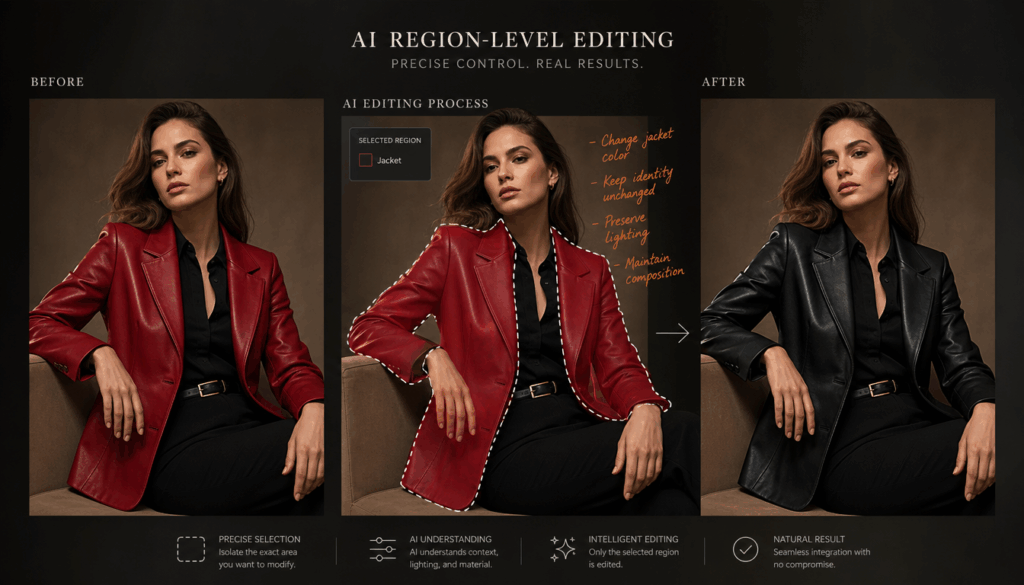
Seedream 5.0 Pro’s strongest feature is its ability to make targeted edits instead of regenerating an entire image.
This matters because most creative tasks are not about creating something from zero.
They are about improving something that already exists.
For example:
A fashion brand creates a campaign image but wants to:
- change the clothing color;
- adjust accessories;
- modify the background;
- keep the model’s identity unchanged.
A traditional AI image generator may alter multiple unrelated elements.
Seedream 5.0 Pro aims to solve this through more precise editing control.
The ideal workflow looks like:
Select the area → Describe the change → Preserve everything else
This approach is especially useful for:
- ecommerce product images
- advertising creatives
- social media content
- brand visuals
Multi-Layer Separation for Professional Design Workflows
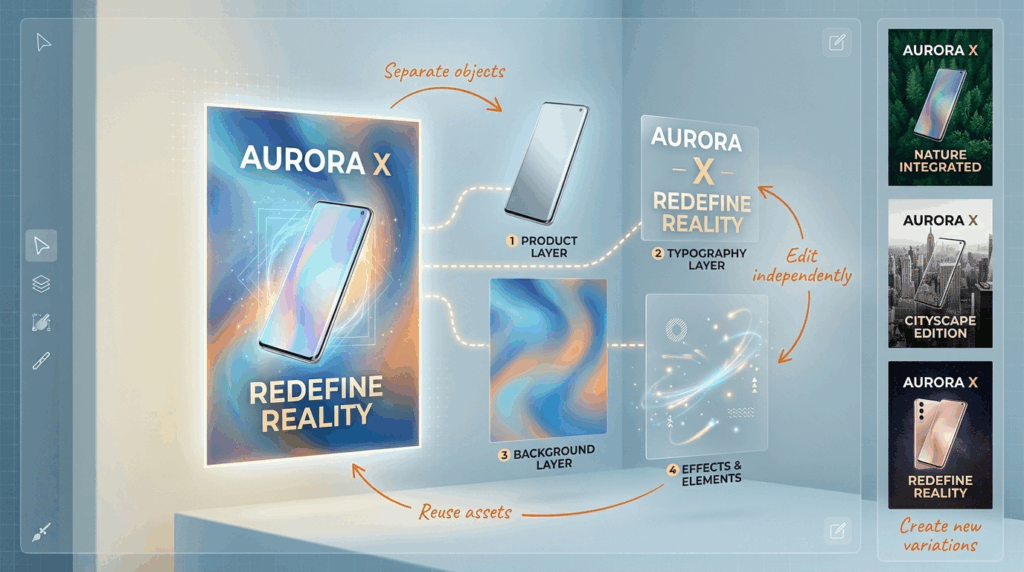
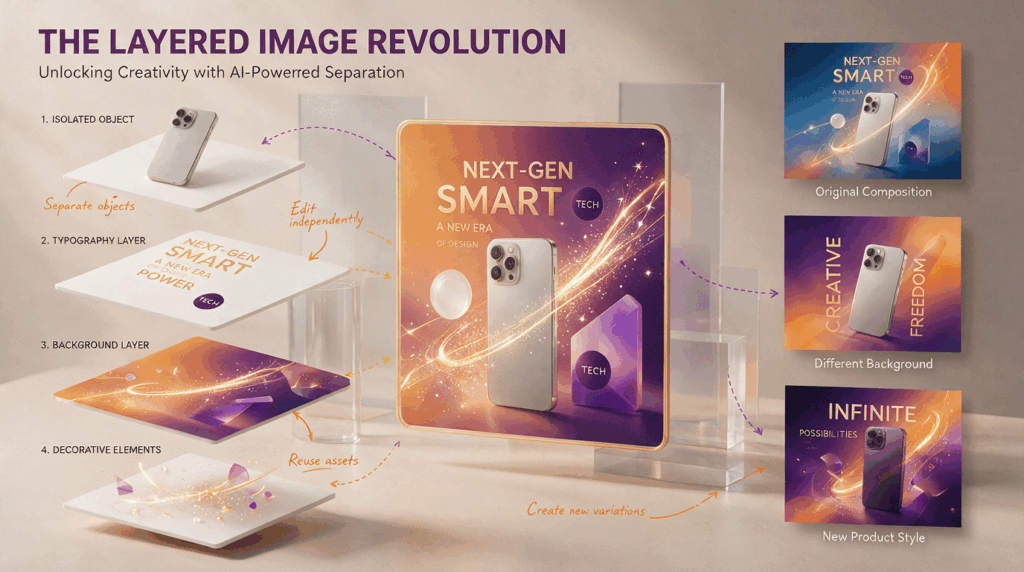
Another important Seedream 5.0 Pro feature is multi-layer separation.
Most AI-generated images are flattened outputs.
They look finished, but they are difficult to continue editing.
Professional design workflows are different.
Designers often need:
- separate objects;
- flexible layouts;
- reusable assets;
- multiple design variations.
Seedream 5.0 Pro’s layer separation capability moves AI images closer to traditional design workflows.
For example, a marketing poster can be treated as multiple editable components:
- background
- main product
- text elements
- decorative elements
This is a major shift.
The future of AI design is not only generating images faster.
It is making generated content easier to modify, reuse, and integrate into real production workflows.
High-Quality Text Rendering for Posters and Infographics
Text generation has always been one of the hardest challenges for AI image models.
A model may create a visually impressive poster but fail when handling:
- spelling accuracy;
- text placement;
- multilingual content;
- complex layouts.
Seedream 5.0 Pro focuses heavily on design-oriented image creation, making text-heavy visuals one of its key use cases.
This is especially useful for:
- marketing posters;
- product advertisements;
- presentation slides;
- educational infographics;
- multilingual campaigns.
Instead of creating only decorative images, Seedream 5.0 Pro can be used for visual communication tasks where information structure matters.
Multi-Image Fusion and Reference-Based Creation
Another capability worth testing is reference image understanding.
In real creative projects, users rarely work from text alone.
They often have:
- product references;
- brand images;
- style examples;
- character references.
A useful AI image model needs to understand these references while maintaining consistency.
Seedream 5.0 Pro can combine multiple visual inputs to create new images while preserving important elements from the references.
This makes it suitable for:
- product variations;
- brand campaigns;
- character consistency;
- visual storytelling.
Seedream 5.0 Pro Real-World Tests: What Happens When You Actually Use It?
A feature list can tell you what Seedream 5.0 Pro claims to do.
It cannot tell you whether those features are useful.
For this Seedream 5.0 Pro review, I tested the model with the types of tasks people actually use AI image tools for:
- product visuals
- marketing creatives
- image editing
- presentation graphics
- information-heavy designs
The results were interesting.
The biggest difference was not that Seedream 5.0 Pro suddenly creates images that look completely different from other top AI models.
The difference is that it gives you more ways to control the final result.
That matters because professional creative work rarely ends after the first generation.
Test 1: Product Photography — Can Seedream 5.0 Pro Create Commercial-Ready Images?
Product photography is one of the first things I tested because it is a common use case for AI image generators.
The prompt:
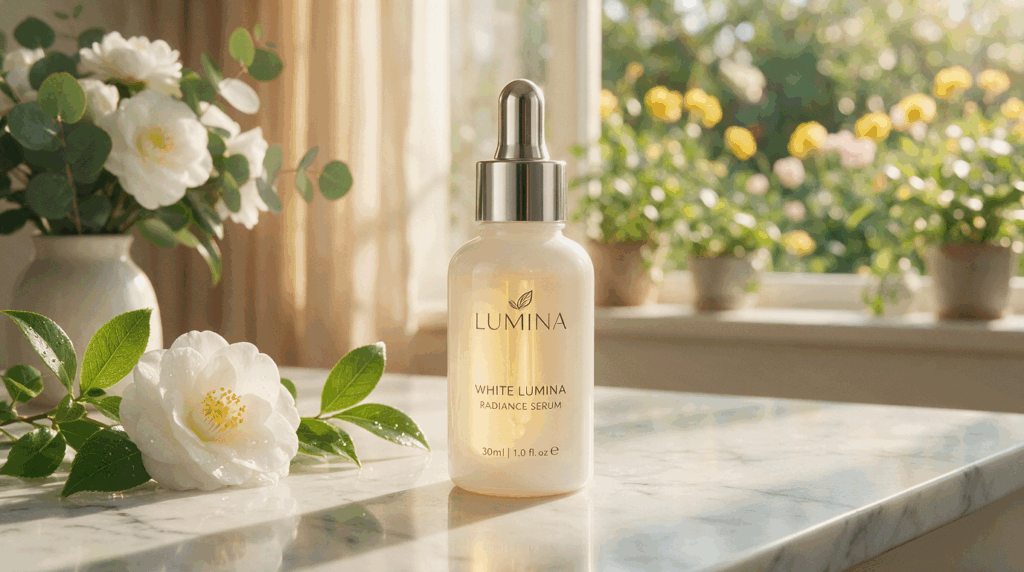
Create a premium skincare product advertisement. A white glass serum bottle placed on a marble surface, soft natural sunlight from the left side, luxury beauty brand style, realistic commercial photography.
The result was not just about realism.
What stood out was how well the model handled the relationship between different elements:
- product position
- lighting direction
- material texture
- background atmosphere
This is important because commercial product images are not simply “beautiful pictures”.
They need to communicate a brand feeling.
A useful AI product image needs to answer:
- Does the product look believable?
- Does the lighting make sense?
- Does the composition leave room for marketing copy?
- Can this image fit into an actual campaign?
My takeaway:
Seedream 5.0 Pro works better when you describe the creative direction, not just the object.
A prompt like:
A perfume bottle
is too generic.
A prompt like:
A luxury perfume advertisement with a glass bottle, golden studio lighting, premium fashion magazine style, minimal background, elegant composition
gives the model much more useful information.
Test 2: Marketing Poster Generation — Where Design Understanding Matters
Poster generation is where many AI image models still struggle.
Creating an attractive image is relatively easy.
Creating a useful poster is much harder.
A real marketing poster needs:
- clear hierarchy
- balanced layout
- readable text areas
- visual focus
The test prompt:
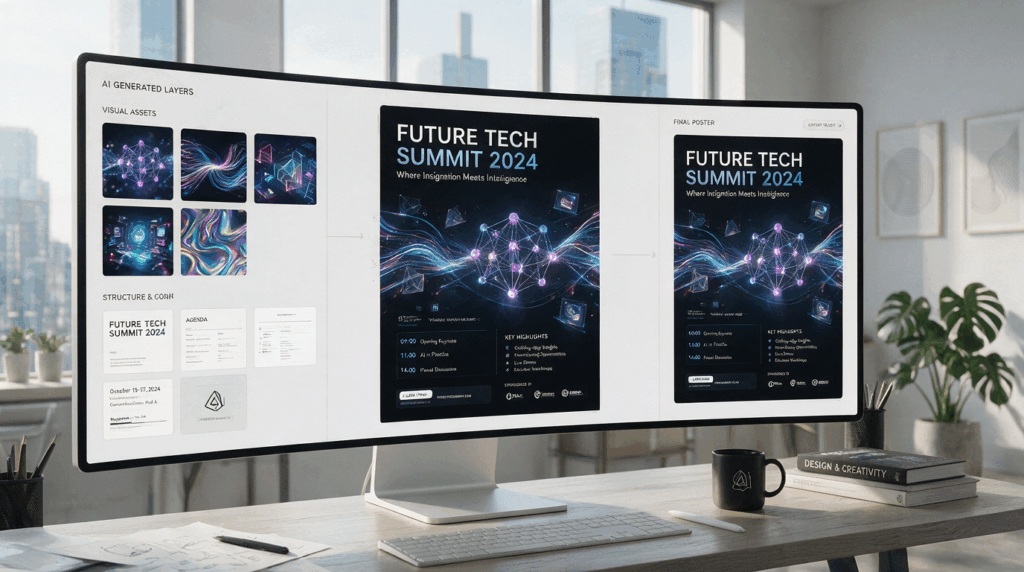
Create a modern technology conference poster. Dark premium background, futuristic digital elements, large headline area, clean layout, professional corporate design style.
The interesting part was not only the visual quality.
It was how the model handled structure.
Seedream 5.0 Pro seems to understand that a poster is not just an image with text added on top.
It is a designed layout.
This makes it more suitable for:
- event posters
- advertising materials
- social media campaigns
- presentation covers
A useful way to think about Seedream 5.0 Pro:
Most AI image models answer:
What should this picture look like?
Seedream 5.0 Pro tries to answer:
How should this visual communicate information?
That difference is important.
Test 3: Seedream 5.0 Pro Image Editing — The Feature That Matters Most
For me, image editing is the most important part of this Seedream 5.0 Pro review.
Image generation is already crowded.
Almost every major AI model can create impressive images.
The harder problem is editing.
Real users usually do not want a completely new image.
They want:
- the same person, but a different background;
- the same product, but another color;
- the same poster, but different text;
- the same design, but a new variation.
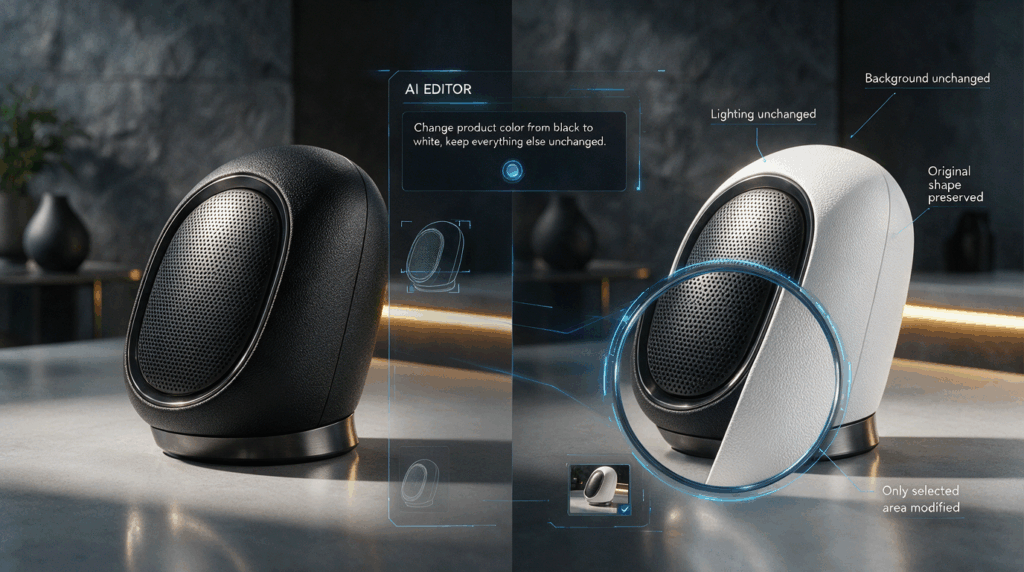
I tested:
Change the product color from black to white while keeping the shape, lighting, and background unchanged.
This is the kind of instruction that reveals whether an AI image model actually understands the request.
A weak model may change:
- the product shape;
- camera angle;
- shadows;
- surrounding elements.
A stronger model keeps the original image structure and only changes the requested part.
This is where Seedream 5.0 Pro’s editing workflow becomes interesting.
The value is not just editing.
The value is preserving what already works.
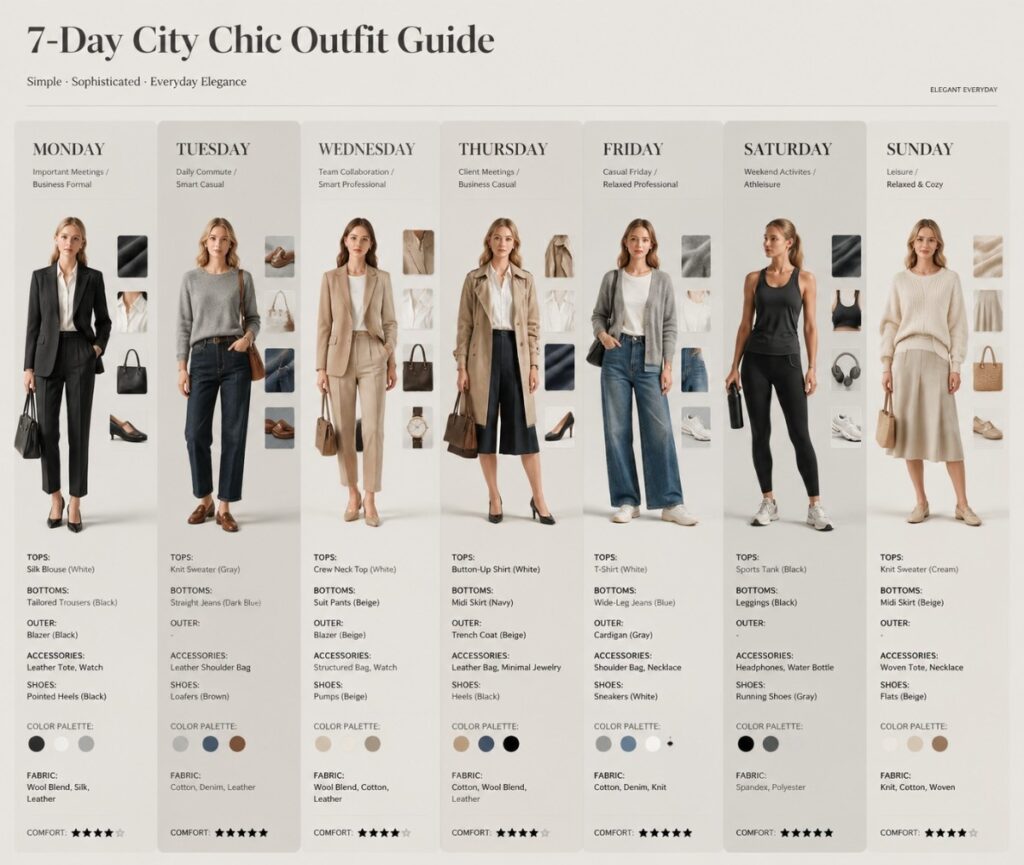
Test 4: Infographics and Presentation Visuals
Another area where Seedream 5.0 Pro feels different is information-heavy visuals.
Many AI image generators are optimized for:
- portraits
- landscapes
- artistic images
But business users often need:
- presentation graphics
- educational visuals
- reports
- diagrams
- marketing slides
The test prompt:
Create a professional AI workflow infographic explaining the product development process. Use clear sections, modern icons, structured layout, and business presentation style.
The result showed why layout understanding matters.
For these tasks, the question is not:
“Can AI create a nice image?”
The question is:
“Can AI organize visual information?”
This is where Seedream 5.0 Pro has a more practical advantage.
Best Seedream 5.0 Pro Prompts: What Actually Works
After testing different Seedream 5.0 Pro prompts, one thing became clear:
Short prompts can work, but detailed design instructions work better.
The model responds well when prompts include:
- what the subject is;
- what style you want;
- how elements should be arranged;
- what should remain unchanged.
Here are some Seedream 5.0 Pro prompt examples based on real workflows.
1. Product Advertisement Prompt
Prompt:
Create a luxury skincare product advertisement. A glass serum bottle placed on a reflective surface, soft studio lighting, premium beauty brand style, elegant shadows, clean background, commercial photography, leave empty space for advertising text.
Why this works:
The prompt does not only describe the product.
It describes the purpose.
The model understands that this is not just a product image — it is an advertisement.
2. Professional Poster Prompt
Prompt:
Create a modern AI conference poster. Use a dark futuristic background, clear headline area, balanced composition, premium technology brand style, glowing digital elements, professional graphic design.
For poster creation, adding layout instructions usually improves results.
Words like:
- headline area
- balanced composition
- visual hierarchy
help guide the output.
3. Presentation Slide Prompt
Prompt:
Create a professional business presentation slide about AI trends. Use a clean corporate design, clear information hierarchy, modern charts, minimal icons, white background, suitable for an executive presentation.
This is a useful test case because it shows where AI image models are moving.
The future is not only generating images.
It is generating complete visual communication assets.
4. Image Editing Prompt
Prompt:
Replace the background with a modern office environment. Keep the person’s identity, clothing, pose, and lighting unchanged. Make the final image look natural and professionally photographed.
For Seedream 5.0 Pro image editing, the most useful pattern is:
Change this + Keep this unchanged
This simple structure improves consistency.
What Actually Works When Writing Seedream 5.0 Pro Prompts
After testing, these are the prompt patterns I found most useful.
Describe the Whole Scene, Not Just the Subject
Instead of:
A coffee shop
Try:
A modern coffee shop interior with warm morning sunlight, wooden furniture, minimalist design, lifestyle photography style.
The difference is context.
Seedream 5.0 Pro performs better when it understands the complete scene.
Add Design Details for Professional Visuals
For commercial images, include:
- materials
- lighting
- composition
- camera style
- brand feeling
For example:
brushed metal surface, soft studio lighting, premium technology advertisement style
These details usually create more controlled results.
Tell the Model What Should Stay the Same
This is especially important for editing.
A good editing prompt is not only:
Change the background.
It is:
Change the background while keeping the person's identity, lighting, and composition unchanged.
Small details make a big difference.
Seedream 5.0 Pro vs Nano Banana Pro vs GPT Image Comparison
| Feature | Seedream 5.0 Pro | Nano Banana Pro | GPT Image |
| Image generation | Excellent | Excellent | Excellent |
| Image editing | Precise region editing | Strong conversational editing | Strong general editing |
| Text rendering | Excellent for posters and layouts | Good | Good |
| Complex layouts | Excellent | Good | Good |
| Design workflows | Excellent | Good | Good |
| Best for | Designers, marketers, commercial visuals | Creative exploration | General AI image tasks |
A lot of AI image model comparisons focus on one question:
Which model creates the most beautiful image?
I think that is becoming less useful.
At this stage, most leading AI image models can already generate impressive results.
The bigger question is:
Which model fits your workflow?
Seedream 5.0 Pro, Nano Banana Pro, and GPT Image are all strong models, but they are optimized for different things.
Seedream 5.0 Pro focuses on controllable creation:
- precise editing
- layout understanding
- text-heavy visuals
- design workflows
Nano Banana Pro is strong when you want fast creative exploration and flexible image manipulation.
GPT Image is a strong general-purpose option for everyday image creation and conversational editing.
The best choice depends on what you actually need to create.
Who Should Use Seedream 5.0 Pro?
Seedream 5.0 Pro is most useful for people who create visuals as part of a workflow.
Not just people who generate images for fun.
Designers Creating Commercial Visuals
Designers often spend more time editing than generating.
A first draft is usually not the final product.
Seedream 5.0 Pro helps with:
- visual exploration;
- concept creation;
- design variations;
- asset editing.
The ability to change specific elements without rebuilding the entire image is especially useful.
Marketers Creating Ads and Campaign Materials
Marketing teams constantly need new visual assets:
- product advertisements;
- social media creatives;
- campaign images;
- localized content.
Seedream 5.0 Pro is interesting here because it handles the parts marketers usually struggle with:
- text placement;
- product consistency;
- visual variations.
A single campaign image can become multiple versions instead of multiple generations.
Ecommerce Sellers Creating Product Images
Ecommerce is one of the clearest use cases.
Common needs:
- different product colors;
- different backgrounds;
- seasonal campaigns;
- marketplace images.
Instead of photographing every variation, AI editing can create more options from one source image.
Creators Building Slides and Visual Stories
Creators increasingly need more than standalone images.
They need:
- thumbnails;
- presentation visuals;
- diagrams;
- storytelling graphics.
Seedream 5.0 Pro’s understanding of layout makes it useful for these scenarios.
How to Use Seedream 5.0 Pro on TutorGPT
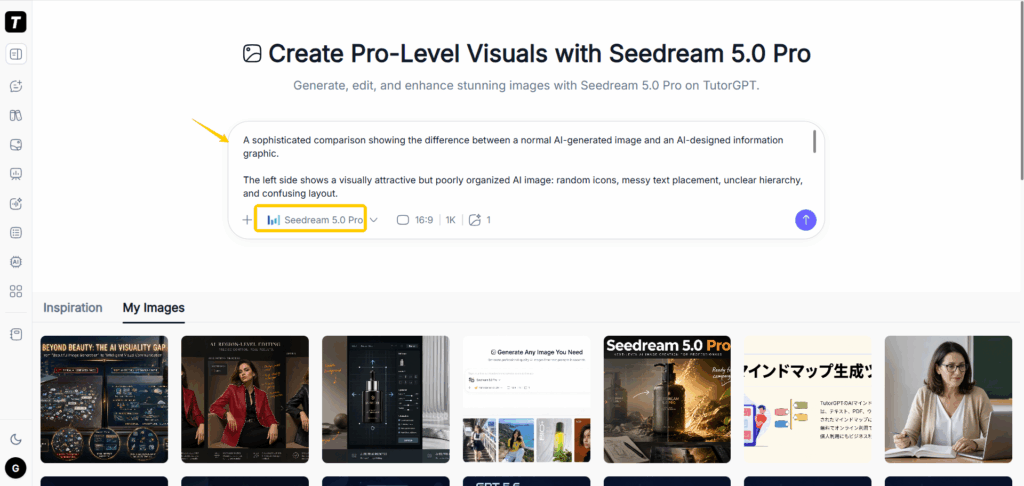
Using Seedream 5.0 Pro on TutorGPT is simple:
Step 1: Describe the visual you want
Start with:
- subject
- style
- composition
- lighting
Example:
A premium technology product advertisement with dark background, cinematic lighting, modern composition.
Step 2: Add design instructions
For better results, include:
- where elements should appear;
- what should stand out;
- what text should be included.
For example:
Place the product on the right side and leave empty space on the left for marketing copy.
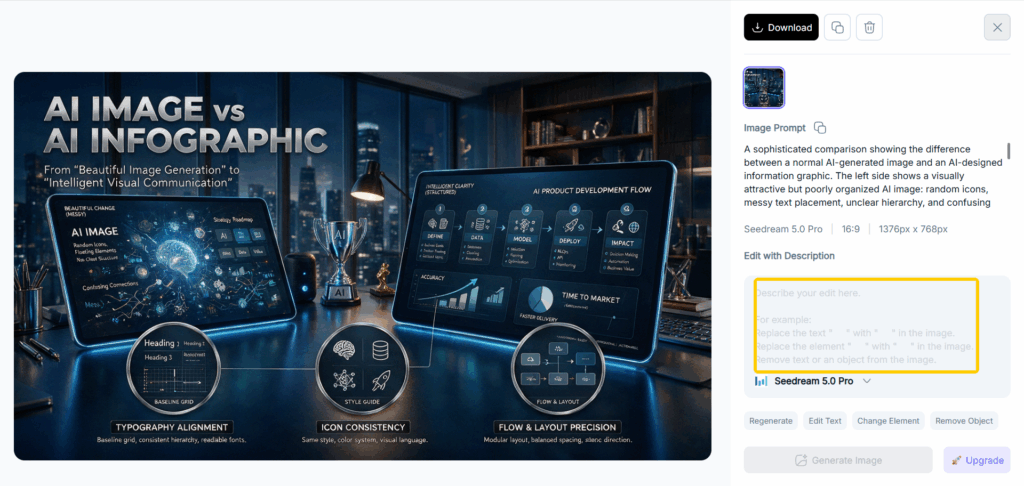
Step 3: Edit instead of regenerating
This is where Seedream 5.0 Pro becomes more interesting.
If the result is close:
Do not start over.
Tell the model:
- what to change;
- what to keep.
Example:
Change the background to a luxury showroom while keeping the product shape, lighting, and camera angle unchanged.
This editing-first workflow is one of the biggest reasons to use Seedream 5.0 Pro.
Seedream 5.0 Pro FAQ
What is Seedream 5.0 Pro?
Seedream 5.0 Pro is ByteDance’s professional AI image generation and editing model.
Its main focus is not only creating images, but creating visuals that can be refined and reused through editing workflows.
What makes Seedream 5.0 Pro different?
The main difference is control.
Seedream 5.0 Pro focuses on:
- precise image editing;
- layer separation;
- text-heavy designs;
- complex visual layouts.
Is Seedream 5.0 Pro good for image editing?
Yes.
Image editing is one of its strongest use cases.
Instead of regenerating an entire image, users can describe specific changes while keeping important elements unchanged.
How do I write better Seedream 5.0 Pro prompts?
The best Seedream 5.0 Pro prompts usually include:
- the subject;
- visual style;
- lighting;
- composition;
- text requirements;
- editing instructions.
Avoid vague prompts.
A detailed creative brief usually produces better results.
Can Seedream 5.0 Pro create text in images?
Yes. Text rendering is one of the areas where Seedream 5.0 Pro focuses, especially for posters, covers, and information-heavy visuals.
Is Seedream 5.0 Pro better than Nano Banana Pro?
It depends on your workflow.
If you need:
- design control;
- commercial visuals;
- editing precision;
Seedream 5.0 Pro has clear advantages.
If you need fast experimentation, another model may fit better.
Conclusion
Seedream 5.0 Pro is not just another AI image generator focused on creating prettier images. Its real strength is closing the gap between AI-generated visuals and usable production assets.
Features like precise editing, layer separation, reference-based creation, and multilingual text rendering solve practical creative problems — from refining existing images to creating reusable marketing and design assets.
It is still early to make absolute claims against models like Nano Banana Pro and GPT Image. More independent testing is needed, but one thing is already clear: ByteDance built Seedream 5.0 Pro around control, consistency, and editability, not just chasing the best-looking single image.
For designers, marketers, and creators who need visuals they can refine and reuse, Seedream 5.0 Pro represents a more practical direction for AI image creation.