
The hardest part of a YouTube voiceover rarely happens when you click Generate. It happens ten minutes later, when the narrator mispronounces a product name in an otherwise perfect take. Or the opening sounds energetic, but the middle settles into a repetitive rhythm that makes the machine obvious. Then you change two sentences and discover that the new clip no longer sounds like the same speaker.
That is the gap between an impressive demo and an AI voice generator that works in a creator’s workflow.
YouTubers use synthetic narration for practical reasons. Some do not have a quiet recording space. Others speak English as a second language, protect their identity, cannot record consistently, or publish localized versions of one video. A small channel may simply be unable to hire a voice actor every week.
None of these problems disappear because a homepage promises “studio-quality” speech. The tool still has to survive script revisions, awkward names, timeline changes, and a limited budget.
We compared 12 free AI voice generators with that reality in mind. Naturalness mattered, but so did the less glamorous details: how quickly a creator can audition voices, whether a long script stays consistent, how painful it is to replace one line, what can be downloaded, and whether free output is suitable for a monetized channel.
What creators actually need from an AI voice workflow
A natural demo is only the beginning
Viewers often notice recurring cadence before they notice a small audio artifact. Every sentence rises the same way. Pauses land in odd places. An emotional turn sounds exactly like the paragraph before it. Clear speech can still feel lifeless, particularly in documentaries and Shorts that depend on momentum.
The script and voice model have to work together. Text written for a blog may contain long clauses that look elegant on screen but sound exhausting aloud. A strong voiceover script uses shorter thought units, intentional punctuation, and transitions that tell the narrator where the idea is going.
Even the best free AI voice generator cannot rescue a dense first draft without editing.
Long-form consistency creates another problem. A 5,000-word video is usually generated in sections. When each block is interpreted independently, the narrator may become brighter, slower, or more dramatic halfway through. Creators then spend an hour matching clips that were supposed to save time.
For this comparison, each tool was considered as part of a sequence: draft the script, produce a rough read, correct pacing and pronunciation, generate final narration, then move the audio into the video timeline.
A useful AI voice generator should remove friction somewhere in that chain rather than add another dashboard to manage.
“Free” does not always mean publishable
Free access may be an ongoing allowance, a short trial, a set number of minutes, or a preview that cannot be downloaded. Commercial rights are separate. An AI voice generator can be free to test while requiring payment for a monetized YouTube upload.
This distinction matters more than a headline character limit. A creator can build an entire edit around a voice and only later discover that free output is for personal use, download is disabled, or attribution is required.
Treat the free tier as both a production resource and a license that needs inspection. Allowances change, too, so confirm current terms before publishing sponsored, client, or monetized content.
The best free AI voice generators for script-first creators
1. TutorGPT AI Voice: best overall for a flexible workflow
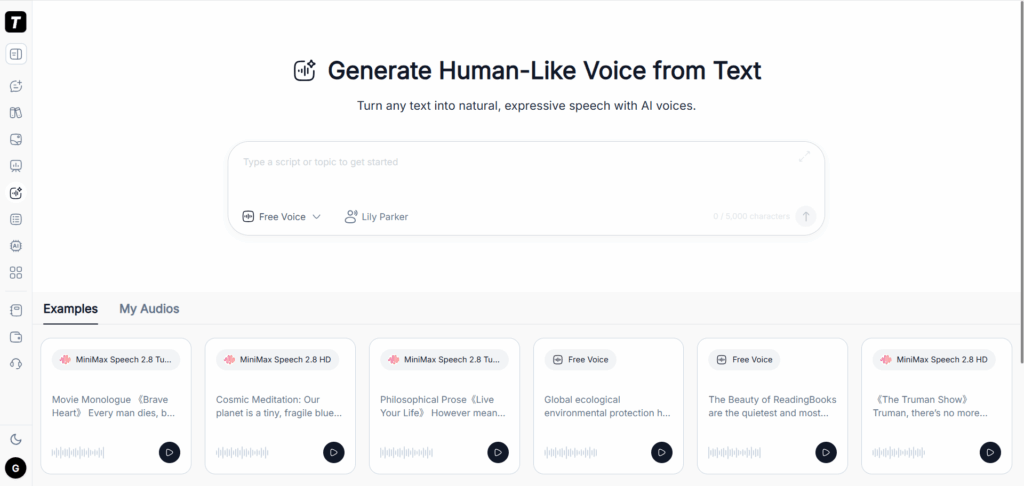
TutorGPT AI Voice takes the top position because it handles the stage where many creators lose time: moving from an approved script to several usable voice options without setting up a complete audio suite.
It runs in a browser and brings multiple leading voice models into one place. That choice is genuinely useful.
A calm narrator that suits a software tutorial may flatten a dramatic story, while an expressive voice can distract from a factual explainer. Instead of opening several products and recreating the same project, creators can compare approaches in one interface.
The visible input supports up to 5,000 characters. Users can paste text or work from a file or article link, including formats such as PDF, PPT, DOCX, books, and images. The finished audio can then move into CapCut, DaVinci Resolve, Premiere Pro, Final Cut Pro, or another editor.
TutorGPT works well for both rough reads and final narration.
Generate the hook first. If it drags, rewrite those lines before processing the complete script. Once the model and delivery fit, create labeled sections and preserve the same choice throughout.
It is particularly useful for faceless YouTube videos, tutorials, educational content, explainers, and story channels. Creators using the audio commercially should still verify the current license.
2. TextToSpeech.pro: best for starting without an account
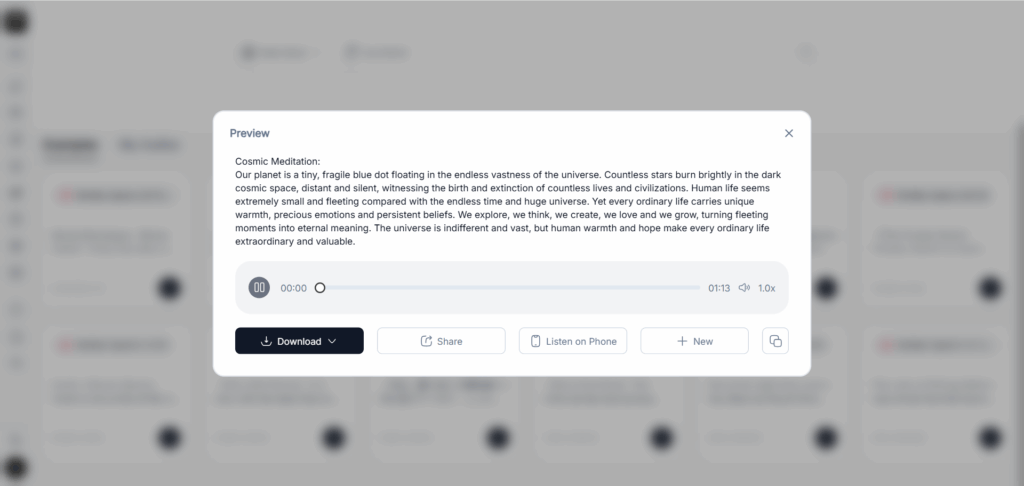
TextToSpeech.pro is deliberately direct. Open the page, add a script, select a voice, and generate. The basic workflow does not force an account before the user can understand the product.
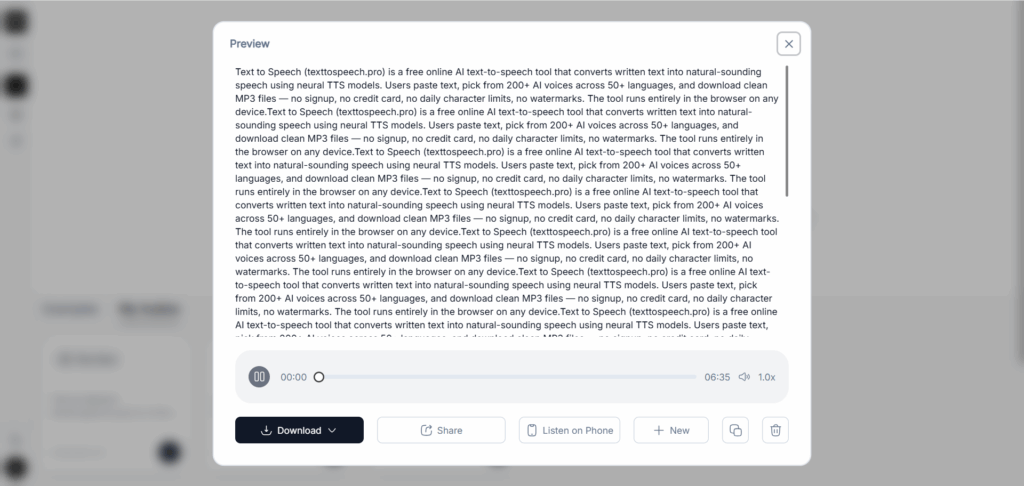
Its displayed editor accepts up to 5,000 characters and supports text, file, and article-link input. This makes it practical for YouTube Shorts, video intros, replacement lines, and quick auditions.
It also fits creators who already edit elsewhere and do not want another all-in-one platform. They need narration, not a second place to organize footage.
TextToSpeech.pro does not replace a timeline editor or collaborative studio. CapCut or Descript is more integrated when captions, shot timing, and music must stay in one application.
For turning an approved script into audio, however, this lighter AI voice generator is an advantage. Check its commercial-use terms before monetized publishing.
3. ElevenLabs: best for expressive final narration
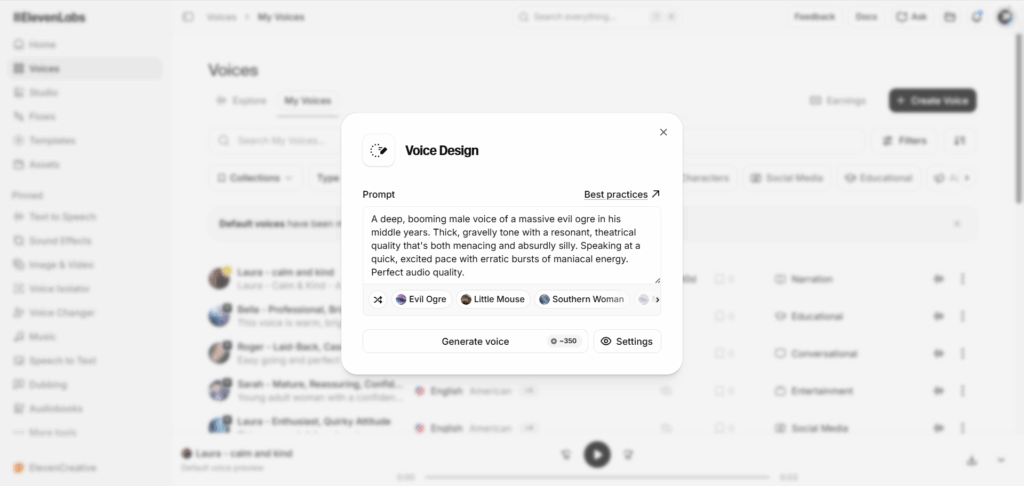
ElevenLabs remains a benchmark for expressive speech. It handles emotional shifts and conversational pacing that basic text-to-speech systems often smooth into one neutral tone.
That makes it suitable for documentaries, video essays, storytelling channels, and cinematic openings.
Its free plan currently provides a monthly allowance roughly equivalent to ten minutes of text-to-speech in the interface. This is enough to test a narrator or make a short project, but weekly long-form videos consume it quickly.
Revisions are where the cost appears. Regenerating a complete section because one name sounds wrong can burn through credits.
Use a free AI voice generator for rough narration, lock the script after listening, and reserve ElevenLabs for the final pass. Keep long projects in a studio-style workflow because isolated chunks can drift in tone.
The free tier is intended for personal, non-commercial use and requires attribution, so monetized channels need an appropriate plan.
4. Murf AI: best for explainers and business channels
Murf AI feels designed for creators who think in scenes, presentations, and client deliverables.
Its catalog includes more than 200 voices across over 35 languages, with filters that help match a narrator to a product demo, training video, or professional explainer.
Its studio keeps script blocks together for easier review. Murf’s free plan currently includes limited generation and several projects, but not downloads or commercial rights.
It is useful for testing and approval rather than publishing a finished free voiceover.
5. CapCut: best for Shorts and timeline-first creation
CapCut removes the round trip between voice generation and editing. Creators can add a script, choose multilingual voices, adjust speed, pitch, or volume, and place narration beside captions, music, and footage.
That integration matters for Shorts, where timing and hooks change constantly. Instead of exporting audio after every revision, narration remains part of the edit.
Imagine that the opening shot needs another half-second, the first caption feels too long, or the hook changes after previewing the first three seconds. In a traditional workflow, each adjustment may require another audio export and import. CapCut keeps those changes inside the same project.
Many voices and text-to-speech features are available for free, while certain voices and creative assets require Pro. Availability may also differ by region or device.
Specialist platforms offer deeper speech controls, but CapCut wins when synchronization and publishing speed matter most. It is particularly useful for Shorts, list videos, social media clips, and channels that rely heavily on captions.
6. Descript: best for editing by rewriting the transcript
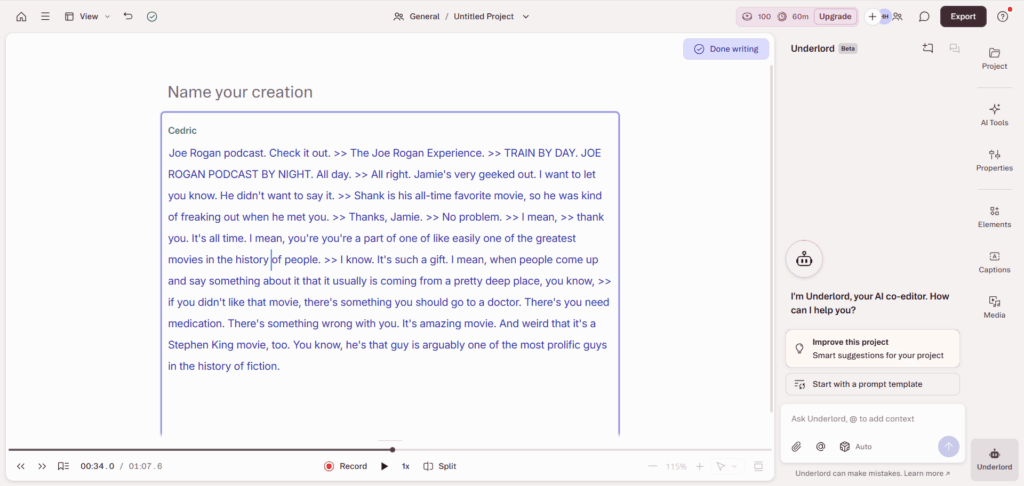
Descript treats spoken media like a document. Delete words from the transcript and the media changes with it. Rewrite a line and AI Speech can help replace it.
For podcast episodes, interviews, screen-recorded tutorials, and talking-head videos, this changes the production workflow rather than merely generating a voice.
The free plan includes limited AI Speech, transcription, and basic video tools. Its free text-to-speech allowance is relatively small, so Descript is not ideal for generating hours of narration without paying.
Its value appears when a correction needs to remain connected to the transcript, captions, and video.
Suppose a software tutorial mentions the wrong menu name after the screen recording has already been completed. A conventional fix means recording another take, cleaning the audio, matching the volume, and inserting it into the timeline. Descript is designed to make that kind of correction less disruptive.
Choose this AI voice generator for editing intelligence rather than maximum free minutes.
7. Canva: best for slide videos and visual explainers
Canva makes sense when the video already lives inside a Canva design.
Educational slides, list videos, product explainers, and social content can combine narration with templates, stock media, animation, and brand assets in one familiar workspace.
Beginners can add a voiceover and export a complete video without learning a professional editor. For a small marketing team, that convenience may be more valuable than advanced voice settings nobody has time to configure.
The compromise is depth. Pronunciation controls, model selection, and long-form project management are less specialized than they are in a dedicated AI voice generator.
Free availability may also depend on the feature or voice application available in an account. Canva works best for shorter, visually led projects rather than 20-minute documentary narration.
8. Speechify Studio: best for multilingual repurposing
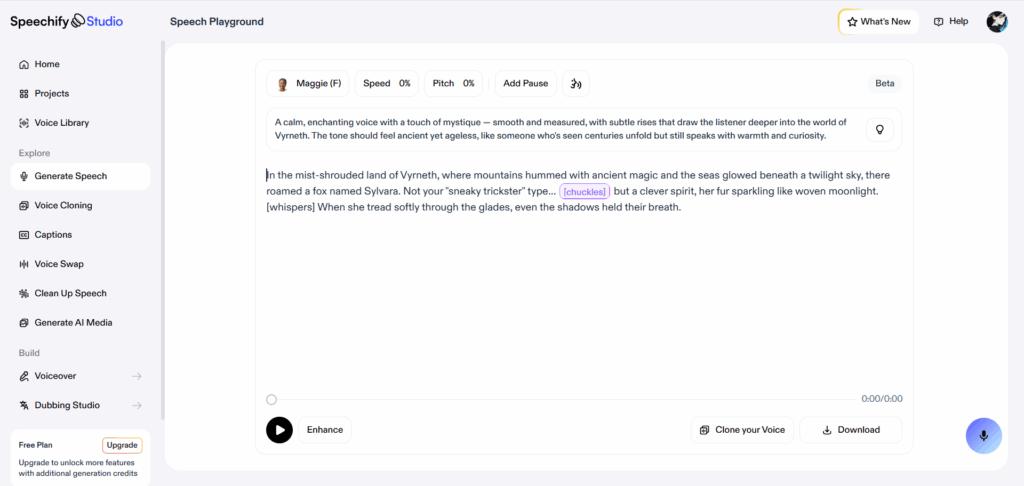
Speechify Studio connects AI narration with a wider ecosystem for reading, dubbing, transcription, and voice content.
It becomes particularly interesting when a creator wants to turn one successful YouTube upload into several language versions instead of rebuilding every production from scratch.
Localization involves more than translating words. A translated voiceover may run longer than the original. Names can change pronunciation, while a voice that sounds friendly in English may feel too formal in another language.
Speechify helps creators test these differences before rebuilding the edit.
Its free features and export allowances vary across products, so check the current Studio access before planning an entire multilingual series. It is best treated as a localization environment rather than a source of unlimited free narration.
More free AI voice generators worth testing
9. LOVO Genny: best for character-led videos
LOVO Genny is intended for creators who need varied characters, promotional delivery, and multiple speakers inside one project.
It suits animated explainers, fictional dialogue, gaming content, advertisements, and channels where a neutral narrator is not enough.
The large voice selection creates possibilities, but variety can also become a distraction. Switching narrators every few lines rarely improves a video. Exaggerated character voices may sound entertaining in a short preview and become exhausting after several minutes.
Keep one stable narrator for continuity and use character voices only where the script requires them. Test every candidate over a complete paragraph rather than relying on a five-second demo.
LOVO offers free exploration, but ongoing exports and commercial production generally require a paid plan. It is more useful as a voice-casting workspace than as a permanently free narration engine.
10. PlayHT: best for auditioning voices and accents
PlayHT combines a broad voice library with multilingual speech, cloning options, and developer tools.
For a new channel, that range helps answer an overlooked branding question: what should this channel sound like every week?
Audition voices using an actual script rather than generic demo copy. A narrator may handle everyday English beautifully and then stumble over the game titles, medical terms, locations, product names, or abbreviations used in your niche.
Generate the same difficult paragraph with several voices and compare pronunciation as well as tone. A slightly less dramatic voice that consistently handles your vocabulary may be more useful than the most impressive demo.
Free access suits experimentation, but long-form production and advanced features face plan limits. PlayHT is worth considering when voice selection is the immediate priority or an API may eventually become part of an automated content workflow.
11. NaturalReader: best for reviewing scripts and documents
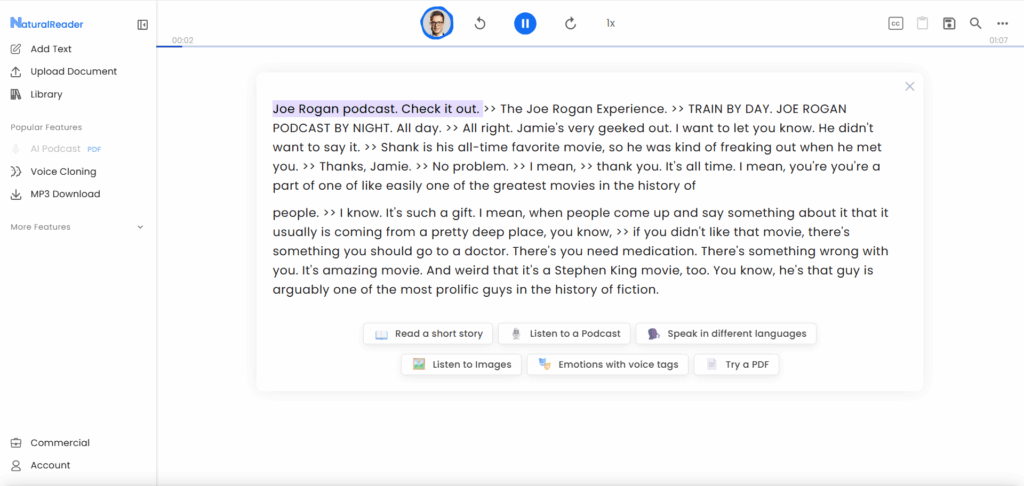
NaturalReader comes from the reading side of text-to-speech, and that background is useful for YouTube creators.
It can turn documents into audio, helping writers hear problems that remain invisible during proofreading.
This rough-listen stage is frequently overlooked. A script may be factually complete yet take 40 seconds to reach its main point. Listening to it while walking, commuting, or working on visuals can reveal repetition, slow setup, awkward transitions, and sentences that are too long.
Correcting these problems before generating the final voice saves credits and creates a stronger video.
NaturalReader provides free voices and limited access to more advanced ones, but its personal product and commercial AI Voice Generator have different licenses.
Personal listening does not automatically grant permission to publish that narration in a monetized video. Use the free version for script review and testing, then select the appropriate commercial product if the generated audio will be published.
12. TTSMaker: best for occasional, lightweight generation
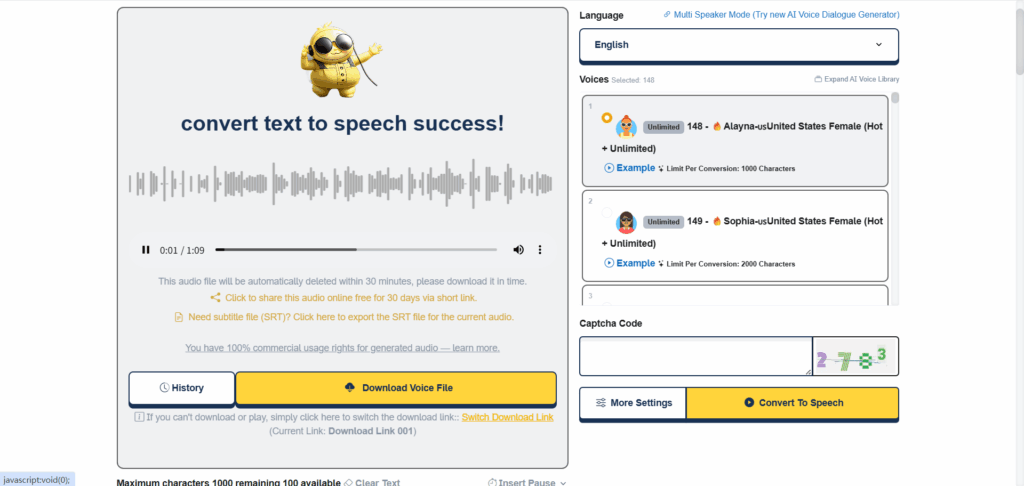
TTSMaker keeps the job simple: enter text, select a language and voice, generate the audio, and download it.
It works well for an occasional announcement, a rough draft, a short tutorial, or a replacement line when opening a complete production suite would take longer than the task itself.
Project organization and detailed editing are basic compared with Murf, Descript, or CapCut. For occasional work, however, a lightweight AI voice generator may be preferable to a platform filled with collaboration and automation features.
Allowances can vary by voice, so check the displayed limit before processing a long script. TTSMaker earns its place through accessibility and speed rather than advanced project management.
A workflow that makes AI narration sound less artificial
Draft with your ears before generating the final voice
Start by writing the hook and one representative section of the video.
Include the most difficult name, a number, an abbreviation, and at least one emotional transition. Generate this sample before finishing the complete voiceover. If the model cannot handle the vocabulary or tone, changing direction is still painless.
Next, create a rough audio draft. It does not need to use the most expensive voice or model.
Listen for slow passages, repeated sentence shapes, and places where the narrator emphasizes the wrong word. Rewrite those lines as spoken language rather than trying to solve every problem with voice settings.
Placing the important idea near the end of a short sentence often gives the narrator somewhere natural to land.
Once the script is locked, generate the final narration in labeled sections. Keep the voice, model, speed, and other settings unchanged. Leave a little silence at each boundary so the video editor has room to cut.
If one sentence fails, regenerate only that sentence. Before replacing it, compare its volume, speed, and emotional tone with the lines around it. A perfect sentence can still sound wrong when it belongs to a noticeably different take.
Pronunciation deserves a separate review.
Spell difficult words phonetically when necessary. Expand abbreviations that the AI voice generator reads incorrectly, and format numbers in the way you want them spoken.
For example, “2026” might need to sound like “twenty twenty-six” rather than “two thousand twenty-six.” Neither version is universally correct. The topic and audience determine which one sounds natural.
Finally, edit for the device viewers actually use.
Balance the loudness between sections, soften abrupt joins, and keep background music below the narration. Check the completed video once with headphones and once through a phone speaker.
Captions should also be reviewed manually, especially around names, technical terminology, and numbers.
Automation is not finished content
Viewers are not rejecting every synthetic narrator. They are often reacting to recognizable signs of low effort: recurring cadence, incorrect pronunciation, generic scripts, unrelated stock footage, and channels publishing faster than they could plausibly research.
An AI voice makes those weaknesses easier to notice because audiences are already listening for them.
The answer is not simply choosing a more expensive model.
Original research, a specific point of view, deliberate visuals, careful sound design, and manual review do more to build trust than a realistic narrator reading generic copy.
An AI voice generator should remove the recording bottleneck. It should not remove editorial judgment.
A creator who researches the topic, writes a useful script, checks every pronunciation, and edits the narration around the visuals can produce valuable content with an AI voice.
By contrast, pasting a generic article into a voice generator and covering it with unrelated stock footage will still feel automated, even if the voice itself is technically flawless.
Final verdict: which free AI voice generator should you use?
For most script-first creators, TutorGPT AI Voice offers the best overall balance.
It is easy to test, accepts several types of input, handles substantial script sections, brings multiple voice models into one interface, and lets creators move the finished audio into their preferred video editor.
ElevenLabs stands out when expressive final narration is important enough to justify an upgrade. CapCut is the practical winner for Shorts and timeline-first production, while Descript saves time when transcripts, corrections, and video revisions need to remain connected.
Murf suits polished business content. NaturalReader excels at helping creators hear and improve a script before the final pass, while LOVO and PlayHT are worth exploring when finding the right character, accent, or channel voice is the main challenge.
Choose the AI voice generator that removes the most expensive step in your own workflow.
Test it with a real paragraph instead of a polished demo sentence. Listen for at least a full minute, correct every pronunciation, verify the commercial license, and make the voice serve the video instead of becoming the video.
Ready to hear your script? Try TutorGPT AI Voice and generate the opening section before committing to the full production.