
ere's a number that should worry you: most freelancers who send a quote and then stay silent never hear back. The deal doesn't die on the price — it dies in the gap between sending and following up. Quote expiry dates get forgotten, payment terms get buried, and one typo in the total makes the client quietly disappear.
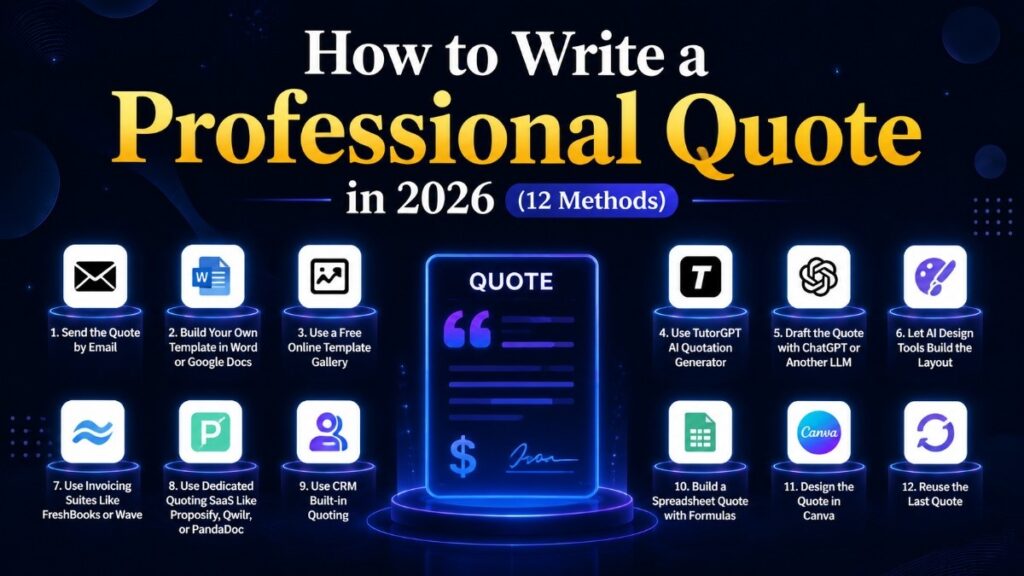
A quote is your first deliverable. Clients judge your work quality by it before you've done any actual work, which means the way you present a number matters as much as the number itself. This guide covers 12 ways people actually create professional quotes in 2026 — from a plain email to a free AI Quotation Generator that handles the fine print for you — with the specific numbers and rules that make the difference: expiry periods by project size, follow-up timings, pricing formulas, and the mistakes that kill deals. No fluff, no sponsored picks.
The Quick & Free Way
The free methods aren't really about money — they're about systems. Email and Word are fine, but without an expiry date, a follow-up plan, and terms, you're not quoting, you're guessing.
1. Send the quote in an email — fast, but you'll miss the system
Replying to an enquiry with a short email — what you offer, the price, the timeframe — is the fastest way to quote, and it has one real advantage: speed. The first vendor to send a professional quote has a significant edge; aim to respond within 24 hours of the enquiry.
But an email quote is where deals quietly die. No expiry date means the client can sit on it for two months while your costs change. No line items means they can't compare you against the other three quotes on their desk — and a lump sum is far easier to negotiate down than an itemized one. No follow-up plan means you'll forget it exists until they do. If you quote by email, at minimum add a line like "Prices valid until [date]" — and set a reminder to follow up in three days.
Best for: tiny jobs and existing clients. For anything larger, the missing structure will cost you.
2. Build your own template in Word or Google Docs — a system, if you maintain it
A branded template with logo, line items, tax cell, and terms is the classic setup, and done right it works. Done right means baking the professional details in: the expiry date appears twice — "Valid until [date]" at the top, "This quote expires [date]" at the bottom — because scanners read the top and careful readers check the bottom. It also means a checklist you run before every send: totals, tax, terms, expiry.
The real cost is maintenance. Every quote is manual edits — recalculating totals, applying discounts, updating dates — and one missed cell produces a wrong total that looks exactly like a right one. The template doesn't remind you to follow up on day five; you have to build that calendar yourself. If you quote more than twice a month, the manual work quietly becomes a second job.
Best for: occasional quoters who will actually maintain the system — including the follow-up calendar.
3. Grab a template from a free online gallery — a head start, not a system
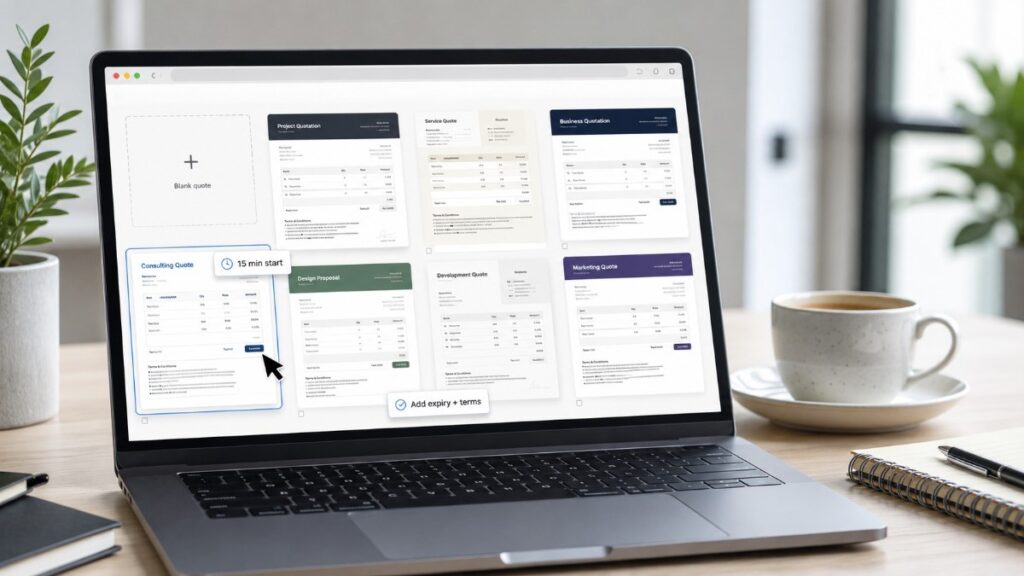
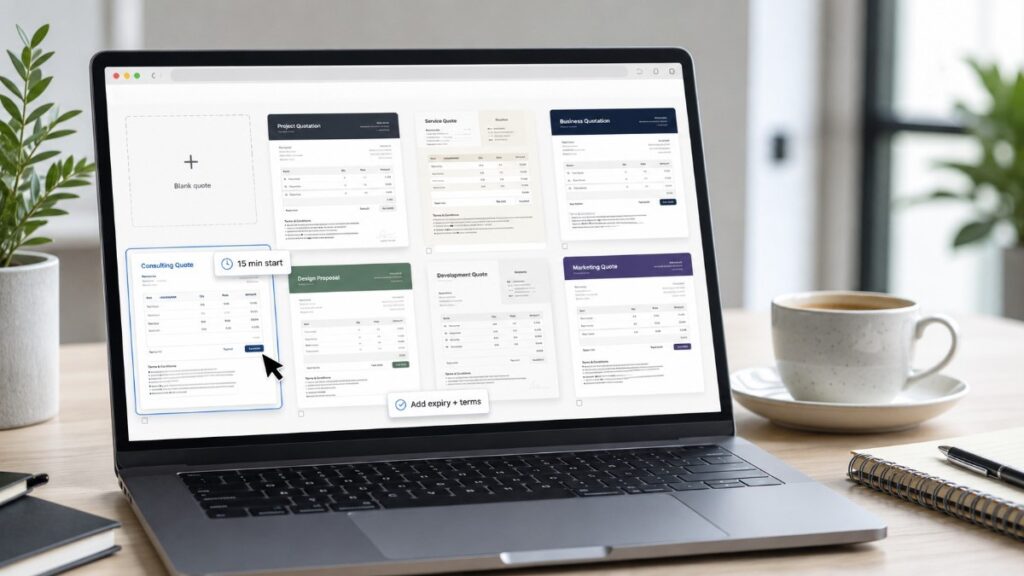
Free template galleries (Google Docs templates, Canva's public library, dedicated template sites) get you from blank page to presentable in fifteen minutes. For a one-off quote where you need to look professional fast, that's genuinely useful.
What they won't do is the part that wins deals: no auto-calculated expiry, no follow-up reminder, no terms you can't forget. Everyone else has the same template, and if it lacks a field you need — deposit terms, a second tax rate — you're hand-editing a document you don't own. Treat a gallery template as a starting point, then add the system: expiry in two places, a follow-up note, and a "what happens next" line for the client.
Best for: one-off quotes and proposals where you need presentable in minutes.
The AI-Powered Approach
The fastest-growing way to quote in 2026 is letting AI assemble the document — and the tools are finally handling the parts people forget, not just the typing.
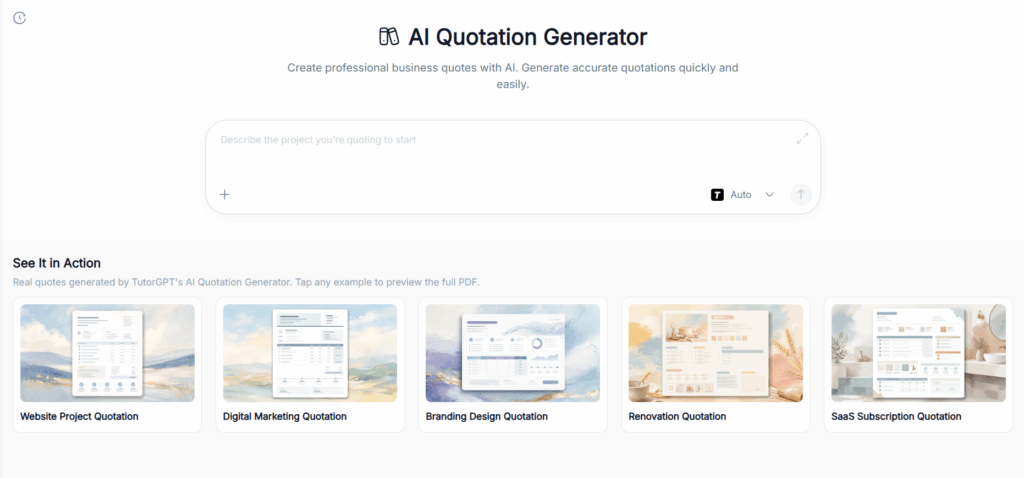
4. TutorGPT AI Quotation Generator — describe the job, get a ready-to-send quote
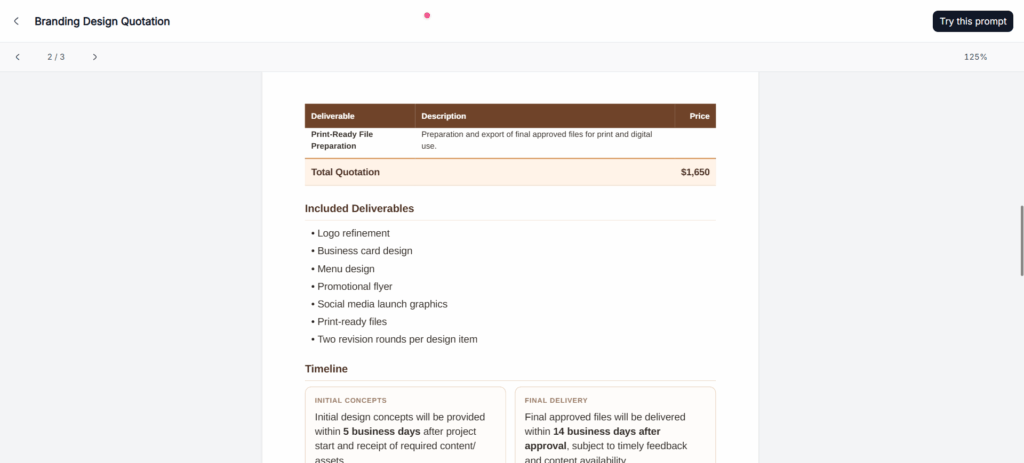
The interesting thing about the TutorGPT AI Quotation Generator is what it automates: you describe what you're selling — services, quantities, rates — and the output includes itemized pricing, tax, discounts, payment terms, and a validity date. It's the expiry date and terms that matter, because those are the two things people forget, and forgetting them is how deals go quiet.
The workflow is what fixes the follow-up problem too: download a polished PDF or share an approval link the client can accept in one click — no printing, no signing, no friction. When the client asks for a change, you edit the description and the generator rebuilds the quote; the math stays consistent instead of being hand-edited in three places. It's free with no sign-up, which is why this AI Quotation Generator has become my default for client quotes.
Best for: freelancers, contractors, and small businesses who want the professional structure — terms, expiry, itemization — without maintaining templates.
5. Draft it with ChatGPT or another LLM — the copy is good, the numbers are on you
An LLM is genuinely good at the writing: it understands scope, suggests sensible line items, and writes terms in plain English. For drafting the language of a quote, it's a legitimate shortcut.
The part you can't trust is the math. LLMs invent plausible-sounding totals and terms, so every number needs checking against your rates — and you still have to build the table, apply the tax, and format the document yourself. Use it as a writing assistant, not a quoting tool: let it draft, then verify each figure and add the expiry and follow-up system around it.
Best for: drafting quote copy quickly when you'll handle the numbers and structure yourself.
6. Let AI design tools build the layout — pretty shell, manual math
Canva Magic and similar tools turn a few words into a polished layout — typography, spacing, backgrounds — in seconds. If your quotes need to look less like spreadsheets, this is the fastest way there.
The catch is the same as every design-first approach: the shell is automatic, the calculations are manual. Tax, discounts, and totals are still on you, and heavily designed documents are slower to edit when a client asks for a change at 5 PM. Use it for flagship proposals where the design is part of the pitch; don't build your repeatable quoting process on it.
Best for: design-forward agencies and creatives selling visually.
Dedicated Software
At volume, subscription tools pay for themselves — the question is whether your volume justifies it, and whether the tool solves your actual bottleneck.
7. Invoicing suites like FreshBooks or Wave — quoting as a side feature
If you already run invoicing and accounting in one suite, its quote feature keeps everything together — estimates roll into invoices automatically, which removes a whole class of errors. Wave is even free for basic use.
But these are billing tools with a quoting feature, not quoting tools. Templates are plain, there's no design control, and you're paying for accounting capabilities you may not need. The expiry-and-follow-up system still isn't built in for the quote stage — you'll track that yourself. Worth it only if the estimate-to-invoice flow is your real problem.
Best for: businesses already living in one accounting suite.
8. Dedicated quoting SaaS like Proposify, Qwilr, or PandaDoc — the pro's stack, at volume
These are the professionals' tools: interactive documents, e-signatures, template libraries, and — the feature that actually matters — analytics showing when the client opened your quote. That open notification is the follow-up system you were supposed to build yourself: you know exactly when to send the day-five check-in.
The price is $20-30+ per user per month. If you quote ten times a month, that's trivial. If you quote twice a year, you're paying for a tool that gathers dust between jobs.
Best for: agencies and sales teams where follow-up timing and approval tracking directly move revenue.

9. CRM built-in quoting — HubSpot, Salesforce, and friends
If your business runs on a CRM, the quoting module may already be in your plan. Quotes live next to the deal and the contact history, with approval workflows if you have a team — nothing gets lost between sales and delivery.
The weakness is weight. CRM quoting is built for sales pipelines: fields, permissions, and approval rules that a solo freelancer simply doesn't need, plus a real setup cost. If you're not running deals through a CRM already, don't start with it for quoting.
Best for: B2B sales teams and agencies already running pipelines in a CRM.
Tricks & Shortcuts
The shortcuts range from genuinely smart to genuinely dangerous — the difference is whether you've built the system around them.
10. Build a spreadsheet quote that does the math
A quote built in Excel or Google Sheets with formulas for totals, tax, and discounts is one of the smartest free setups: change a rate and the total updates instantly, forever reusable. The formula cells do the math that humans get wrong.
The danger is silent failure. A broken or overwritten formula produces a wrong total that looks exactly like a right one — no red flag, no error message. Protect the formula cells, keep a template copy, and sanity-check every total before sending. It's a system, but a fragile one.
Best for: technically comfortable users who want automatic math without paying for software.
11. Design it in Canva — gorgeous, and every number is manual
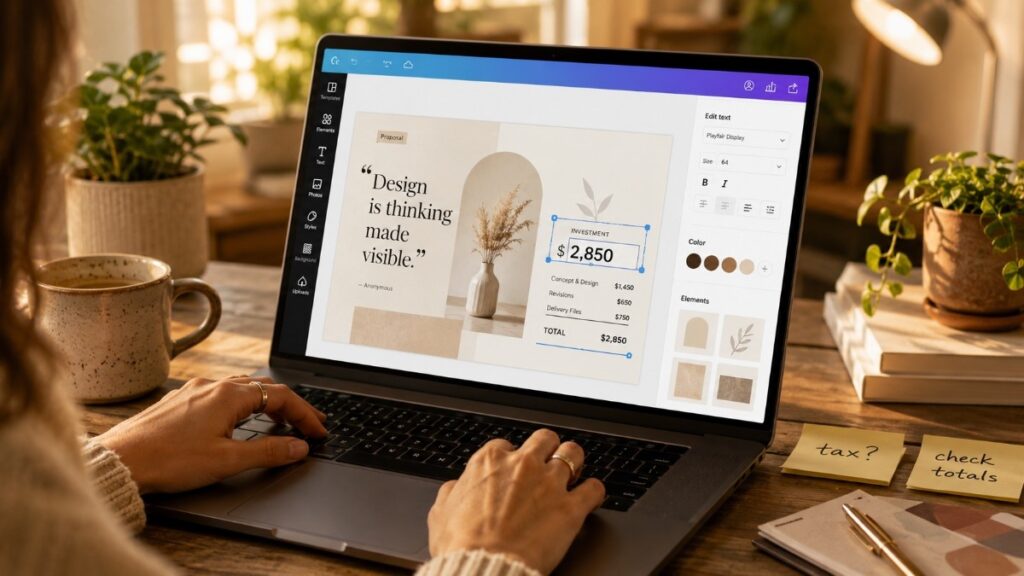
Canva's templates make a quote look far more professional than a default Word file, and for a flagship proposal to a dream client, that polish is part of the pitch.
As a repeatable process it's tedious: numbers typed by hand, tax calculated on you, one change meaning a full re-edit — and every manual edit is another chance for a typo to slip into the final price. Keep a couple of templates ready for one-offs; don't run your everyday quoting on it.
Best for: visually impressive one-off quotes and proposals.
12. The "reuse last quote" shortcut — fastest, and the surest way to lose money
Copy last quarter's quote, change the date and price, send. Two minutes. And two minutes is exactly why it's dangerous: old terms go to new clients, outdated rates ship because you forgot one line, and a typo from the original propagates silently into the new document.
If you use it, use it as a draft with a mandatory checklist: every line item against the current scope, tax and totals re-verified, terms updated, and a fresh expiry date set. The two minutes you saved can cost you the job — or lock you into last year's price.
Best for: nobody, really. Draft only, at your own risk.
The Cheat Sheet
| Method | Free | Itemized + terms auto | Expiry & follow-up | Best for |
| Email quote | ✅ | ❌ | ❌ (you build it) | tiny jobs, 24h response wins |
| Word / Google Docs template | ✅ | ❌ | ❌ (build checklist) | occasional quotes, full control |
| Free template galleries | ✅ | ❌ | ❌ | one-off, presentable fast |
| TutorGPT AI Quotation Generator | ✅ (no sign-up) | ✅ | ✅ (auto expiry + link) | freelancers & small biz, structure without upkeep |
| ChatGPT / Claude / Gemini | ⚠️ limited | ❌ | ❌ | drafting the copy only |
| AI design tools | ⚠️ free tier | ❌ | ❌ | design-forward proposals |
| FreshBooks / Wave | ⚠️ partly | ⚠️ | ❌ | estimate→invoice automation |
| Proposify / Qwilr / PandaDoc | ❌ | ✅ | ✅ (open analytics) | high volume, follow-up matters |
| CRM quoting (HubSpot/Salesforce) | ⚠️ with plan | ✅ | ⚠️ with workflow | B2B teams in a CRM |
| Spreadsheet quote | ✅ | ✅ (formulas) | ❌ | auto-math, technically comfortable |
| Canva templates | ⚠️ free tier | ❌ | ❌ | visual one-offs |
| Reuse last quote | ✅ | ❌ | ❌ | risky; draft only |
FAQ
What should a professional quote include?
Itemized line items with descriptions, a scope summary that reflects what the client said they wanted, clear payment terms, an expiry date, and a "what happens next" line. The two details most often missing — expiry and terms — are the two that stop clients from going quiet.
How long should a quote stay valid?
It scales with project size and price volatility. Under 1,000:7−14days.1,000:7−14days.1,000-10,000:14−21days.10,000:14−21days.10,000-50,000:30days.Over50,000:30days.Over50,000: 30-60 days. As a rule of thumb for services: creative work 30 days, consulting or strategy 45 days (longer decisions), simple services 14 days. Put the expiry in two places and track it — a forgotten expiry is a quote that never closes.
How do I know how much to charge?
Build the number bottom-up, not from gut feel. Break the project into phases (discovery, design, production, revisions, communication), estimate hours per phase — and budget communication at 10-15% of production time, two full revision rounds regardless of what the contract says, and 5-10% project management overhead. Multiply by your effective hourly rate, add a 20-30% scope buffer, then sanity-check against the value to the client. Beginners almost always underprice; double your first instinct.
When should I follow up after sending a quote?
Set a four-touch system: send with a clear expiry date (day 1), a brief check-in about timing (day 5), a reminder of the upcoming expiry (day 25), and a final notice that the quote expires today (day 30). If you hear nothing after expiry, wait 2-3 days, then offer a fresh quote — a refreshed quote with current rates converts better than an extended one.
Should I send a PDF or a link?
A link wins for new clients: it's one click to approve, and it lets you see when the client opened it — which turns your day-five follow-up from a cold ping into a targeted one. A PDF is more formal and works when the client needs to forward it internally or print it. If you can only pick one, choose the link.
What's the most common quoting mistake?
Quoting before the scope is clear. It's the root of nearly every pricing horror story: you quote a vague brief, the client's mental image is twice the size of yours, and you spend the project negotiating instead of delivering. Ask "what does done look like to you?" before you quote — and when a client pushes on price, trade scope, never just the number. A reduced scope at a lower price is a deal; the same scope at a discount trains them to negotiate everything.
Conclusion
Here's the honest summary: the method you pick matters less than the system around it. Every quote — however it's made — needs itemized lines, an expiry date in two places, clear terms, and a follow-up plan. Email and Word can do that if you maintain the system. AI tools increasingly build it in for you. Dedicated software sells it as a subscription. And the shortcuts — reusing old quotes, lump sums, no expiry — are how deals die quietly.
Pick the method that fits your volume, then run the checklist on every single send: itemized, expiry, terms, follow-up. Do that and you'll already be ahead of most people quoting. Which method are you going to try first? I'm always collecting better ways to do this — tell me what works for you in the comments.