
Have you ever looked at an image and wished you could simply ask someone what it means?
Maybe you received a screenshot with an error message but had no idea how to fix it. Maybe you found a confusing chart in a report, a math problem in a textbook, or a document written in another language. The information is already in front of you, but understanding it still takes time.
This is where Pic to Chat AI becomes useful.
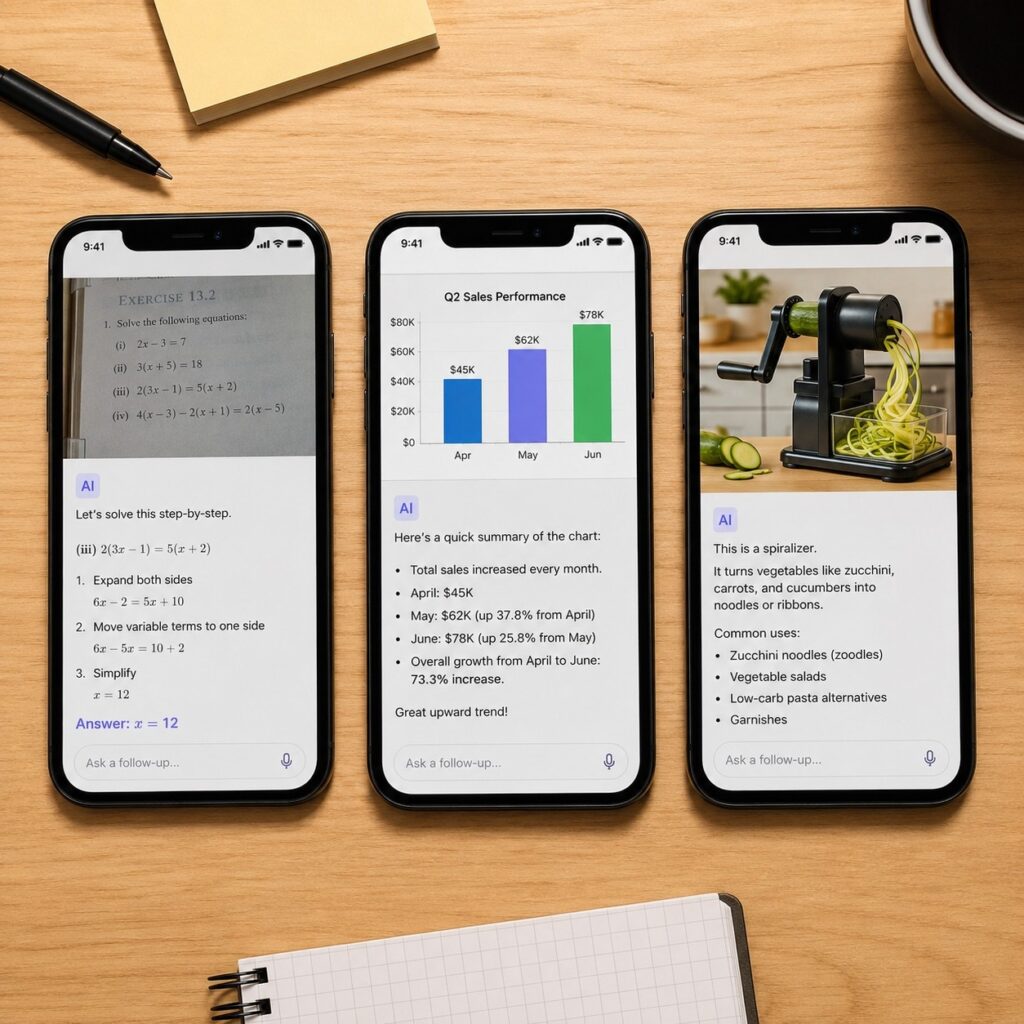
Instead of searching for answers manually, you can upload an image and start a conversation with AI. The AI can analyze what is inside the picture, understand the context, and answer your questions step by step.
This is the real reason why more people are searching for Pic to Chat.
They are not simply looking for an image recognition tool. They want an AI assistant that can look at an image, understand it, and help them solve problems.
In this guide, I tested and compared 8 popular AI image chat tools to see how well they perform in real situations, including image understanding, document analysis, homework help, screenshot explanations, and everyday questions.
If you want to chat with any image, this guide will help you find the right tool.
What Is Pic to Chat?
At its core, Pic to Chat means turning an image into a conversation.
Traditional image tools usually stop after identifying what appears in a picture. They might tell you that an image contains a person, a product, or a specific object.
But users often need more than recognition.
They want to ask:
"Why is this happening?"
"How does this work?"
"Can you explain this part?"
"What should I do next?"
A modern Pic to Chat AI combines computer vision with large language models, allowing users to ask questions and continue the conversation based on the uploaded image.
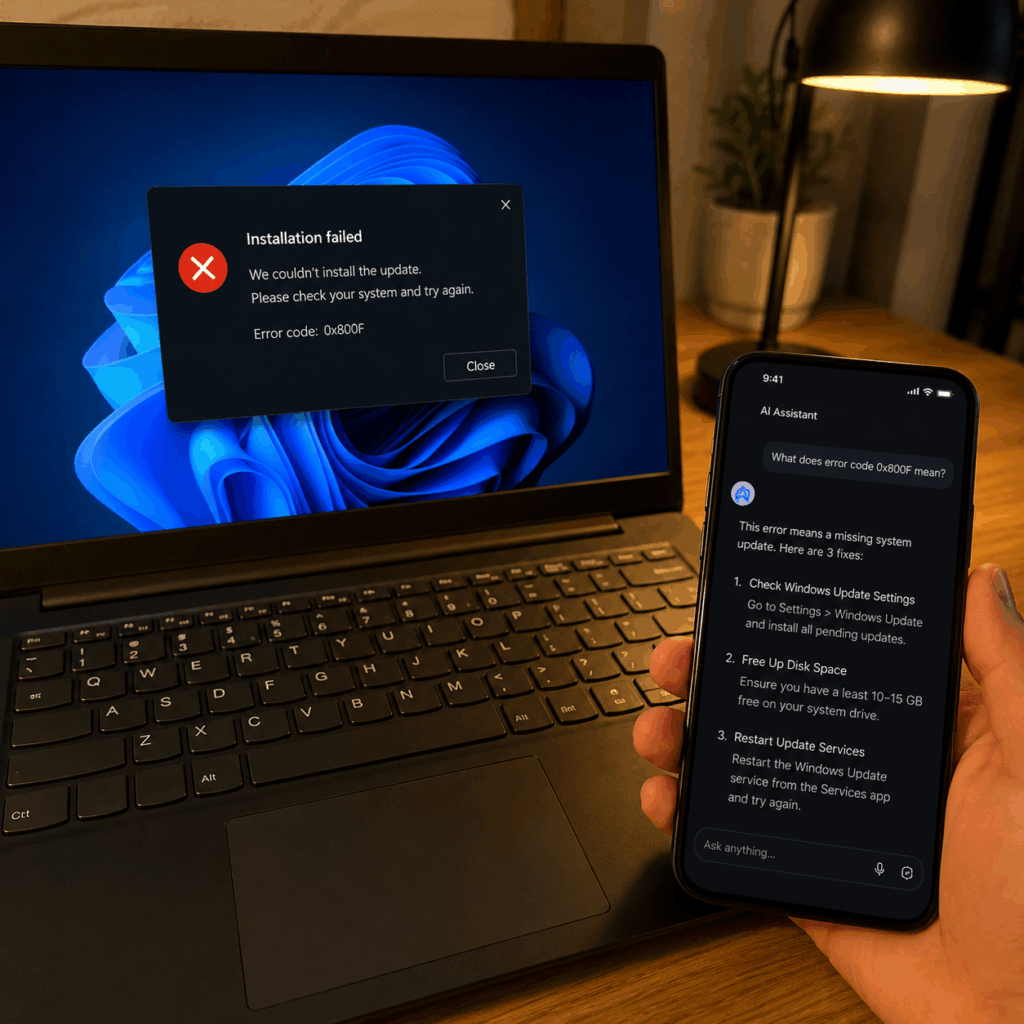
For example, imagine uploading a screenshot of a software error.
A normal image recognition tool may only recognize text inside the screenshot.
An AI image chat tool can understand the error message, explain what caused it, and suggest possible solutions.
The difference is not just seeing the image.
It is understanding the image.
How Is Pic to Chat Different from Image Recognition?
Image recognition has existed for years. It is commonly used for tasks like identifying objects, detecting faces, or categorizing photos.
However, image recognition usually provides a simple answer:
"This is a laptop."
"This is a dog."
"This image contains a chart."
Useful, but limited.
A chat with image AI goes further by understanding the relationship between different elements in an image and responding to natural questions.
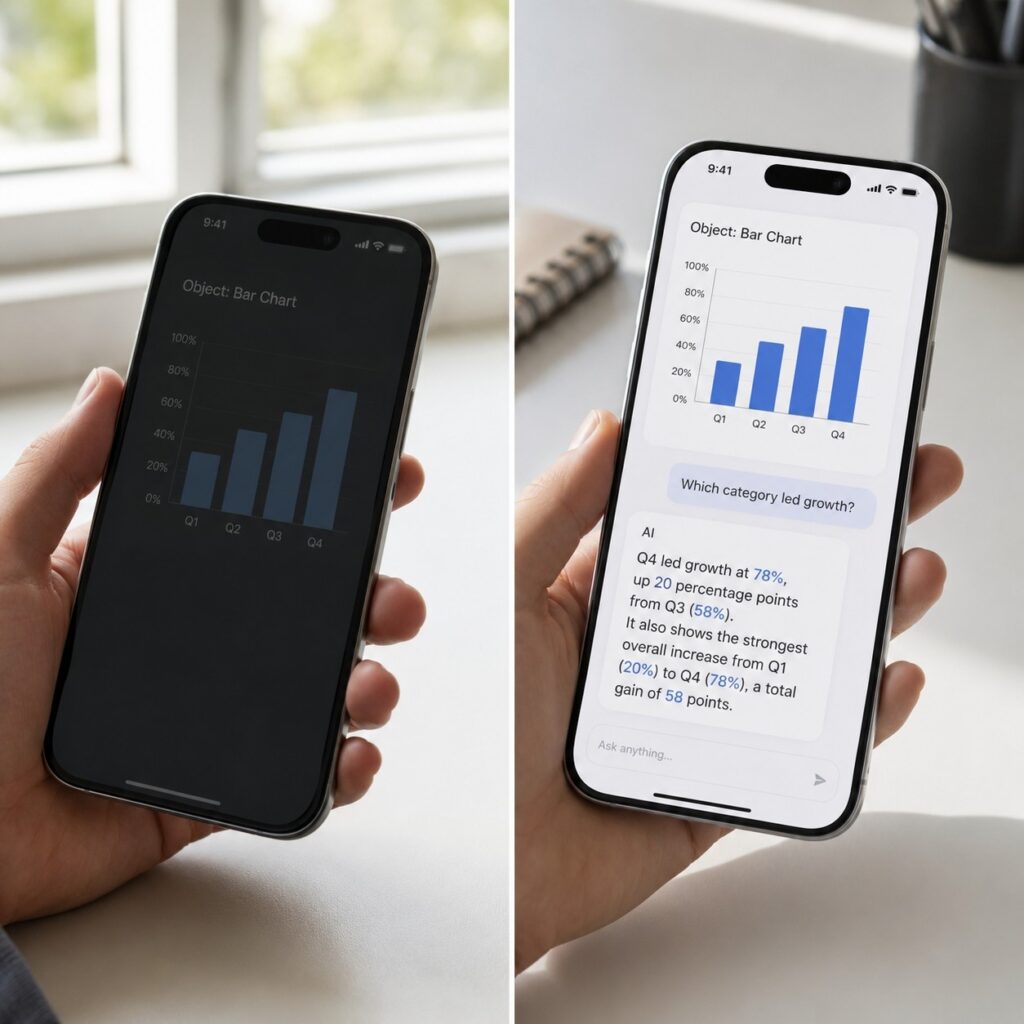
For example, if you upload a business report chart, image recognition might tell you:
"This image contains a bar chart."
But a Pic to Chat tool can answer:
"What does this chart show?"
"Which category performed best?"
"What trends can you find?"
"Summarize this data for a presentation."
This is why AI image chat is becoming more practical. People do not just want AI to identify images. They want AI to help them think about images.
What Can You Ask an AI About an Image?
One of the biggest advantages of Pic to Chat AI is flexibility.
Users can ask almost any question related to the uploaded image.
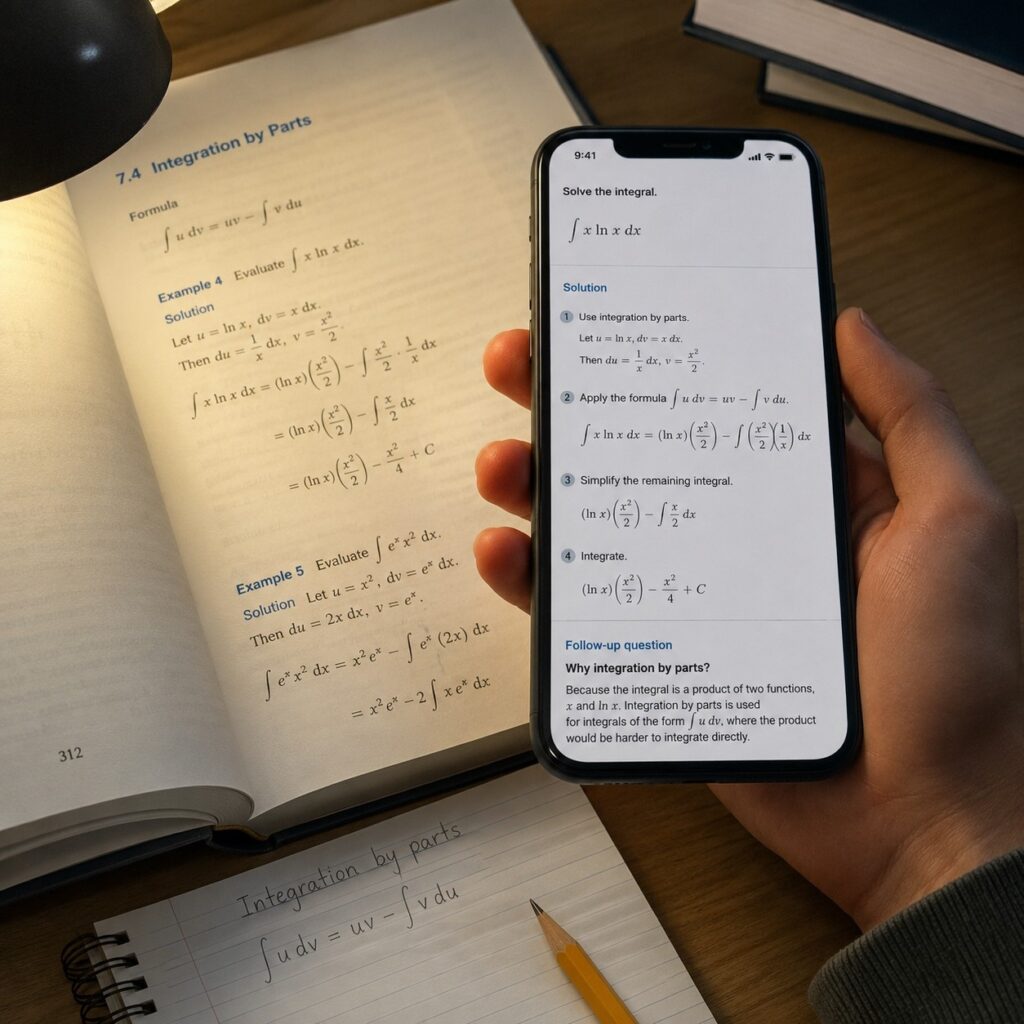
For students, it can become a personal learning assistant. A student can upload a difficult math question, ask for an explanation, and continue asking follow-up questions until the concept becomes clear.
For professionals, it can help analyze screenshots, documents, presentations, and reports. Instead of spending time reading through every detail manually, users can ask AI to summarize important information or explain unclear sections.
For everyday users, it can answer simple but useful questions:
- What is this object?
- How does this product work?
- What place is shown in this photo?
- Can you translate the text in this image?
- What should I pay attention to?
The key advantage of chat with any image is that the conversation does not end after the first answer.
You can continue asking questions and guide the AI toward the information you actually need.
Why Are More People Using Pic to Chat AI?
Images have always been an important way to store information. However, images are usually passive. You can look at them, but you cannot interact with them.
AI is changing this.
With Pic to Chat AI, images become searchable and conversational. A photo, screenshot, or document is no longer just a file. It becomes a source of information that you can explore.
After testing different AI image chat tools, I found that most users are not looking for complicated AI features. They simply want faster answers in situations where text search is inconvenient.
Understand Photos Instead of Just Viewing Them
Most people take hundreds or even thousands of photos but rarely go back and understand them deeply.
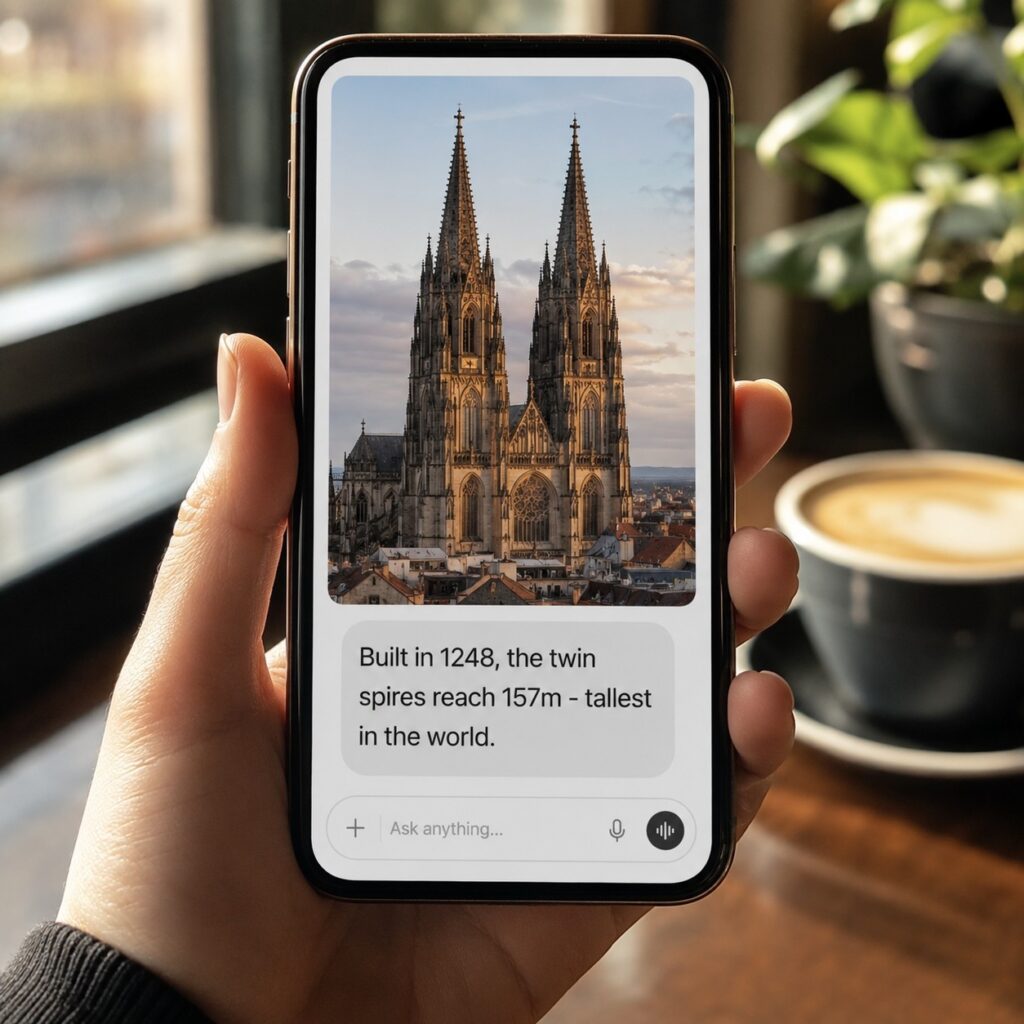
A travel photo may remind you of a place, but you may not know the history behind it.
A product photo may look interesting, but you may not know its features.
A screenshot may contain useful information, but reading and understanding everything manually takes time.
A Pic to Chat AI tool changes this experience.
You can upload an image and ask questions naturally:
"Where was this photo taken?"
"What details should I notice?"
"Explain the background of this image."
"What makes this design effective?"
The AI becomes a companion that helps you understand visual information.
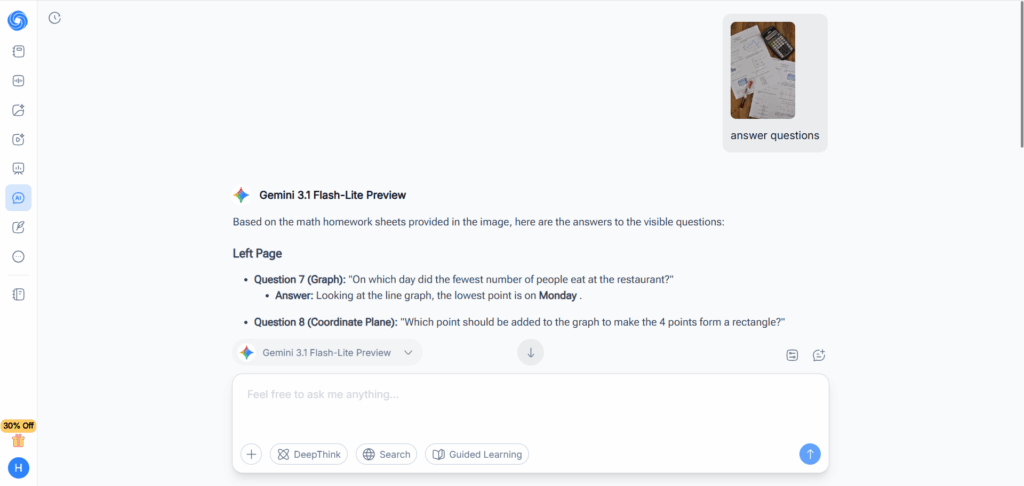
Solve Homework from Pictures
Education is one of the strongest use cases for AI image chat.
Students often struggle not because they cannot find answers, but because explaining the problem clearly takes effort.
Taking a picture is much easier.
With a Pic to Chat tool, students can upload:
- math exercises
- physics diagrams
- chemistry formulas
- textbook pages
- handwritten notes
Then they can ask AI to explain the solution.
The most valuable part is not getting the final answer. It is being able to continue the conversation:
"Why did you use this formula?"
"Can you explain this step again?"
"Give me another example."
This makes AI more like a tutor instead of a simple answer generator.
Read Screenshots, Documents, and Charts
Many important information sources today exist as images.
A screenshot from a website, a scanned document, or a business chart may contain valuable information, but extracting the meaning can be difficult.
This is where image chat AI saves time.
Professionals can use it to:
- understand software screenshots
- summarize reports
- analyze charts
- review documents
- explain complex visual information
Instead of describing the image to AI manually, users can simply upload it and start asking questions.
Translate Text from Images
Another reason why people use Pic to Chat AI is that it removes language barriers.
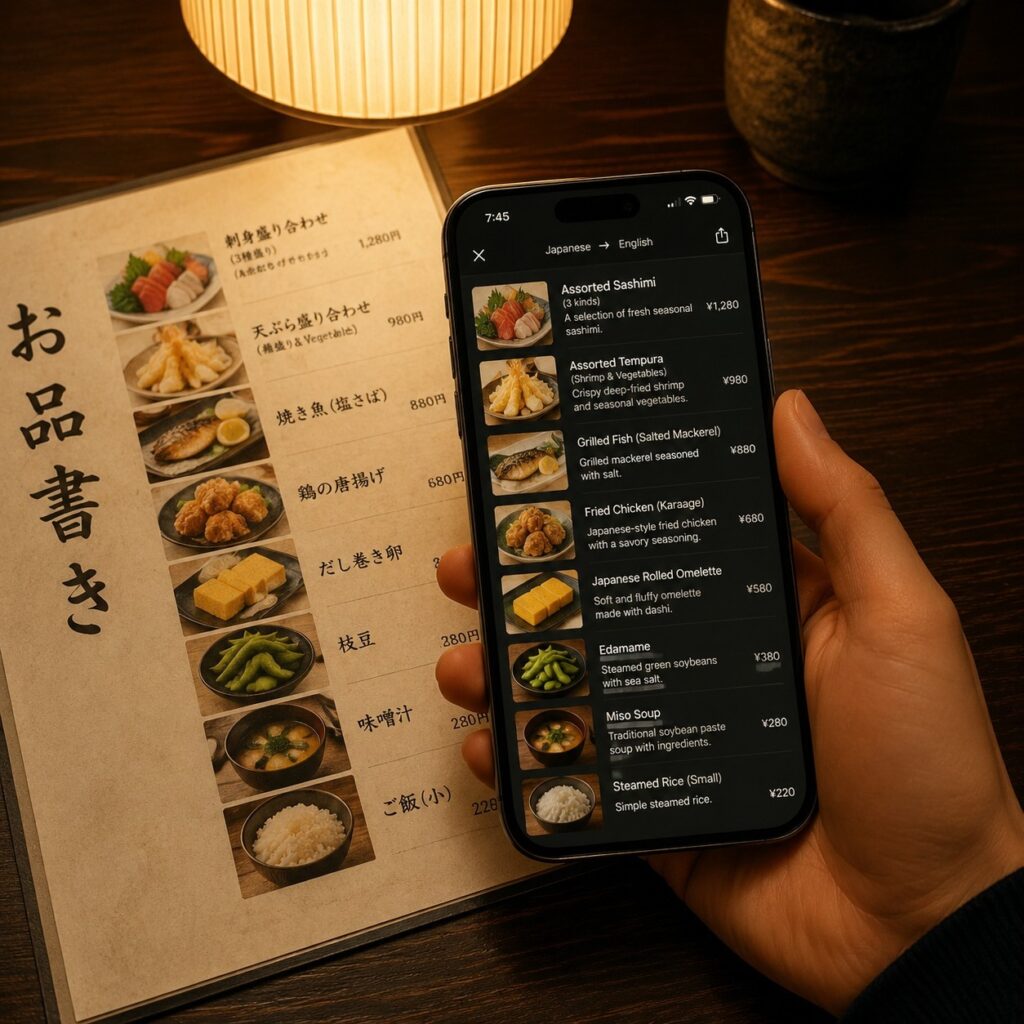
In the past, translating text from an image required several steps. You needed to extract the text with OCR, copy it into a translator, and then try to understand the meaning based on the surrounding context.
With modern AI image chat tools, the process becomes much simpler.
You can upload:
- restaurant menus while traveling
- product labels
- screenshots from foreign websites
- handwritten notes
- documents in another language
Then ask:
"Translate this image into English."
"What does this sentence mean?"
"Explain this document in simple words."
Because AI can understand both the text and the visual context, the translation is often more useful than a simple word-for-word conversion.
Get Instant Answers About Everyday Objects
Sometimes the biggest advantage of chat with image AI is simply saving time.
You may find an unfamiliar object at home, see an interesting plant while walking outside, or discover a product online without knowing its details.
Instead of searching through multiple websites, you can upload the image and ask AI directly.
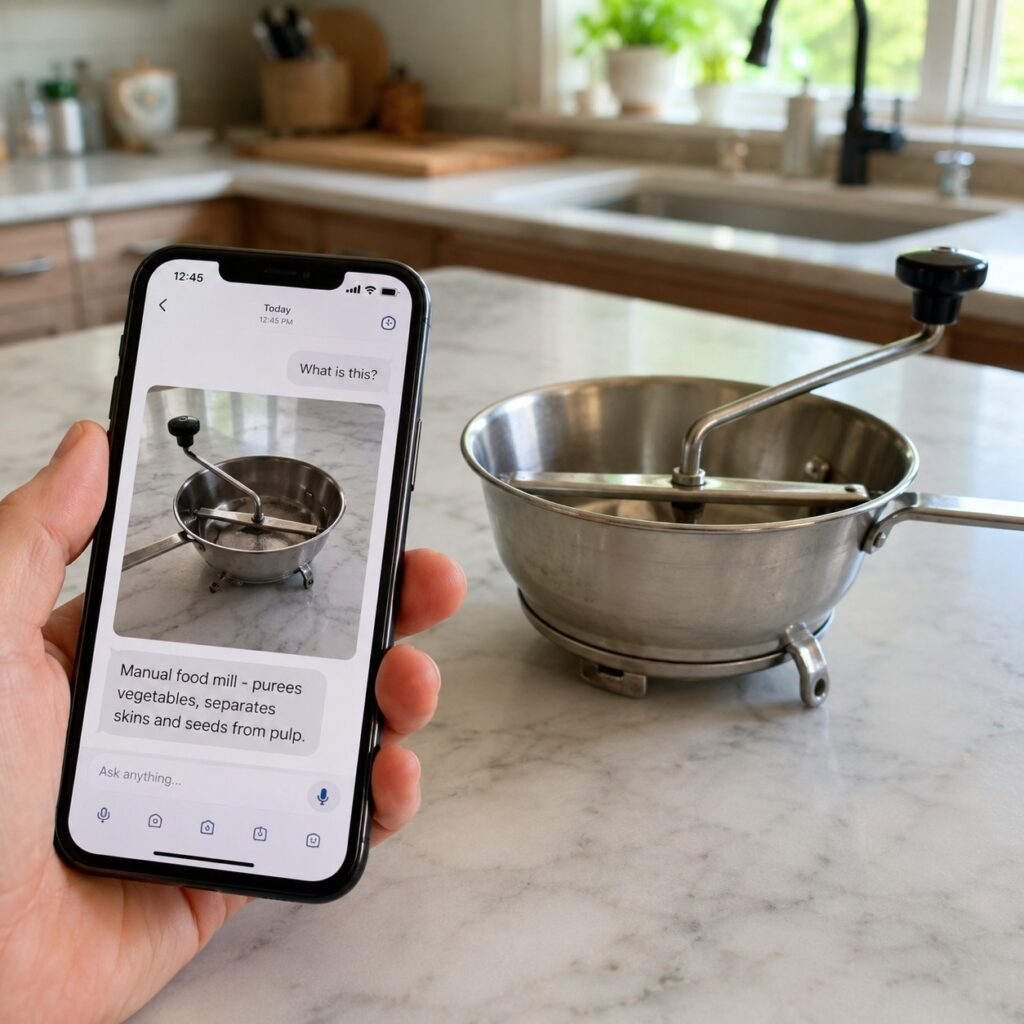
For example:
"What is this device used for?"
"How do I use this product?"
"Is this ingredient safe?"
"What brand is this item?"
This makes Pic to Chat AI useful not only for work and study but also for daily decisions.
How We Tested the Best Pic to Chat AI Tools
To find the best Pic to Chat AI tools, I did not only compare feature lists. The most important question was simple:
Can the AI actually understand images and provide useful answers?
A good image chat tool should not only recognize objects. It should understand context, answer follow-up questions, and help users complete real tasks.
For testing, I compared each tool based on several factors:
Image understanding accuracy
Can the AI correctly understand different types of images, including photos, screenshots, documents, and charts?
Conversation quality
Can users continue asking questions, or does the AI only provide a basic description?
Reasoning ability
Can it explain complex information, solve problems, or provide useful suggestions?
User experience
Is uploading images simple? Does the tool respond quickly? Is the interface easy to use?
Pricing and accessibility
Does it offer free usage? Is it suitable for students, professionals, and everyday users?
The best AI image chat tools should make interacting with images feel natural, almost like talking to a person who can see and understand what you are looking at.
8 Best Pic to Chat AI Tools in 2026
After testing different tools, these are the 8 best options for users who want to chat with any image in 2026.
1. TutorGPT
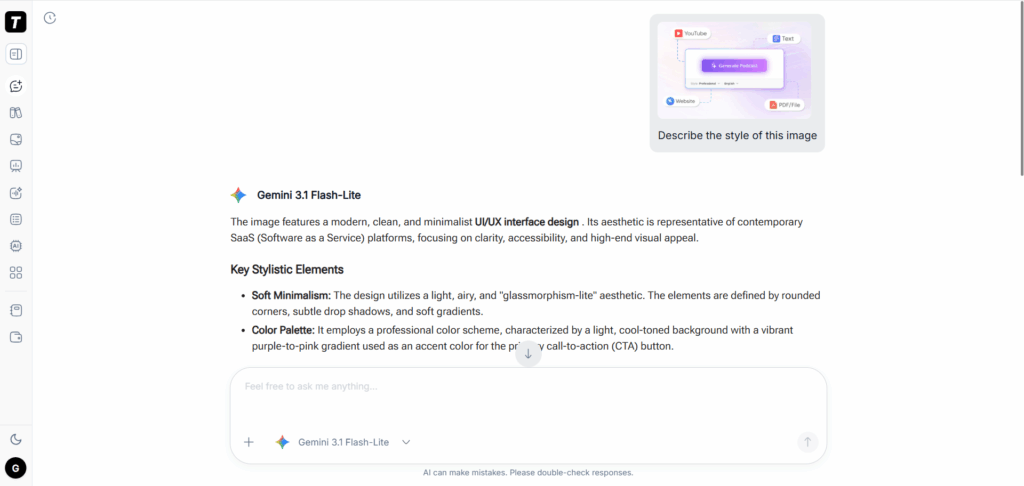
For users who want an all-in-one AI assistant, TutorGPT is one of the strongest choices.
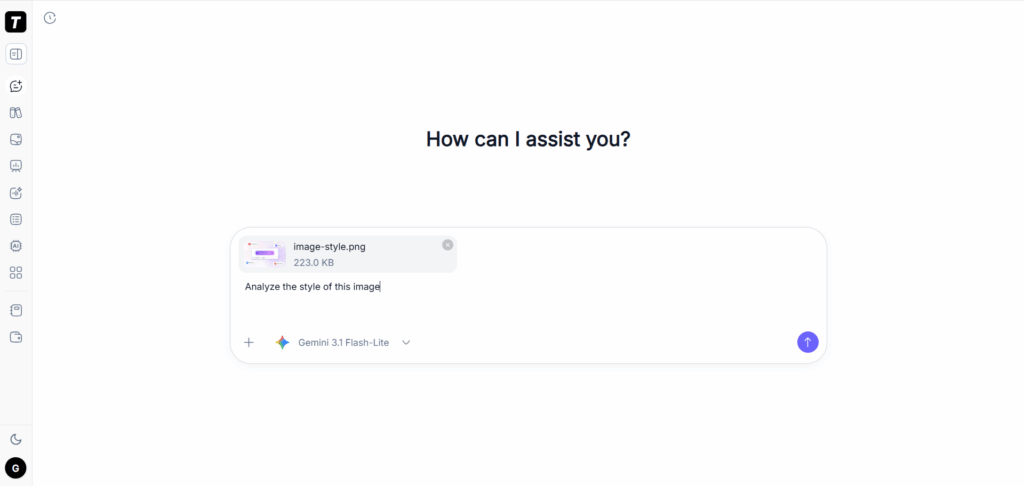
What makes TutorGPT different is that it combines advanced AI models with image understanding capabilities, allowing users to upload images and ask questions in a natural conversation.
During testing, TutorGPT performed well across different scenarios, including educational images, screenshots, documents, and general photos.
The biggest advantage is that it does not treat image analysis as a single task.
Instead, users can continue the conversation:
"Explain this part."
"Give me a simpler explanation."
"Show me another example."
This makes TutorGPT especially useful for students, professionals, and anyone who wants more than a basic image description.
Best for:
- Students who need explanations from images
- Professionals analyzing visual information
- Users looking for an all-in-one AI image chat assistant
2. ChatGPT
ChatGPT is one of the most well-known AI tools with image understanding capabilities.
Its biggest strength is versatility.
Users can upload images and ask questions about almost anything, from analyzing screenshots to explaining diagrams and reviewing documents.
For example, ChatGPT can help with:
- understanding charts
- analyzing photos
- solving questions from images
- summarizing visual information
Because many users already use ChatGPT for text-based tasks, adding image conversations feels natural.
However, the experience depends on the available plan and model access. Users looking for frequent image conversations may need a paid subscription.
Best for:
- General-purpose image questions
- Existing ChatGPT users
- Users who want both text and image AI capabilities
3. Google Gemini
Google Gemini is another strong option for users who want to chat with image AI.
One advantage of Gemini is its connection with Google's ecosystem and its ability to handle different types of information.
Users can upload images and ask questions about:
- photos
- documents
- screenshots
- charts
Gemini is particularly useful for users who already work with Google services and want AI assistance integrated into their workflow.
Its multimodal capabilities make it a strong competitor in the AI image chat space.
Best for:
- Google ecosystem users
- Research and information analysis
- Multimodal AI tasks
4. Claude
Claude is known for its strong reasoning ability and natural responses.
While many AI tools can recognize what appears in an image, Claude focuses more on understanding and explaining information.
This makes it useful for:
- analyzing documents
- reviewing designs
- understanding complex screenshots
- explaining visual content
For users who care about detailed explanations rather than quick answers, Claude can be a valuable choice.
Best for:
- Professionals
- Researchers
- Users who need deeper image analysis
5. AI.UPDF
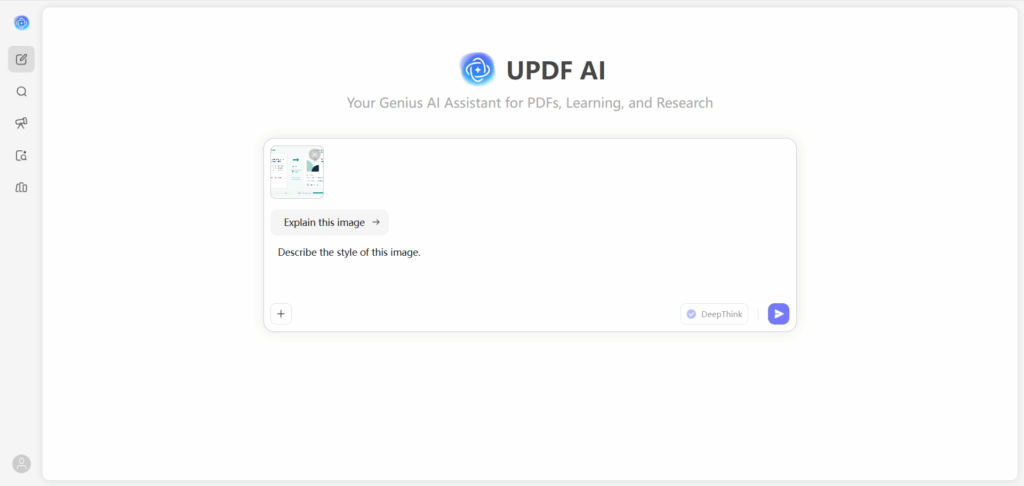
AI.UPDF focuses more on document-related image conversations.
It is especially useful when users need to interact with PDFs, scanned files, and document images.
Many people do not actually need to chat with random photos. They need help understanding information inside documents.
AI.UPDF is designed around this practical need.
Users can upload documents and ask AI to:
- summarize content
- explain sections
- find important information
- answer questions
Best for:
- PDF analysis
- Document workflows
- Business users
6. Perplexity AI
Perplexity AI combines AI answers with search capabilities, making it useful when users want information beyond the uploaded image.
For example, after uploading an image, users can ask questions and get explanations that may include additional research-based context.
This is useful for:
- identifying unknown topics
- researching products
- learning about places or objects
Best for:
- Research
- Fact checking
- Image questions that require external information
7. NoteGPT
NoteGPT is another useful option, especially for students and learners who want to understand visual learning materials.
It focuses on education-related AI tools and can help users analyze learning content, notes, and images.
For students, the value of an AI image chat tool is not just getting answers. It is understanding why the answer is correct.
NoteGPT fits well into workflows involving:
- study materials
- lecture notes
- educational images
- learning resources
Best for:
- Students
- Teachers
- Learning content analysis
8. Poe
Poe provides access to multiple AI models in one place.
For users who like comparing different AI responses, Poe offers flexibility by allowing conversations with different AI assistants.
This can be useful when users want to test different approaches to image questions.
Best for:
- AI enthusiasts
- Users who want multiple models
- Comparing AI responses
Which Pic to Chat AI Tool Is Right for You?
After testing these Pic to Chat AI tools, I found one interesting thing: there is no single tool that is perfect for everyone.
At first, it seems like choosing an AI image chat tool should be simple. Just find the model with the strongest image understanding ability.
But in real use, the difference is not only about how accurately AI recognizes an image.
The more important question is:
What do you want AI to help you do after understanding the image?
A student may want step-by-step explanations from a homework photo. A professional may need AI to understand reports and screenshots. A designer may want feedback on a visual concept.
The image is only the starting point. The real value comes from what happens after you upload it.
Best for Students
For students, the most useful Pic to Chat AI tools are not necessarily the ones that give answers fastest.
The real challenge in learning is understanding the process.
When a student uploads a math problem or a textbook page, they usually do not only want the final answer. They want to know:
Why does this method work?
How did you get this result?
Can you explain it in a simpler way?
This is where conversational AI becomes much more valuable than traditional homework helpers.
Tools like TutorGPT and NoteGPT work well in this scenario because they allow students to continue asking questions instead of ending the interaction after one response.
The best learning experience is not:
"Here is the answer."
It is:
"Here is why this answer makes sense."
Best for Professionals
For professionals, the use case is slightly different.
Most people are not uploading images because they want AI to describe a picture. They are uploading images because important information is trapped inside visual formats.
A screenshot may contain a technical problem.
A chart may contain business insights.
A document image may contain important details.
In these situations, a good AI image chat tool should help users move from understanding information to making decisions.
For example, instead of asking:
"What is in this chart?"
A professional may ask:
"What are the main trends?"
"What should I highlight in my presentation?"
"What problems can you find from this data?"
This is where tools like TutorGPT, ChatGPT, Claude, Gemini, and AI.UPDF become useful depending on the workflow.
Best for Designers
Design is another area where chat with image AI shows a different kind of value.
Designers usually do not need AI to tell them what is inside an image.
They already know.
What they need is another perspective.
For example:
"Does this landing page look professional?"
"How can I improve this layout?"
"Which color combination works better?"
"Why does this design feel unbalanced?"
A strong Pic to Chat AI tool can act like a creative partner by providing feedback and suggesting improvements.
This is why image conversation is becoming more interesting than simple image generation. The AI is not only creating visuals. It is helping people think about visuals.
Best Free Pic to Chat AI
Many users searching for free Pic to Chat AI are actually trying to answer a simple question:
"Can AI really understand my images before I pay?"
The good news is that many popular AI tools now offer some level of free image conversation.
However, free access is not the only thing to consider.
A tool with unlimited free usage but poor image understanding may not be useful.
When testing free AI image chat tools, I would pay more attention to:
- How well does it understand different image types?
- Can it answer follow-up questions?
- Does it explain its reasoning?
- Are the answers actually useful?
The best free option is not always the one with the most messages. It is the one that helps you solve your problem.
Tips for Getting Better Answers from Pic to Chat AI
Even the most advanced AI image chat tools depend on the quality of the information you provide.
A few small changes can significantly improve the results.
Upload High-Quality Images
AI can understand many types of images, but unclear images still create problems.
If the image contains small text, numbers, or detailed information, try to upload the clearest version possible.
A higher-quality image gives AI more context and usually leads to better answers.
Ask Specific Questions
Many users upload an image and simply ask:
"What is this?"
Sometimes that works, but more specific questions usually produce much better results.
For example:
Instead of:
"Analyze this image."
Try:
"Explain the main information in this chart and summarize the key points."
The more clearly you describe your goal, the more useful the answer will be.
Use Follow-Up Questions
This is where Pic to Chat AI becomes different from traditional image tools.
Do not stop after the first answer.
Continue asking:
"Can you explain this more simply?"
"What are the possible reasons?"
"Can you give me an example?"
The conversation is what makes AI image chat powerful.
Combine Multiple Images for More Context
Some problems cannot be understood from one image alone.
For example:
- comparing two product photos
- analyzing multiple pages of documents
- reviewing design versions
Uploading multiple images allows AI to understand more complete information.
FAQs
Can ChatGPT or Other AI Tools Actually Understand Images?
Yes. Modern multimodal AI tools can analyze images, understand visual information, and answer questions instead of only describing what is inside the picture.
I Have a Screenshot but Don’t Know What It Means. Can AI Help?
Yes. Many users use Pic to Chat AI to analyze screenshots, explain error messages, understand app interfaces, and suggest possible solutions.
Can I Upload a Picture and Keep Asking Questions About It?
Yes. The biggest advantage of chat with image AI is that you can continue the conversation, ask follow-up questions, and get deeper explanations from the same image.
Which AI Is Best at Understanding Complex Images?
For complex images like charts, documents, and educational materials, choose tools with strong reasoning abilities rather than simple image recognition features. TutorGPT, ChatGPT, Gemini, and Claude are commonly used options.
Can AI Read Handwriting From a Photo?
Yes, many AI image chat tools can recognize handwritten notes, but accuracy depends on image quality, handwriting style, and language.
Can AI Explain a PDF or Document Screenshot?
Yes. You can upload document images or PDF pages and ask AI to summarize, explain sections, or find specific information.
Is There an AI That Can Look at a Product Photo and Tell Me More?
Yes. Users often upload product images to identify items, compare options, understand features, or get buying suggestions.
Can AI Solve a Math Problem From a Picture?
Yes. Students commonly upload homework photos and ask AI to explain the solution step by step instead of only providing the final answer.
Why Does My AI Give Wrong Answers About Images?
AI can misunderstand unclear, low-quality, or incomplete images. Uploading a clearer image and asking a more specific question usually improves the result.
What Is the Difference Between Image Recognition and AI Image Chat?
Image recognition tells you what appears in an image, while AI image chat allows you to ask questions, get explanations, and continue a conversation.
Conclusion
After testing different Pic to Chat AI tools, I realized that the biggest change is not that AI can now see images.
AI has been able to recognize images for years.
The real improvement is that AI can finally help people understand images.
A screenshot is no longer just a screenshot. It can become a conversation about a problem.
A textbook page is no longer just a page. It can become a personal tutor.
A chart is no longer just numbers. It can become an explanation of what the data means.
This is why more people are searching for Pic to Chat.
They are not looking for a complicated AI feature. They are looking for a faster and easier way to get answers from the visual information around them.
Among the tools tested in this guide, TutorGPT stands out as a balanced choice for users who want an all-in-one AI image chat experience, especially for learning, productivity, and everyday questions.
However, the best tool depends on your own needs.
The future of AI interaction is moving from typing questions into a search box to having conversations with the information we already have.
And with Pic to Chat AI, every image can become a starting point for discovery.