
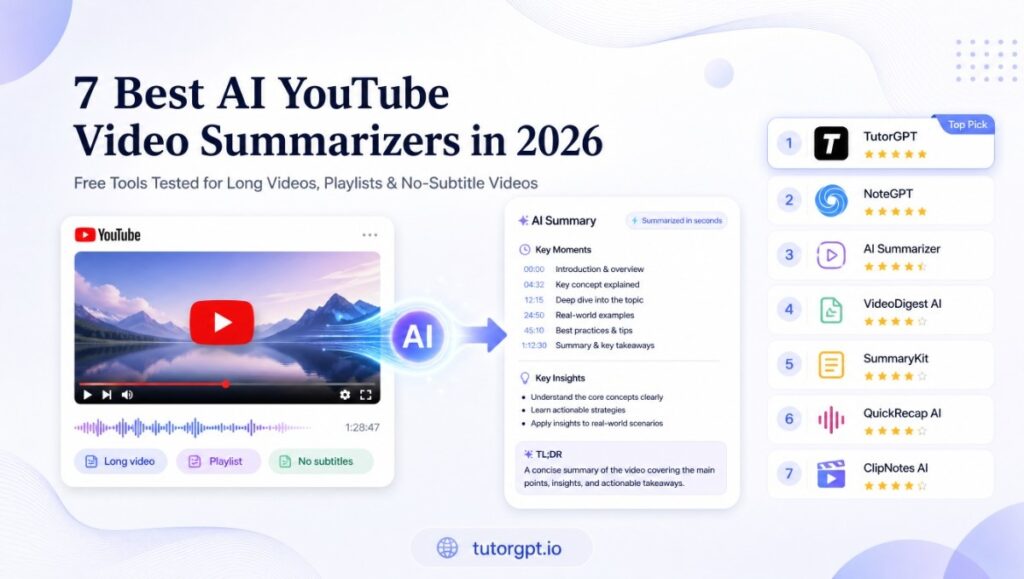
The 7 Best Free YouTube Summarizers at a Glance
| Tool | Best For | Free Tier | No Sign-Up | Handles No Subtitles |
| TutorGPT | All three: long videos, playlists, no-subtitle videos | 50times/daily | Yes | Yes (ASR-powered) |
| Eightify | Quick in-browser YouTube summaries | 7-day trial | No | No |
| NoteGPT | AI notes, transcripts & mind maps | Limited free | No | Partial |
| Glasp | Highlighting & multi-AI-model choice | 3 summaries/day | No | No |
| Summarize.tech | Simple no-frills text summaries | Free tier | Yes | No |
| Decopy.ai | 50 free summaries/day, zero friction | 50/day, unlimited | Yes | Partial |
| Notta | High-accuracy transcription + summaries | 120 min/month | No | Yes (re-transcribes) |
How We Tested: Long Videos, Playlists, and Videos Without Subtitles
Most comparison posts for AI YouTube video summarizer tools say "we tested the best options" but never show their work. Here's exactly what we threw at each tool.
Test 1 — Long Videos (1–4 Hour Lectures, Podcasts, and Webinars)
A YouTube video summarizer that falls apart after 20 minutes is useless for anyone watching lectures, conference talks, or long-form interviews. We tested each tool on three video lengths: a 35-minute tech tutorial, a 90-minute academic lecture, and a 3.5-hour podcast episode. We measured whether the summary still made sense at each duration — not just whether the tool claimed to support it, but whether the output was coherent.
Most free YouTube summarizer tools advertise long-video support. In practice, about half either timed out, returned a chopped-off summary of only the first hour, or served generic bullet points that could have described any video on the topic.
Test 2 — Full YouTube Playlists (10+ Videos, Batch Processing)
Not every AI YouTube summarizer handles playlists. Many can only process one video at a time, which kills the workflow if you're trying to digest an entire course or channel. We loaded a 12-video educational playlist into each tool and checked: can you submit the whole playlist at once? Does it process videos sequentially? Do the summaries connect across videos, or is it just 12 separate results?
Test 3 — Videos Without Subtitles (ASR-Dependent, No Captions Available)
A surprisingly large number of YouTube video summarizer tools are just fancy transcript wrappers — they pull YouTube's auto-generated captions, feed them into an LLM, and call it a summary. That works fine when captions exist. It fails completely when they don't.
For this round, we tested a music lecture with disabled captions and a foreign-language film analysis that YouTube's auto-caption system had never processed. The only tools that survived were the ones with their own automatic speech recognition (ASR) engine.
What We Measured: Speed, Accuracy, and Real-World Usability
Beyond the three scenarios above, we tracked: summary generation time from paste to result, factual accuracy against the original video (did the summary invent anything?), structured output quality (timestamps, section breaks), and the overall friction of sign-up, extensions, and paywalls.
7 Best Free AI YouTube Video Summarizers — Tested & Ranked
1. TutorGPT — Best for Videos Without Subtitles, Long Videos & Playlists
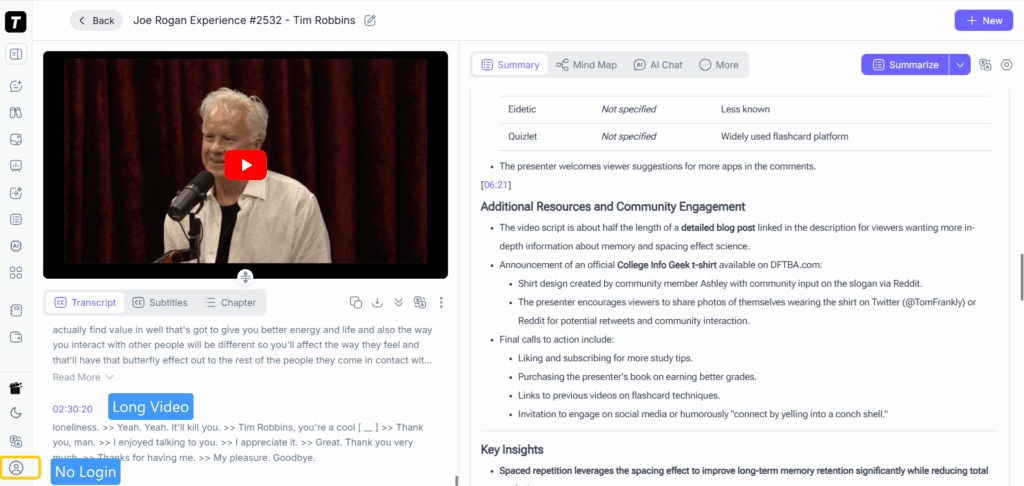
TutorGPT is the only AI YouTube video summarizer on this list that performs well across all three of our test scenarios. Paste a link and it returns a structured summary with timestamps and key points — no extension, no sign-up. It just works.
The built-in ASR engine is the real differentiator. Most AI video summarizer tools skip videos without available transcript tracks. TutorGPT transcribes audio directly, which was decisive in our third test round: a lecture with disabled captions that every other free YouTube summarizer either rejected or hallucinated metadata into a fake summary.
For playlists, it gives you a unified overview plus per-video breakdowns. The 3.5-hour podcast came back as a clean, timestamped summary in under a minute. The AI chat feature lets you ask follow-up questions — useful when a summary flags something worth digging into.
What we liked: Works on any video. No sign-up, no extension, no credit card. Multi-model backend (GPT, Claude, Gemini, DeepSeek). Limitations: Export is copy-to-clipboard only. No built-in Notion integration yet.
2. Eightify — Best Chrome Extension for One-Click YouTube Summaries
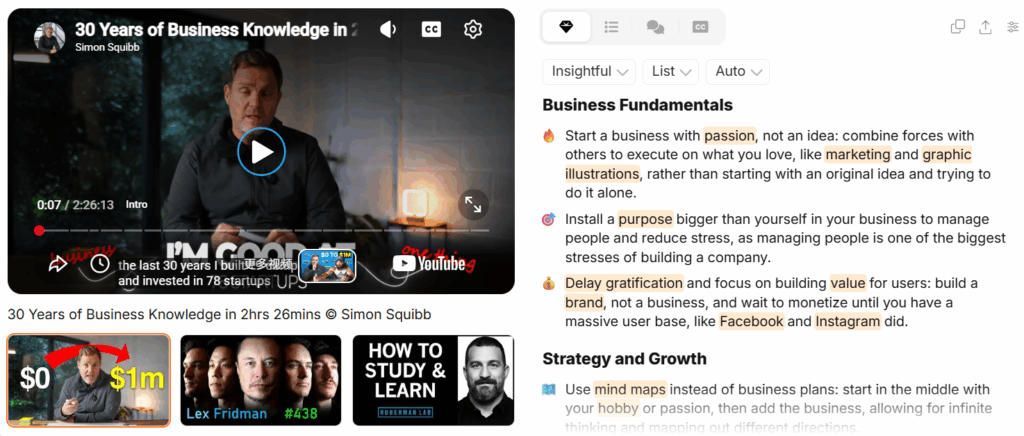
Eightify lives inside your browser. Install it once, open any YouTube video, and a sidebar panel generates key insights with timestamps. It supports over 40 languages and handles videos up to 12 hours. The "insights" button lets you switch between list, Q&A format, and adjust summary tone from "insightful" to "actionable."
What we liked: Seamless YouTube integration. One click from any video page. Limitations: Chrome extension required. No playlist support. Cannot handle videos without captions. 7-day free trial, then ~$5/month.
3. NoteGPT — Best for AI Notes, Transcripts & Mind Map Generation
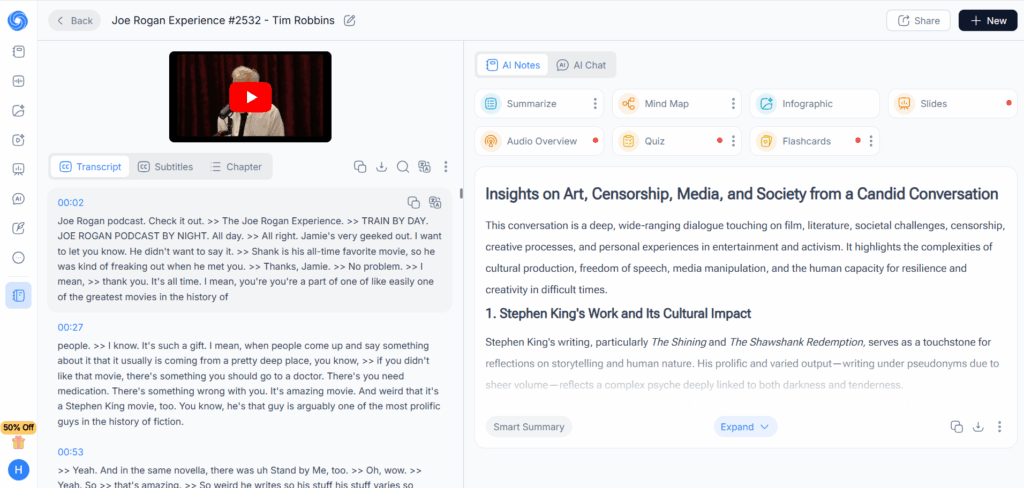
NoteGPT goes beyond summarization. It generates full transcripts with timestamps, structured AI summaries, follow-up Q&A chat, and automatically creates a mind map from the video's content. If you're a student or researcher who needs more than a quick overview, this is the tool that turns a YouTube video into study-ready material.
The batch-processing feature is worth mentioning: you can feed it up to 20 videos at once, which is rare among AI YouTube video summarizer tools at this price point.
What we liked: Mind maps are genuinely useful for visual learners. Transcript + summary + chat combo covers all bases. Works on PDFs and articles too. Limitations: Free tier is limited. Requires sign-up. Platform-dependent — works best as a Chrome extension.
4. Glasp — Best Free Tool With Custom AI Model Choice & Highlighting
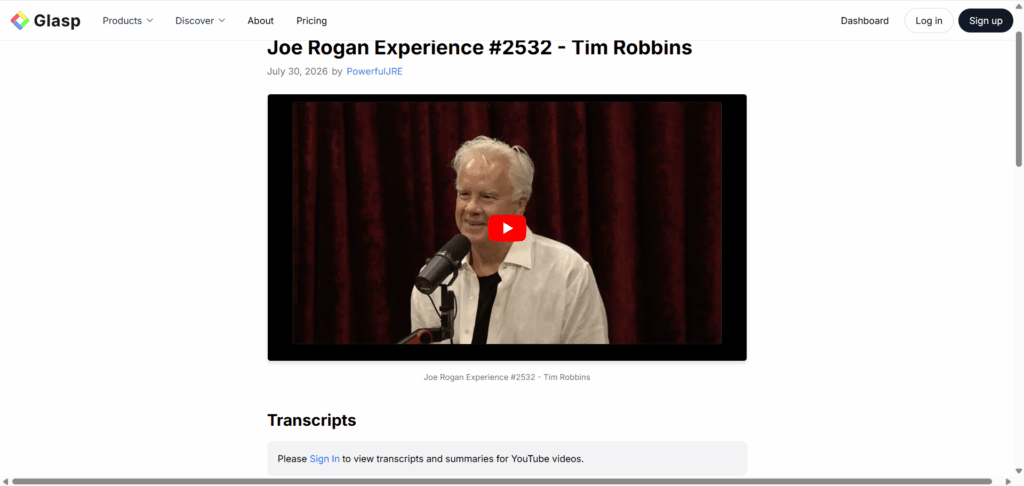
Glasp treats YouTube videos like web pages: you highlight important passages, annotate them, and save everything into a searchable library. It supports ChatGPT, Claude, Gemini, and Mistral as back-end models, which means you can customize how summaries are generated.
The social-sharing angle is unique. Glasp lets you publish your highlights and summaries publicly, creating a community-curated layer on top of YouTube content. Think of it as Kindle highlights, but for videos.
What we liked: Multi-model support is rare at the free tier. Highlighting workflow is intuitive for researchers. No sign-up needed for basic summaries. Limitations: Only 3 free summaries per day. No playlist processing. Doesn't handle videos without captions. The social features might be unnecessary if you just want quick summaries.
5. Summarize.tech — Best No-Frills Text Summarizer for Long YouTube Videos
Summarize.tech does exactly one thing: paste a link, get a text summary. No sidebar panels, no chat interfaces, no export formats. It's a free YouTube summarizer for people who just want to know what's in a video and move on.
It handles long videos well — our 90-minute lecture came back with a coherent multi-paragraph summary that actually captured the speaker's argument structure, not just a list of buzzwords.
What we liked: Dead simple. No login. Handles long videos reliably. Free. Limitations: No timestamps in the output. No export options. Can't handle playlists or no-subtitle videos. You get text and only text — if you need transcripts or notes, look elsewhere.
6. Decopy.ai — Best Completely Free Summarizer With Zero Login Required
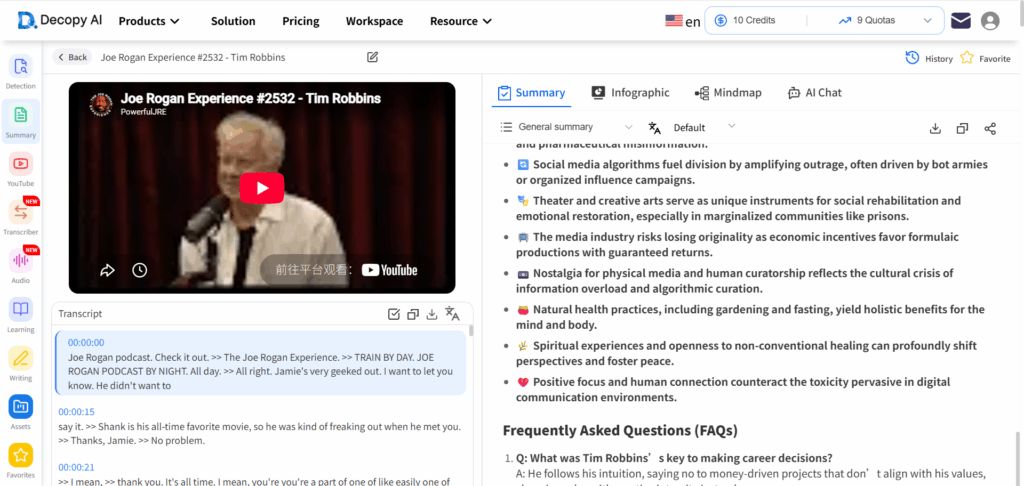
Decopy.ai is the most generous AI YouTube summarizer on this list: 50 summaries per day, completely free, no sign-up. It generates transcripts, summaries, mind maps, Q&A pairs, and timestamped key points — all without asking for your email.
The mind map visualization is surprisingly well-done, and the Q&A generation often surfaces insights you might not have noticed from a standard summary.
What we liked: Truly unlimited feeling with 50/day. Multiple output formats. No friction whatsoever. Limitations: Summary depth and accuracy aren't as strong as TutorGPT or Notta on complex content. Struggles with technical terminology. Playlist handling is basic.
7. Notta — Best for High-Accuracy Transcription Plus Smart Summaries
Notta is the transcription powerhouse on this list. With claimed 98%+ accuracy and support for 58 languages, it re-transcribes audio from scratch rather than relying on YouTube's auto-captions. That means it's one of the few free YouTube summarizer tools that works on videos without subtitles.
The summary itself reads more like meeting minutes than a narrative overview — action items, key decisions, speaker attributions — which makes it ideal for business users but slightly awkward for lecture or podcast content.
What we liked: Best transcription accuracy in this roundup. Strong multi-language support. Speaker differentiation. Works on uploaded files, not just YouTube links. Limitations: Free tier is only 120 minutes per month. Heavier than needed for casual YouTube browsing. Mobile and desktop apps required for some features.
How Each Tool Handles Long Videos, Playlists & No-Subtitle Videos
Long Video Performance
| Tool | 35-min Tutorial | 90-min Lecture | 3.5-hr Podcast |
| TutorGPT | ✓ | ✓ | ✓ |
| Eightify | ✓ | ✓ | ✓ (up to 12 hrs) |
| NoteGPT | ✓ | ✓ | Partial |
| Glasp | ✓ | Partial | ✗ |
| Summarize.tech | ✓ | ✓ | ✓ |
| Decopy.ai | ✓ | Partial | ✗ |
| Notta | ✓ | ✓ | Partial (120-min limit on free) |
Playlist Support
Only three tools in this roundup can handle full playlists: TutorGPT processes sequentially with a unified overview, NoteGPT supports batch processing of up to 20 videos at once, and Decopy.ai offers basic playlist support. The rest are single-video only.
If you're a student trying to summarize an entire course or a researcher working through a conference playlist, playlist support is not a nice-to-have — it's the difference between one workflow and 12 separate copy-paste sessions.
No-Subtitle Video Performance
TutorGPT and Notta are the only tools that reliably summarize videos without captions. Both use their own ASR engines — the biggest differentiator in the current AI video summarizer landscape. Every caption-dependent tool we tested either errored out, summarized from the video title alone, or hallucinated from the description text. The ASR-based tools returned grounded, accurate summaries every time.
Full Feature Comparison: Pricing, Limits & Platform Support
| Feature | TutorGPT | Eightify | NoteGPT | Glasp | Summarize.tech | Decopy.ai | Notta |
| Free Tier | Unlimited | 7-day trial | Limited | 3/day | Free tier | 50/day | 120 min/mo |
| No Sign-Up | Yes | No | No | Partial | Yes | Yes | No |
| No Extension Needed | Yes | No | No | No | Yes | Yes | Partial |
| No-Subtitle Support | Yes | No | Partial | No | No | Partial | Yes |
| Playlist Support | Yes | No | Yes | No | No | Basic | No |
| Timestamps | Yes | Yes | Yes | Yes | No | Yes | Yes |
| AI Chat/Q&A | Yes | No | Yes | No | No | Yes | No |
| Multi-Language | Yes | Yes | Yes | Yes | Limited | Yes | Yes |
| Mobile-Friendly | Yes | Yes | Partial | No | Yes | Yes | Yes |
Which YouTube Summarizer Fits Your Workflow?
Best for Long Videos — Tools That Don't Choke After 30 Minutes
Eightify and TutorGPT are the strongest picks here. Eightify handles videos up to 12 hours through its Chrome extension. TutorGPT gives you unlimited free processing with timestamps and AI chat. Summarize.tech works for text-only summaries with no frills.
Best for Playlists — Tools That Let You Summarize a Whole Channel
TutorGPT and NoteGPT are your only real options here. TutorGPT is the better pick if you want no-sign-up access and a unified playlist overview. NoteGPT is stronger if you need batch export to your note-taking system and don't mind installing an extension.
Best for Videos Without Subtitles — Tools That Understand Speech, Not Just Captions
Only two: TutorGPT and Notta. Notta wins on transcription accuracy for professional meeting content. TutorGPT wins on zero-friction access and overall summary quality for general YouTube content. For most YouTube users, the no-sign-up, no-extension experience tips the scale.
Best for Students on a Budget
TutorGPT (unlimited free), Decopy.ai (50/day, no login), and Summarize.tech (free tier) are your best no-cost bets. Rotate between them during exam season and you'll never hit a paywall.
Best for Content Creators Who Need Transcripts & Notes
NoteGPT is the most complete package for content repurposing — transcript, summary, mind map, and Q&A in one place. Pair it with a free YouTube summarizer like TutorGPT for the initial video scan, then use NoteGPT for the deep-dive and export workflow.
3 YouTube Summarizer Mistakes That Waste More Time Than Watching
Mistake 1: Thinking captions = summary. YouTube's auto-captions are a word-for-word transcript. They're not structured, they don't identify what matters, and they're full of the filler that makes videos long in the first place. An AI YouTube video summarizer should give you the argument, not the script.
Mistake 2: Ignoring timestamps. A summary without timestamps is a dead end. You read something interesting, but you can't jump to the exact moment in the video to hear it in context. Always pick a YouTube video summarizer tool that links every key point back to its timestamp.
Mistake 3: Stopping at the summary. The summary is the door, not the room. If the tool has a chat or Q&A feature, use it. Ask follow-ups. The best insights often come from the questions you ask after reading the summary, not from the summary itself.
Frequently Asked Questions About AI YouTube Summarizers
Can a free AI video summarizer really save me time?
Yes — but only if it's any good. A bad summary sends you back to the video to figure out what you missed, which wastes more time than watching from the start. The tools in this roundup consistently produced accurate summaries faster to read than watching the full video.
Do I need a Chrome extension to use an AI YouTube summarizer?
No. TutorGPT, Summarize.tech, and Decopy.ai all work directly in your browser without extensions. This matters if you're on a work computer that blocks extensions, a mobile device, or simply prefer not to grant "read all browsing data" permissions.
What if the video has no subtitles?
Most YouTube video summarizer tools rely on YouTube's caption tracks. If captions are unavailable, they fail. TutorGPT and Notta use automatic speech recognition (ASR) to transcribe audio directly — they work on any video with speech, regardless of caption status.
Are free YouTube summarizers actually free? What's the catch?
Some genuinely are. TutorGPT is unlimited free with no sign-up. Decopy.ai gives 50 free summaries per day. Summarize.tech has a free tier. Others use a free tier as a funnel to paid plans. The catch with the worst ones: they sell your data. Stick with the tools in this guide — we only included ones with clear privacy policies.
How accurate are AI YouTube video summaries?
It depends on the tool and the video. Tools with ASR (TutorGPT, Notta) maintain accuracy even on poorly-captioned videos. Caption-dependent tools are only as accurate as YouTube's auto-captions, which famously struggle with technical jargon, accents, and music.
The Bottom Line
The YouTube video summarizer space in 2026 is crowded, but the tools that actually deliver on "free, no sign-up, works on any video" are surprisingly rare.
If your priority is zero friction — no extensions, no accounts, paste a link and go — TutorGPT is the strongest all-around pick. It's the only free YouTube summarizer that handles long videos, playlists, and videos without subtitles out of the box.
If you're already comfortable with browser extensions and want native YouTube integration, Eightify is worth the trial. If you're a student building a knowledge base from video content, NoteGPT's mind-map-to-export pipeline is hard to beat. And if transcription accuracy is your non-negotiable, Notta has the best engine in the game.
The worst choice: not using one at all. Even the most basic AI YouTube video summarizer tools on this list will save you hours every month you'd otherwise spend watching videos that have 10 minutes of real value buried in 40 minutes of runtime.