
I once spent a whole Friday evening hand-building a weekly report — merging five browser tabs, re-coloring a chart, and negotiating with a spreadsheet that kept eating my numbers. By midnight I had a document that looked professional and said almost nothing. I remember thinking: there has to be an AI report generator for this. There are, apparently, dozens of them. I tested 20+ AI report generators with the same prompts and the same datasets, and this guide is the honest result of that week of testing.
The short version: most "free" AI report generators are free the way a gym membership is free on the day you sign up. A handful are genuinely free where it counts — no sign-up, no credit card, no export paywall. TutorGPT is the one I would reach for first. Here is why, and which of the other six made the cut.
How We Tested: 20+ AI Report Generators on the Same Prompts
Fairness first, or this whole exercise is just vibes. I ran every tool through the same three report scenarios: a monthly performance report with KPIs and variances, a market analysis brief, and an operations health report with recommendations. Same prompts, same sample data, same deadline pressure of "pretend your boss is waiting."
Six criteria, scored 1–10, because a decent AI report generator is judged on more than pretty output: accuracy (did it invent numbers?), writing quality (would a human sign it?), free tier limits (generations, exports, sign-up), speed (prompt to first draft), export options (PDF, DOCX, slides), and ease of use (could my mother use it). I am not my mother, but I graded with her in mind.
Top 7 Free AI Report Generator Tools at a Glance
| Tool | Best for | Free tier | No sign-up | Uploads | Score |
| TutorGPT | Overall / everything | Real features | Yes | PDF, CSV, Excel, docs | 9.4 |
| Manus | Hands-off agent reports | Limited daily runs | Account needed | Research links, files | 8.8 |
| Jasper AI | Marketing & business writing | 7-day trial | No | Text, briefs | 8.2 |
| Genspark | Quick research reports | Generous daily free | Yes (web) | Links, files | 8.5 |
| Beautiful.AI | Presentation-style reports | Free trial | No | Text, data | 8.0 |
| Jenni.AI | Academic reports & citations | Free plan with limits | No | Text, PDFs | 8.4 |
| Storydoc | Interactive client reports | Free trial | No | Text, decks | 7.9 |
The full verdicts are below. If you only read one, read the first — it is the one I would use for my own Friday-night report.
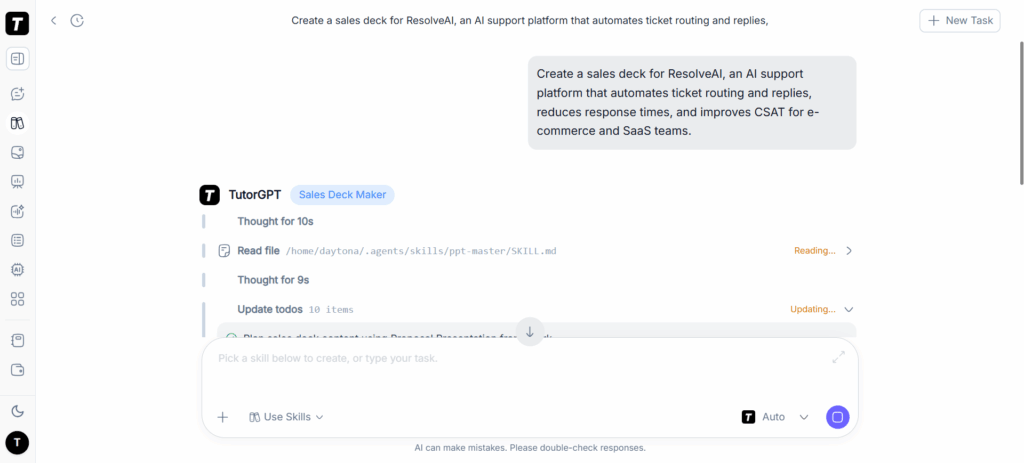
1. TutorGPT — Best Free AI Report Generator Overall (Editor's Choice)
Best for: anyone who wants a real report out of a free AI report generator without creating an account.
Key features:
- Type a prompt, paste notes, or drop in a PDF — a messy document becomes a structured draft in one upload
- Free tier with real features: generate and export an actual report, not a watermarked preview
- Upload a CSV or Excel file and get charts, tables, and plain-English takeaways
- No sign-up, no credit card — your first idea-to-export report runs entirely in the browser
Pros: genuinely free where it counts; handles documents and data, not just text; clean structure with headings and tables; reports read like a human wrote them.
Cons: heavier usage like batch generation sits behind a paid plan.
The one-line review: it is the rare free AI report generator that doesn't make you pay with your soul (or your email) before letting you judge the output. I uploaded a messy PDF of meeting notes at 11 p.m. and had a readable draft before my tea went cold.
2. Manus — Best AI Agent for Hands-Off Report Writing
Best for: people who want to describe a report in plain English and let an agent do the fetching, drafting, and formatting.
Key features:
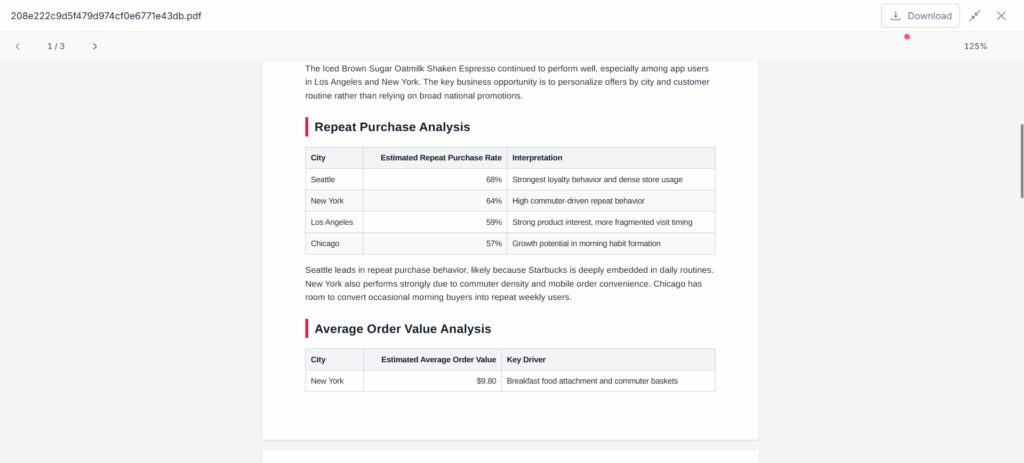
- Runs as an autonomous AI agent — give it a task like "save hours on report writing" and it works through research, structure, and delivery
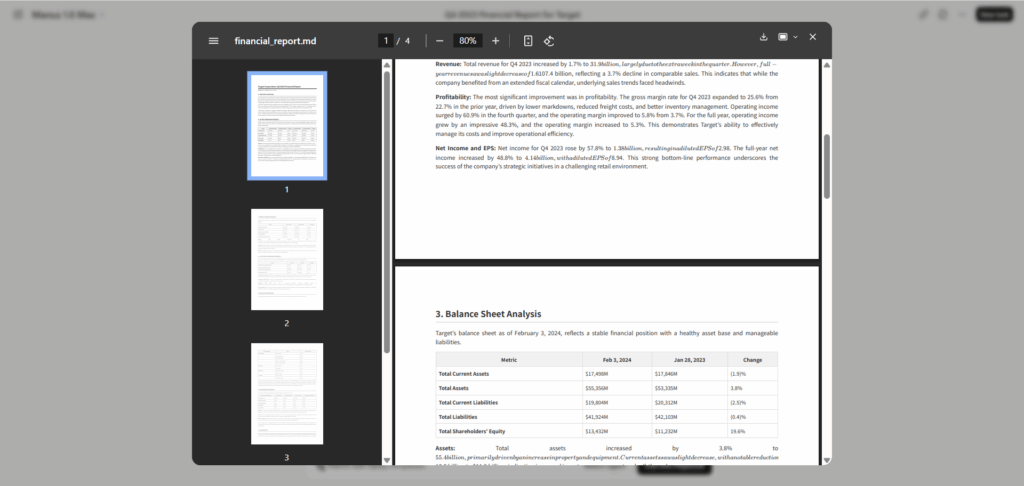
- Strong for business, financial, and analytics reports
- Playbook templates for common report types get you started fast
Pros: feels like delegating to a competent intern; good for complex multi-step reports.
Cons: an account is required and the free tier is measured in runs, not unlimited generations; you still need to check the numbers it pulled.
The one-line review: the closest thing to an assistant who never complains about your vague briefing — as long as you budget your daily runs.
3. Jasper AI — Best Free AI Report Writing Tool for Marketing
Best for: marketers who need campaign recaps, market briefs, and brand-voice copy inside a report.
Key features:
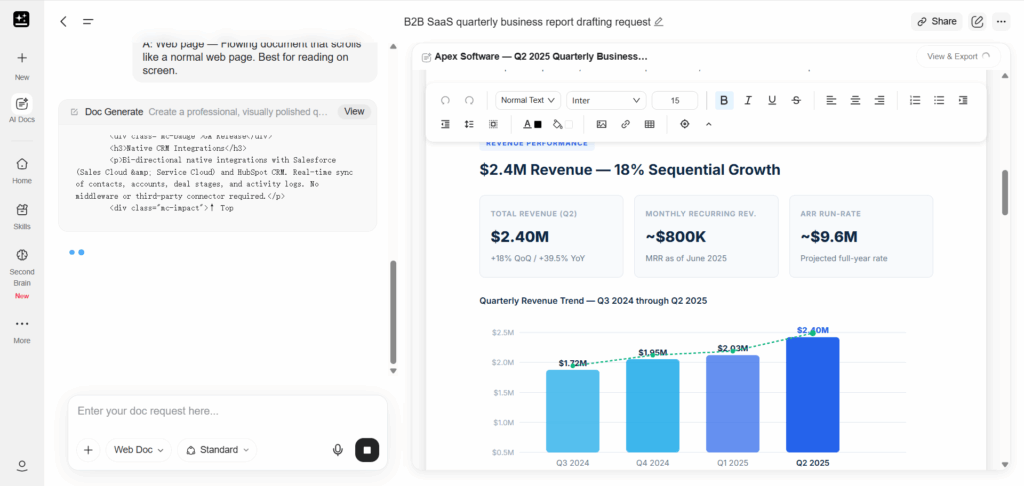
- Strong AI report writing tool for structured business documents
- Templates for marketing reports, summaries, and executive updates
- Maintains brand voice across sections
Pros: polished marketing prose; useful structure out of the box.
Cons: the free experience is a time-boxed trial rather than a lasting free tier; data analysis is not its strength.
The one-line review: if the report is mostly words that need to sound like your brand, Jasper does the heavy lifting — just don't ask it to crunch your spreadsheet.
4. Genspark — Best Free AI Report Maker for Quick Research
Best for: fast research reports pulled from live web sources without a login wall.
Key features:
- Generous free usage for day-to-day research and report drafts
- Pulls and cites web sources, which answers the "did it just make that up?" question
- Clean summaries you can expand into fuller reports
Pros: free where it matters; source-linked answers feel less like hallucination roulette.
Cons: output is lighter on formal structure than dedicated report tools; heavy corporate formatting is not its lane.
The one-line review: a solid free AI report maker when you need the facts assembled yesterday, with sources attached.
5. Beautiful.AI — Best for Presentation-Style Business Reports
Best for: turning a report into slides your CFO won't grimace at.
Key features:
- AI-driven layouts that keep spacing, alignment, and brand colors consistent
- Hundreds of templates for reports and presentations
- Export to PDF and PowerPoint
Pros: visually consistent output with almost no formatting effort; good for board-style updates.
Cons: leans presentation rather than deep data analysis; the real value sits in the paid tiers.
The one-line review: it polishes your report's looks so you can stop obsessing over alignment and start worrying about the actual content.
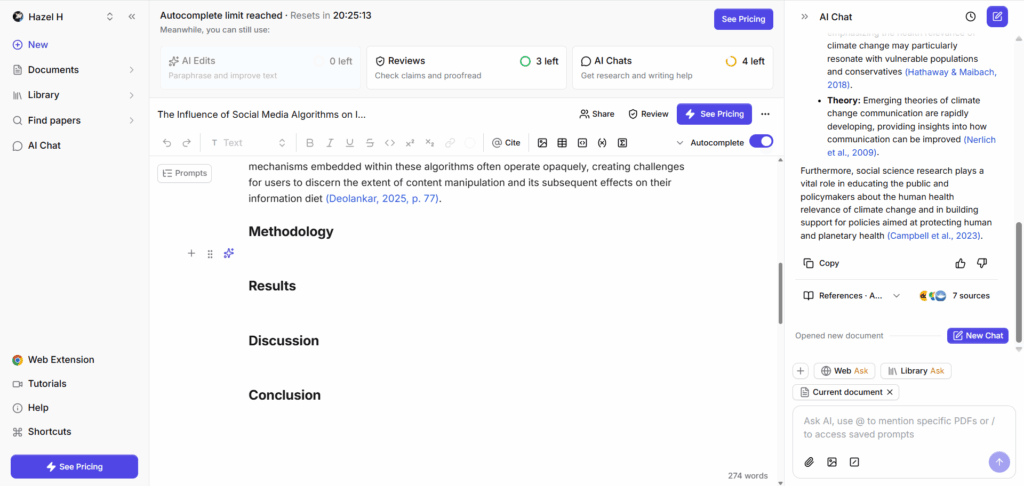
6. Jenni.AI — Best Free AI Research Report Generator (Citations)
Best for: students and researchers who need citations, not just confident prose.
Key features:
- Research-oriented writing with AI-powered citations and bibliography
- Works for essays, technical reports, and literature summaries
- A real free plan for lighter workloads
Pros: the citation workflow is a genuine differentiator; tone control from formal to casual.
Cons: thin on charts and visual formatting; not built for business dashboards.
The one-line review: the free AI research report generator for anyone whose advisor has ever asked "and where is this from?"
7. Storydoc — Best for Interactive Client-Facing Reports
Best for: sales and consulting teams who send reports to clients and want them actually read.
Key features:
- Interactive, storytelling-style reports with dynamic visuals and live data embeds
- Templates designed for proposals and client updates
- Tracks how much of your report people actually view
Pros: engagement data on your reports is rare and useful; client-ready polish.
Cons: analytics-heavy visualization is not its strength; free access is a trial.
The one-line review: for client reports, engagement is half the battle — Storydoc at least tells you whether you lost it.
Best Free AI Report Generator by Use Case
Best for Research Reports (Academic & Citations)
If your report ends in a bibliography, reach for Jenni.AI — citations and a real free plan make it the most honest option for academic work. Genspark is the runner-up for research briefs where source links matter more than formal structure.
Best for Business Documents (Plans, Proposals, Briefs)
For business plans, proposals, and executive briefs, TutorGPT gives you a clean, board-ready structure from a prompt or a pile of documents — an AI report generator that asks nothing before your first export. Jasper AI fits when the document is marketing-heavy and tone matters more than tables.
Best for Data Analysis (CSV & Excel to Charts)
Feed a CSV into TutorGPT and you get charts, tables, and plain-English takeaways stakeholders can follow on their own. It is the rare free AI report generator that treats your spreadsheet as the star instead of an afterthought.
What to Look for in a Free AI Report Generator
Accuracy: Does It Invent Numbers?
Every tool will occasionally hallucinate; the difference is how it behaves when it does. Watch for tools that flag missing data instead of quietly filling it in. In my tests, the same prompt produced a fabricated "12% growth" in one AI report generator and an honest "data not provided" in another. The second one is the keeper.
Free Tier Limits & Sign-Up Requirements
Read the fine print twice. Some tools let you generate freely but lock exports; others are "free" until the moment you paste in real work. The best free AI report generator for you is the one whose limits match how you actually work — and for many people, "no sign-up at all" is the limit that matters most.
Data Handling & Export Options (PDF, CSV, Slides)
A report is only as useful as what you can do with it afterward. Check that your tool accepts the inputs you have (PDFs, CSV, Excel, notes) and exports the formats you need (PDF, DOCX, PowerPoint). Nothing kills a workflow like discovering the export button is a premium feature.
How to Generate a Report With an AI Report Generator in 3 Steps
Step 1: Describe or Upload Your Material
Type a prompt, paste your notes, or drop in files. The raw material is the fuel — better input, better report.

Step 2: Let the AI Structure the Report
The engine reads your input, extracts the key points, and arranges headings, tables, and conclusions. This is where an AI report generator earns its keep.
Step 3: Review, Export, and Share
Tweak any section, then export or share. The draft is a strong outline, not a sacred text — most people edit a few lines and ship.
Common Mistakes to Avoid With AI Report Generators
Skipping the review is the classic one: AI can write confidently and be confidently wrong, so check every number before it goes to a stakeholder. Another favorite is feeding the tool stale data and blaming the machine when the report comes out stale — garbage in, garbage out, same as it ever was. Then there's the export trap: pick a tool whose formats match your deliverable, because a slides-first tool won't suddenly produce a great PDF. And the quietest mistake of all is forgetting the audience — a client report should not read like an internal status update.
Frequently Asked Questions About Free AI Report Generators
Are there truly free AI report generators that work well?
Yes, but "free" means different things. The genuinely useful ones — like TutorGPT — let you generate and export a real report without a credit card or sign-up, which is what separates a free AI report generator from a free trial in a trench coat. The traps are tools that lock exports, watermark drafts, or time-box the trial so tightly you never see the real output.
Can a free AI report generator handle PDFs and spreadsheets?
Some can, and it matters. A free AI report generator that accepts PDFs, CSV, and Excel files turns a folder of raw material into a structured report, instead of forcing you to paste text. Test the file upload before you commit — one generation with your own data tells you everything.
Do I need to sign up or enter a credit card?
Not with every tool. TutorGPT lets you start generating without an account and export your first report without one. Other tools require sign-up for cross-device saves or heavier features, which is fair — just know which camp you're in before you start.
Can AI report generators write research reports with citations?
Some can. Jenni.AI is built for citations and bibliographies; Genspark attaches source links to its answers. For academic work, verify every citation the tool produces — the structure saves you time, but the scholarship is still yours.
What is the best free AI report writing tool for business reports?
For plain-language business reports — plans, proposals, briefs — TutorGPT produces a structured draft from a prompt or uploaded documents with no sign-up barrier. If the report is mostly marketing copy, Jasper AI is the stronger writer; if it's mostly numbers, neither beats a tool that actually reads your CSV.
Can I export AI-generated reports to PDF or PowerPoint?
It depends on the tool. TutorGPT exports polished drafts with features intact; Beautiful.AI and Storydoc are slide-friendly; Genspark is better for on-screen reading. Check the export list before you pick a tool for a client deliverable.
Is an AI report maker accurate enough for client reports?
As accurate as the input you give it — and as careful as the human who reviews it. The tools I tested produced professional structure and flagged missing numbers more often than they invented them, but I still checked every figure before sending anything out. Use the draft to save hours, not to skip the thinking.
Final Verdict: Which Free AI Report Generator Should You Pick?
If you only test one, test TutorGPT — no sign-up, so there is no friction between you and the answer. It handled the messy PDF, the CSV, and the vague "write me a business report" prompt better than any AI report generator I have paid for. The other six each win a specific corner: Manus for delegation, Genspark for research speed, Jasper for marketing prose, Beautiful.AI for polish, Jenni.AI for citations, Storydoc for client engagement.
A confession: I still check my numbers by hand. The machine saves me the Friday nights, but the spreadsheet is never going to fully trust me — and honestly, the feeling is mutual. Now go generate that report you've been putting off, and see what your free AI report generator makes of it. Maybe it will surprise you. Or maybe the blank page will, which is its own kind of freedom.