
Creating high-quality images used to require professional design skills, expensive software, and hours of manual work. Today, AI Image Generation has completely changed how we create visual content.
With AI-powered image generators, anyone can transform a simple text prompt into realistic photos, creative illustrations, marketing visuals, product images, and more within seconds.
Whether you are a designer creating concept art, a marketer preparing campaign assets, a student making presentations, or a content creator looking for social media visuals, AI image generation tools can significantly speed up your workflow.
But with so many AI image generators available today, choosing the right one can be difficult.
Some tools focus on artistic creativity. Others are designed for professional design workflows. Some are beginner-friendly, while others provide advanced customization options.
To find the best options, I tested the most popular AI Image Generation tools based on image quality, prompt accuracy, ease of use, speed, features, and pricing.
Here are the 7 best AI image generators in 2026.
Quick Comparison of the Best AI Image Generation Tools in 2026
| Tool | Best For | Image Quality | Ease of Use |
| TutorGPT AI Image Generator | All-in-one AI image creation | ⭐⭐⭐⭐⭐ | ⭐⭐⭐⭐⭐ |
| Midjourney | Artistic and creative images | ⭐⭐⭐⭐⭐ | ⭐⭐⭐ |
| ChatGPT Image Generation | Everyday AI image creation | ⭐⭐⭐⭐⭐ | ⭐⭐⭐⭐⭐ |
| NoteGPT | Professional designers | ⭐⭐⭐⭐ | ⭐⭐⭐⭐ |
| Canva AI Image Generator | Social media content | ⭐⭐⭐⭐ | ⭐⭐⭐⭐⭐ |
| Leonardo AI | Creative assets and game design | ⭐⭐⭐⭐ | ⭐⭐⭐⭐ |
| Manus | Advanced customization | ⭐⭐⭐⭐⭐ | ⭐⭐ |
What Is AI Image Generation?
AI Image Generation is a technology that uses artificial intelligence models to create images from text descriptions, reference images, or other inputs.
Instead of manually drawing every element, users can simply describe what they want.
For example:
"A futuristic city at night with neon lights, cinematic style, ultra realistic"
An AI image generator can analyze the prompt, understand concepts such as objects, colors, lighting, and composition, and then create a completely new image.
Modern AI image generation models use advanced machine learning techniques to understand visual patterns from millions of images. This allows them to generate images with realistic details, creative styles, and accurate compositions.
Today, AI-generated images are used in many areas:
- Marketing campaigns
- Product design
- Social media content
- Presentations
- Educational materials
- Digital art
- Advertising visuals
How Does AI Image Generation Work?
Although the process behind AI image generation is complex, the user experience is simple.
Creating Images with Text Prompts
Everything starts with a prompt.
A prompt is a description that tells the AI what image you want to create.
A simple prompt:
"A golden retriever playing in a park"
A more detailed prompt:
"A golden retriever running through a sunny park, realistic photography style, natural lighting, high detail"
The more specific the prompt, the more control you have over the final result.
AI Models Understand Visual Elements
AI image generators analyze different parts of your request, including:
- Objects
- Styles
- Colors
- Composition
- Lighting
- Perspective
For example, if you ask for:
"A luxury car advertisement"
The AI understands that the image may require:
- Professional product photography
- Premium background
- Dramatic lighting
- High-resolution details
AI Generates and Refines Images
After understanding the prompt, the AI model creates an image based on learned visual patterns.
Most modern tools also allow users to refine results by:
- Changing styles
- Adjusting details
- Regenerating variations
- Editing specific elements
How We Tested These AI Image Generation Tools
To compare these AI image generators fairly, I tested each tool using similar prompts and evaluated them across several categories.
Image Quality
The most important factor is the quality of generated images.
I checked:
- Realism
- Detail accuracy
- Color consistency
- Overall visual appeal
Prompt Accuracy
A good AI image generator should understand user instructions.
I tested prompts involving:
- People
- Products
- Landscapes
- Creative concepts
- Marketing visuals
Generation Speed
Speed matters when creating multiple images.
I compared:
- Generation time
- Number of variations
- Workflow efficiency
Ease of Use
Not every user is an AI expert.
I considered:
- Interface simplicity
- Learning curve
- Prompt guidance
- Beginner friendliness
Pricing and Accessibility
Finally, I evaluated:
- Free availability
- Subscription options
- Value for different users
The 7 Best AI Image Generation Tools in 2026
1. TutorGPT AI Image Generator — Best AI Image Generator for All-in-One Creation
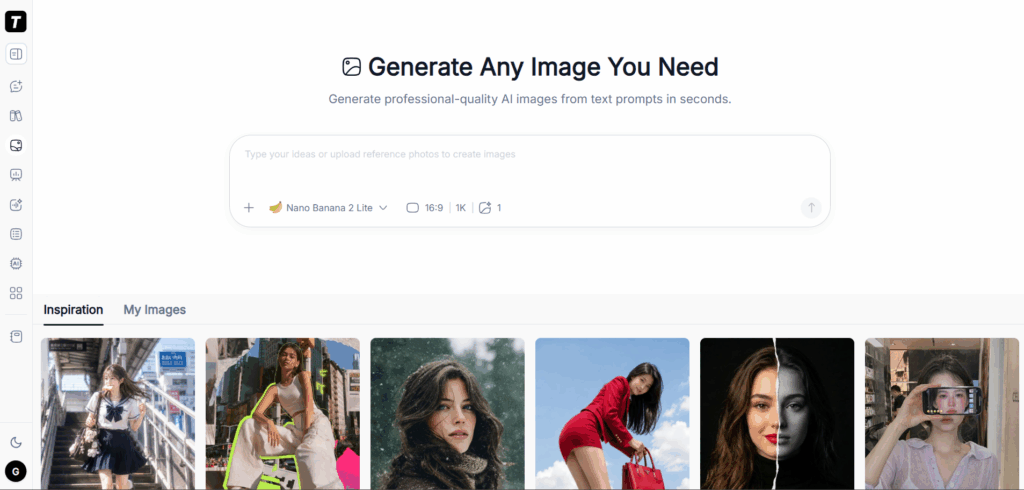
TutorGPT AI Image Generator is designed for users who want a simple way to create AI-generated images without dealing with complicated settings.
Unlike standalone image generation platforms, TutorGPT combines AI creation with a broader AI assistant experience, making it useful for students, professionals, marketers, and creators.
Key Features
- Generate images from text prompts
- Create visuals for different scenarios
- Support multiple creative styles
- Simple AI-powered workflow
- Suitable for beginners and professionals
My Experience Testing TutorGPT AI Image Generator
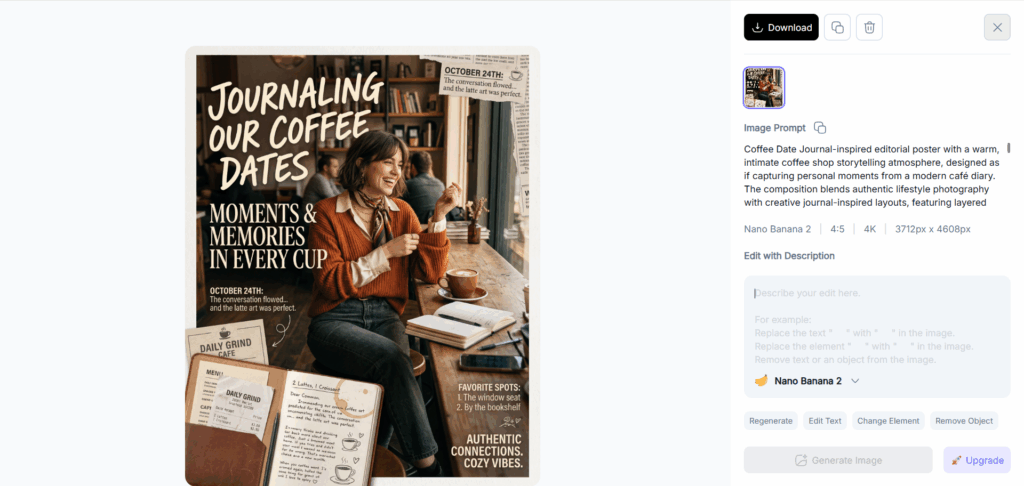
I tested TutorGPT with different types of prompts, including marketing graphics, educational illustrations, and creative images.
The biggest advantage I noticed was its simplicity.
Instead of spending time learning complex parameters, users can describe their ideas naturally and quickly receive usable results.
For example, when creating a presentation illustration, I could generate a suitable visual concept without switching between multiple design tools.
What I Liked
Easy for Beginners
Many AI image generators require users to understand advanced prompting techniques. TutorGPT keeps the process simple, which makes it accessible for users who are new to AI image creation.
Useful for Everyday Work
TutorGPT works well for common scenarios:
- Presentation images
- Blog visuals
- Marketing materials
- Learning resources
- Social media content
Integrated AI Workflow
For users who already use AI for writing, research, or productivity tasks, having image generation inside an AI assistant workflow can save time.
What Could Be Improved
Advanced digital artists who need extremely detailed control over parameters may prefer specialized tools like Manus or Midjourney.
However, for users who want fast, high-quality AI-generated images without a steep learning curve, TutorGPT is a strong option.
2. Midjourney — Best AI Image Generator for Artistic Images
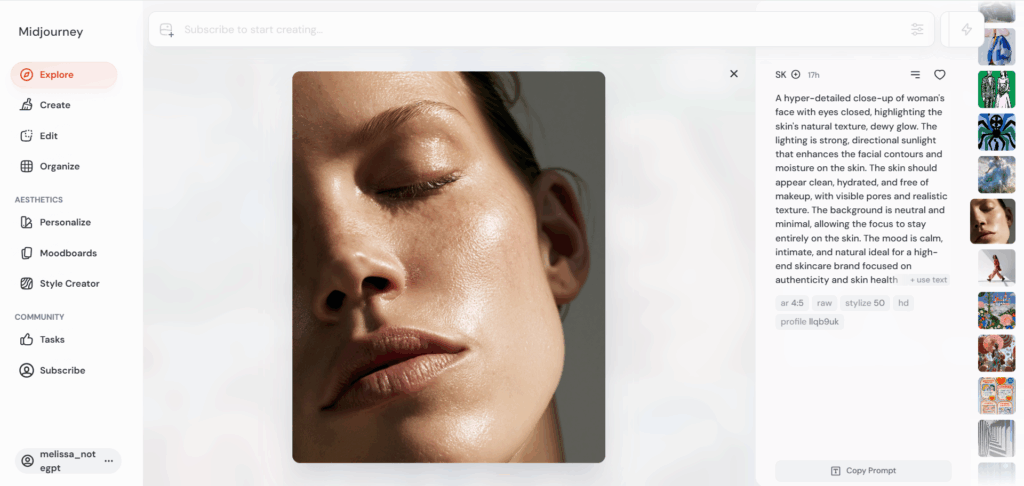
Midjourney is one of the most recognized names in the AI image generation space. It is especially popular among digital artists, designers, and creators who want highly artistic and visually impressive results.
Unlike some beginner-focused AI image generators, Midjourney is built around creativity and visual exploration. It excels at producing unique styles, imaginative concepts, and cinematic-quality images.
Key Features
- High-quality artistic image generation
- Strong visual styles and aesthetics
- Excellent image composition
- Creative control through detailed prompts
- Large creator community
My Experience Testing Midjourney
I tested Midjourney with different creative prompts, including fantasy landscapes, character designs, and cinematic scenes.
The first thing I noticed was the visual quality. Midjourney consistently produced images with strong composition, detailed textures, and professional-looking aesthetics.
For example, when generating concept art, Midjourney often created images that looked closer to professional artwork rather than simple AI-generated visuals.
However, the learning curve is higher compared with simpler AI image generators. Getting the exact result you want often requires experimenting with prompt structure and understanding different parameters.
What I Liked
Outstanding Creative Quality
Midjourney remains one of the strongest choices for users who prioritize artistic quality.
It is especially useful for:
- Concept artists
- Game designers
- Creative professionals
- Digital creators
Strong Community Inspiration
Because Midjourney has a large creator community, users can easily find inspiration and learn from other people's prompts.
What Could Be Improved
The biggest limitation is usability.
Beginners may find the workflow less intuitive compared with tools that offer a traditional image editor interface.
For users who simply want to create images quickly for work or daily tasks, a more straightforward AI image generator may be a better choice.
3. ChatGPT Image Generation — Best AI Image Generator for Everyday Use
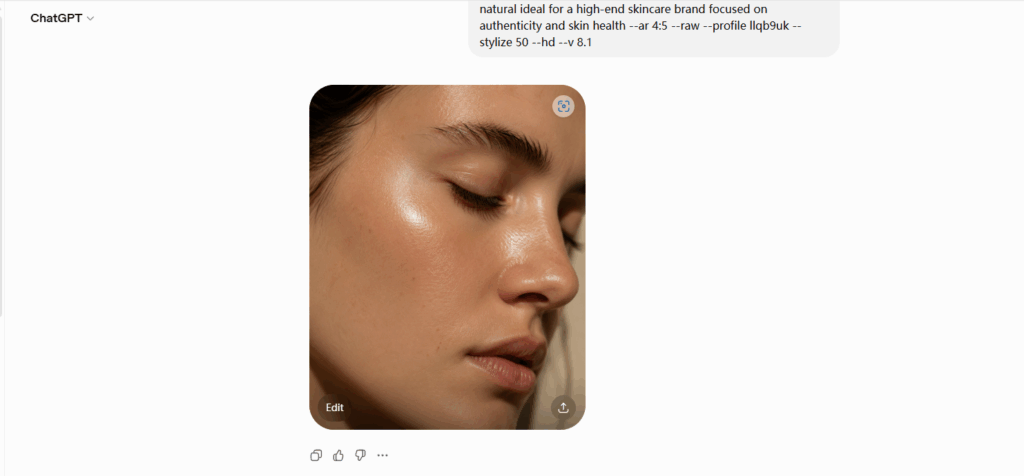
ChatGPT Image Generation brings AI image creation into a familiar conversational experience.
Instead of opening a dedicated design tool, users can simply describe what they want in natural language and refine the results through conversation.
Key Features
- Natural language image creation
- Conversational editing
- Strong prompt understanding
- Easy image refinement
- Works well for general-purpose tasks
My Experience Testing ChatGPT Image Generation
I tested ChatGPT with various prompts, including illustrations, product concepts, and educational visuals.
The biggest advantage was the interaction experience.
Instead of writing a perfect prompt from the beginning, I could gradually improve the image by giving additional instructions.
For example:
"Make the background cleaner."
"Change the style to a professional business illustration."
"Add more realistic lighting."
This conversational workflow makes AI image generation feel more accessible.
What I Liked
- Extremely beginner-friendly
- Great understanding of natural language instructions
- Easy for users already familiar with AI assistants
What Could Be Improved
For users who need advanced artistic control or specialized design workflows, dedicated AI image tools may provide more customization options.
4. NoteGPT — Best AI Image Generator for AI-Powered Productivity
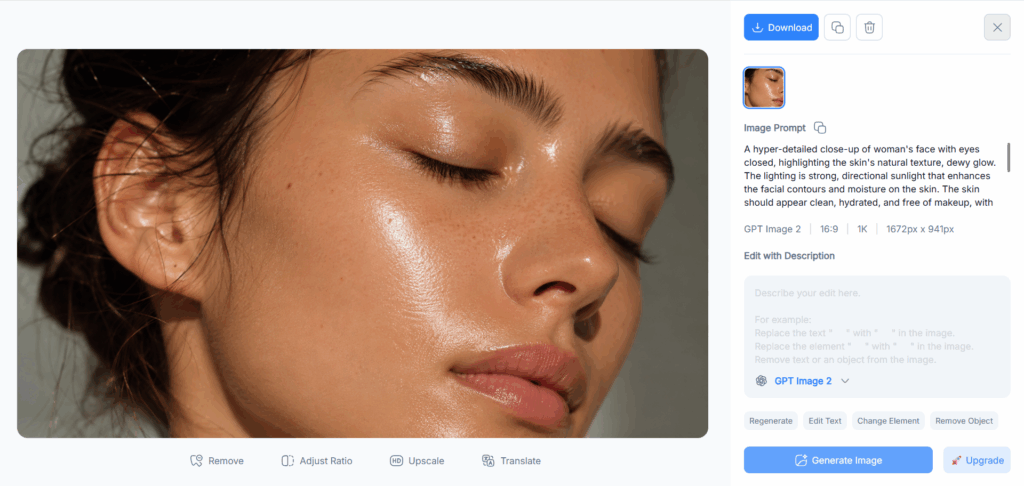
NoteGPT AI Image Generator is designed for users who want to create images quickly while working with AI-powered productivity tools.
Unlike standalone AI image generators focused only on visual creation, NoteGPT combines AI image generation with broader AI workflows, making it useful for students, professionals, researchers, and content creators.
Key Features
- Generate images from text prompts
- Create visuals for presentations, articles, and learning materials
- AI-powered content creation workflow
- Simple interface for beginners
- Supports various creative scenarios
My Experience Testing NoteGPT AI Image Generator
I tested NoteGPT by creating different types of images, including presentation visuals, educational illustrations, and content graphics.
What stood out was its ability to fit naturally into everyday AI workflows. Instead of using separate tools for writing, research, and visual creation, users can handle multiple creative tasks in one place.
For example, when preparing educational content or presentation materials, I could generate supporting visuals quickly without spending extra time searching for stock images or learning complex design software.
What I Liked
Great for AI-Powered Content Creation
NoteGPT works especially well for users who need visuals alongside written content, such as:
- Blog images
- Presentation graphics
- Educational materials
- Social media visuals
- Marketing content
Beginner-Friendly Experience
The workflow is simple:
- Describe the image you want
- Let AI generate visual concepts
- Refine the result based on your needs
This makes it accessible even for users without design experience.
Useful for Students and Professionals
Because NoteGPT focuses on productivity scenarios, it is a practical choice for:
- Students creating assignments
- Teachers preparing lessons
- Professionals making presentations
- Creators producing online content
What Could Be Improved
Users who need advanced artistic controls, custom AI models, or professional-level image editing features may prefer specialized creative platforms.
However, for users looking for a simple AI image generator integrated into a broader productivity workflow, NoteGPT is a strong option.
5. Canva AI Image Generator — Best AI Image Generator for Social Media Content
Canva has become a popular choice for users who want to create visual content quickly without professional design experience.
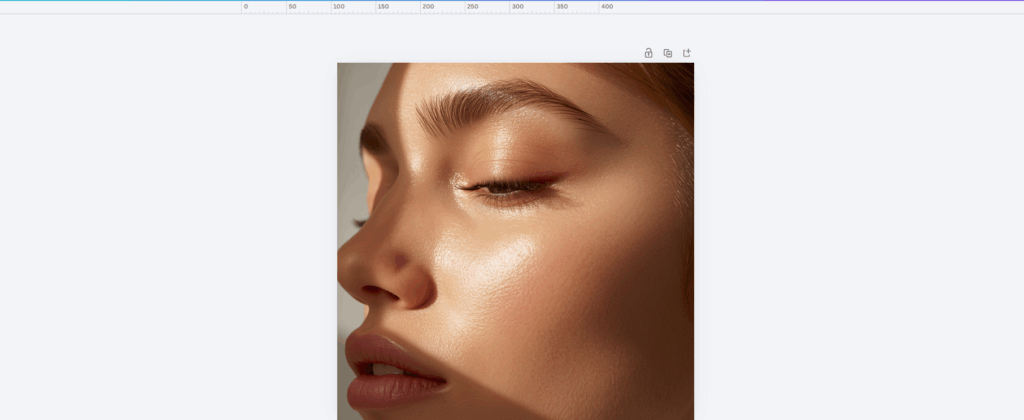
Its AI image generator is integrated directly into Canva's design platform, allowing users to create images and immediately place them into social media posts, presentations, and marketing materials.
Key Features
- AI image creation inside Canva editor
- Social media templates
- Presentation design integration
- Beginner-friendly interface
My Experience Testing Canva AI Image Generator
I tested Canva for creating social media graphics and simple marketing visuals.
The biggest benefit is speed.
Users can generate an image and immediately turn it into:
- Instagram posts
- Presentations
- Posters
- Marketing banners
This makes Canva a practical choice for marketers and small businesses.
What I Liked
- Very easy to use
- Great template ecosystem
- Ideal for quick content creation
What Could Be Improved
The image generation quality is good, but users looking for highly detailed artistic images may prefer tools specialized in AI image generation.
6. Leonardo AI — Best AI Image Generator for Creative Assets
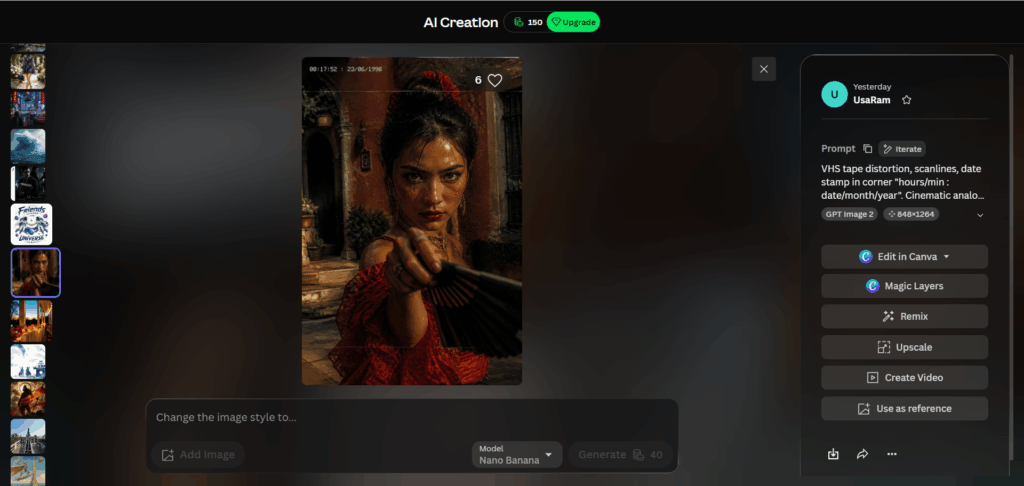
Leonardo AI is designed for creators who need more control over generated images.
It is commonly used for:
- Game assets
- Character designs
- Fantasy artwork
- Creative projects
Key Features
- Multiple image generation models
- Style customization
- Creative controls
- Asset creation tools
My Experience Testing Leonardo AI
Leonardo AI provided a good balance between usability and customization.
Compared with beginner-focused tools, it gives creators more control. Compared with highly technical open-source solutions, it remains relatively approachable.
What I Liked
- Flexible creative options
- Good image consistency
- Suitable for professional creators
What Could Be Improved
New users may need some time to understand the available settings and models.
7. Manus — Best AI Image Generator for Automated Creative Workflows
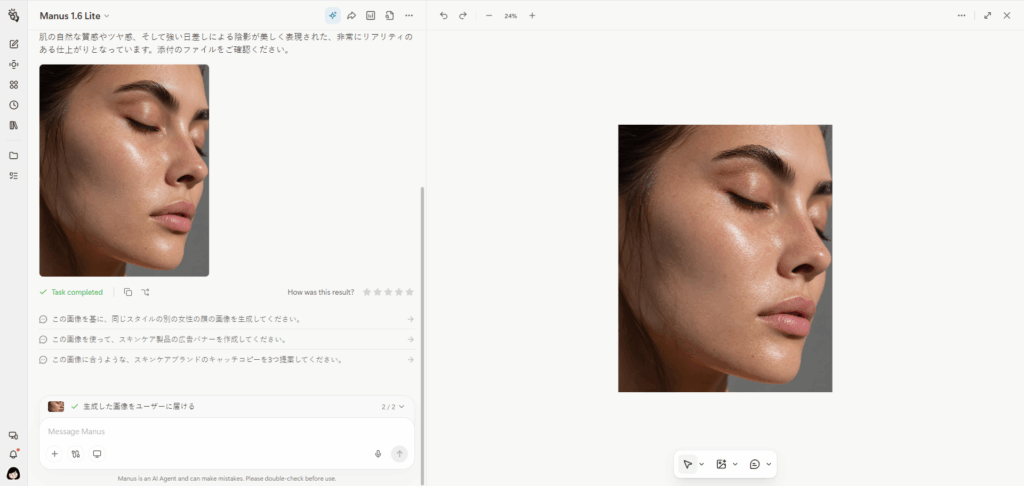
Manus is an AI agent platform that helps users complete complex tasks through intelligent automation. Beyond general AI assistance, Manus can also support creative workflows, including generating and organizing visual content.
Unlike traditional AI image generators that focus only on creating images, Manus takes a broader approach by combining AI reasoning, automation, and content creation capabilities.
Key Features
- AI-powered image creation workflows
- Automated creative assistance
- Support for content and visual tasks
- Multi-step AI task execution
- Suitable for professionals and creators
My Experience Testing Manus AI Image Generation
I tested Manus for creative workflows that required more than just generating a single image.
Instead of only entering a prompt and receiving a result, Manus is designed around completing larger tasks. For example, users can combine research, content planning, and visual creation into one workflow.
This makes it useful for professionals who need AI assistance across multiple stages of a project.
What I Liked
Beyond Simple Image Generation
Manus is not only an image creation tool. It helps users manage broader creative workflows, including:
- Content creation
- Research assistance
- Visual planning
- Automated tasks
Great for Productivity-Focused Users
For marketers, creators, and business users, generating an image is often only one step in a larger workflow.
Manus helps connect image creation with other AI-powered tasks.
What Could Be Improved
Users who only want a dedicated AI image generator with advanced image controls may prefer specialized tools such as Midjourney or Leonardo AI.
However, for users who want AI to handle more complex creative workflows, Manus provides a different approach.
What Can You Create with AI Image Generation?
AI Image Generation is no longer limited to creating artistic images. Today, it has become a practical tool for many industries and workflows.
Marketing and Advertising Images
Businesses use AI-generated images to create:
- Campaign visuals
- Advertisement designs
- Brand illustrations
- Promotional materials
Product Images and E-commerce Visuals
AI can help create product concepts, lifestyle scenes, and promotional images without expensive photography sessions.
Social Media Graphics
Creators and marketers can quickly generate:
- Social posts
- Thumbnails
- Background images
- Creative visuals
Presentation and Educational Materials
Students, teachers, and professionals can use AI-generated images to make presentations more engaging.
Concept Art and Creative Designs
Artists and designers use AI tools for:
- Inspiration
- Early concepts
- Visual exploration
AI Image Generation vs Traditional Design
| AI Image Generation | Traditional Design | |
| Creation Speed | Seconds or minutes | Hours or days |
| Required Skills | Beginner-friendly | Professional skills often needed |
| Cost | Lower | Higher |
| Creative Exploration | Very fast | More time-consuming |
| Customization | Improving rapidly | Highly flexible |
AI Image Generation does not completely replace traditional design. Instead, it provides a faster way to explore ideas, create drafts, and produce visual content efficiently.
How to Choose the Best AI Image Generator?
The best AI image generator depends on your goals.
Best AI Image Generator for Beginners
Choose:
- TutorGPT
- ChatGPT
- Canva
These tools provide simple workflows and require minimal technical knowledge.
Best AI Image Generator for Designers
Choose:
- NoteGPT
- Midjourney
These tools provide strong creative capabilities and professional workflows.
Best AI Image Generator for Businesses
Choose tools that combine:
- Easy creation
- Fast workflow
- Multiple use cases
All-in-one platforms like TutorGPT are useful for teams that need AI assistance beyond image generation.
Best Free AI Image Generator
Many AI image generators provide free credits or limited plans.
For beginners, trying free options first is a good way to understand which workflow fits your needs.
Frequently Asked Questions About AI Image Generation
What Is AI Image Generation?
AI Image Generation is a technology that uses artificial intelligence models to create images from text prompts, reference images, or other inputs.
What Is the Best AI Image Generator in 2026?
The best AI image generator depends on your needs. Midjourney is excellent for artistic images, NoteGPT is strong for designers, and TutorGPT is a good choice for users who want simple all-in-one AI image creation.
Is AI Image Generation Free?
Many AI image generators offer free plans or trial credits. However, advanced features usually require a paid subscription.
Can AI-Generated Images Be Used Commercially?
Commercial usage depends on the tool's licensing policy. Always check the specific terms before using AI-generated images for business purposes.
How Do AI Image Generators Work?
AI image generators analyze text prompts using trained AI models and create images based on learned visual patterns.
What Is the Difference Between AI Image Generation and AI Art Generation?
AI Image Generation is a broader term that includes all types of AI-created images. AI Art Generation usually focuses specifically on creative and artistic images.
Conclusion
AI Image Generation has transformed image creation from a specialized design task into an accessible creative workflow.
After testing these tools, the best choice depends on what you need:
- For all-in-one AI productivity: TutorGPT AI Image Generator
- For artistic creativity: Midjourney
- For conversational image creation: ChatGPT Image Generation
- For professional design workflows: NoteGPT
- For quick social content: Canva AI Image Generator
- For creative assets: Leonardo AI
- For advanced customization: Manus
For most users who want to create high-quality images quickly without learning complex design skills, an easy-to-use AI Image Generation tool like TutorGPT provides the best balance between quality, speed, and simplicity.